


Document Editor | Comments & Track Changes
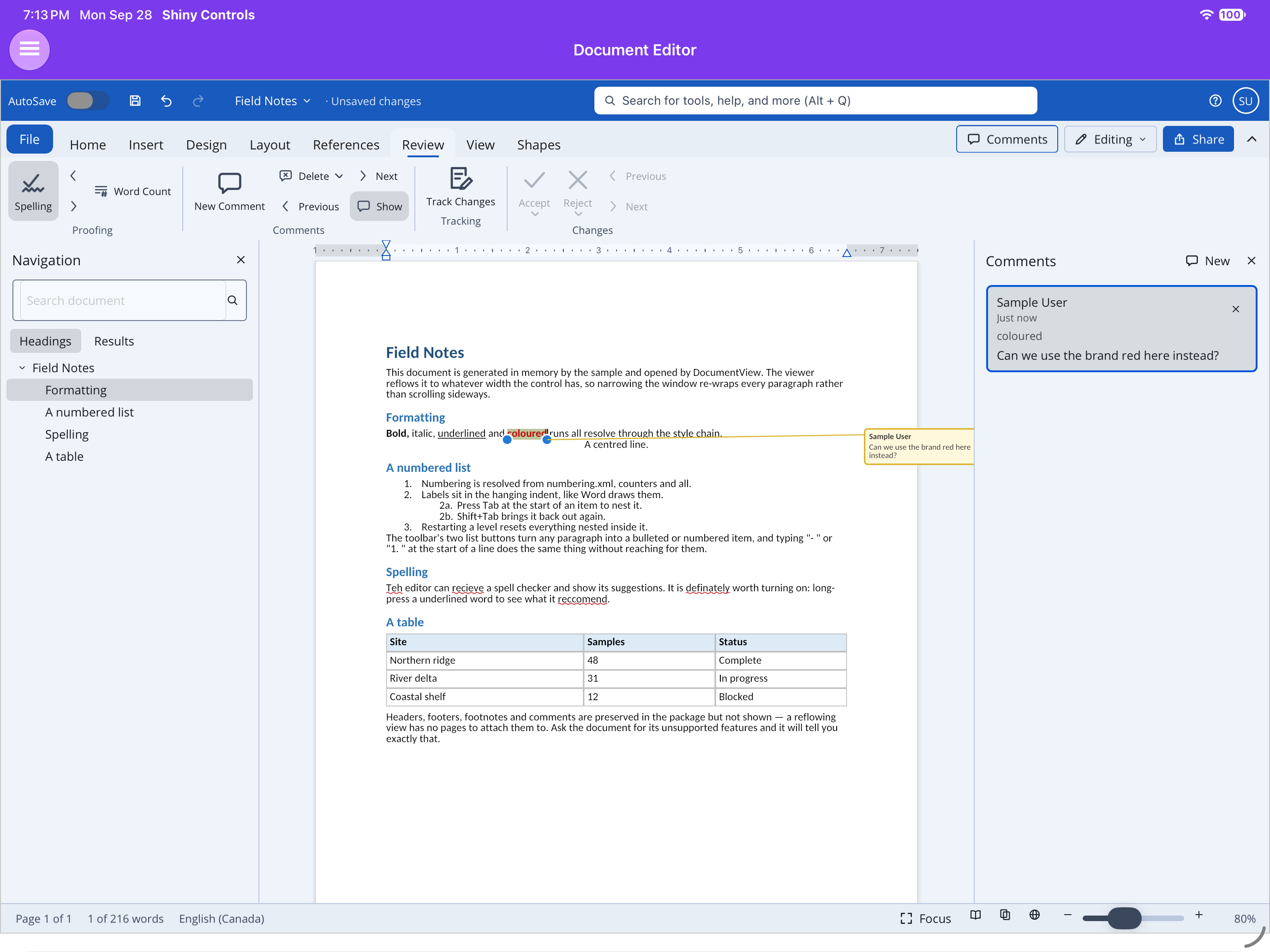
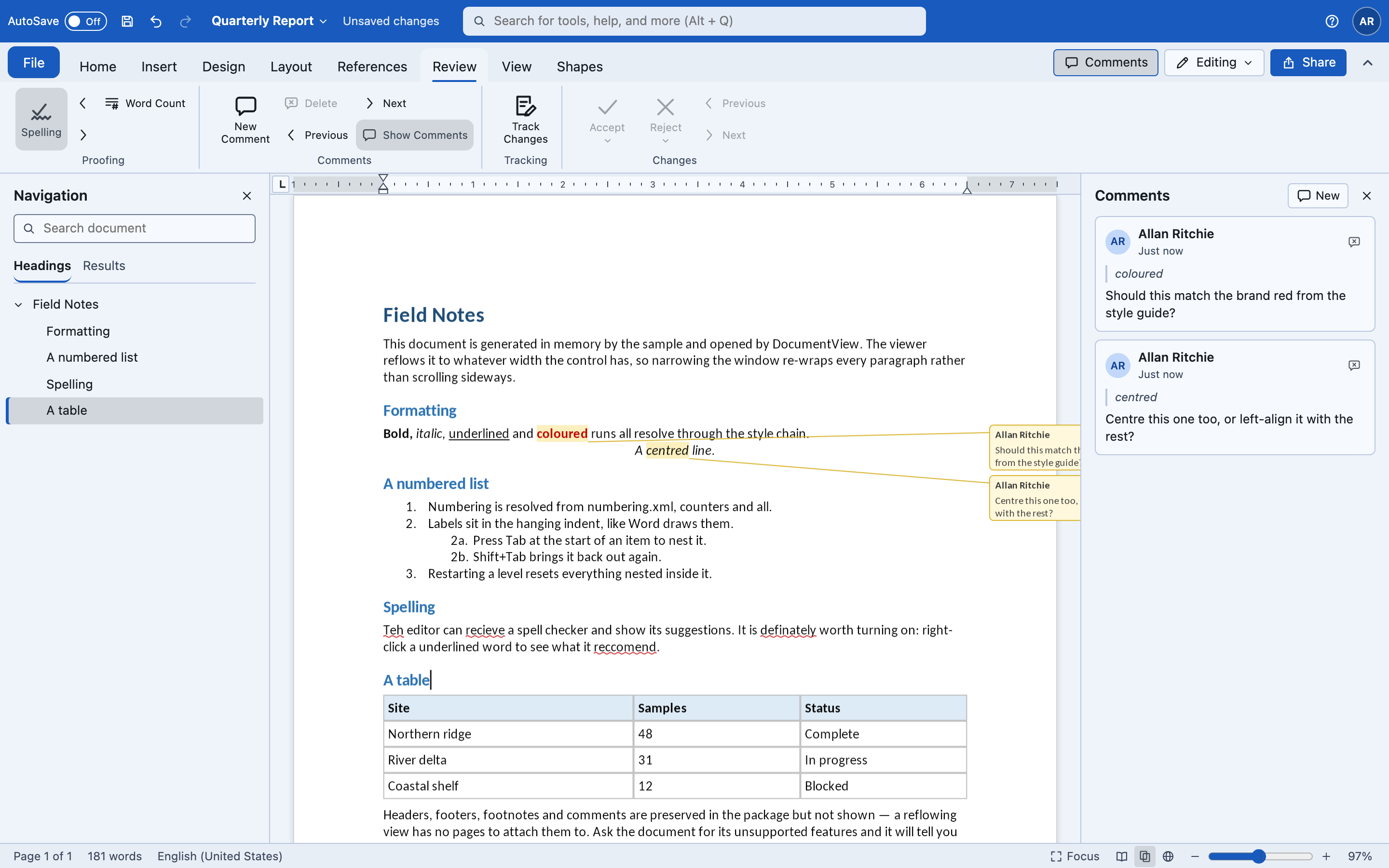
The Review tab: Proofing (Spelling, previous/next misspelling, Word Count) · Comments (New, Delete,
Previous, Next, Show) · Tracking (Track Changes) · Changes (Accept, Reject, Previous, Next). Author
names come from UserName on the view (the same name the title bar shows).
| .NET MAUI (iPad) | Blazor WebAssembly |
|---|---|
 |
 |
Comments
Section titled “Comments”AddComment(text) anchors a comment to the selection — or the word at the caret — with
w:commentRangeStart / End and a reference run, and writes it to comments.xml with the Author, date
and initials.
var c = editor.Controller!;
c.AddComment("Check this figure");          // Ctrl+Alt+Mc.NextComment(); c.PreviousComment();c.DeleteComment(id); c.DeleteAllComments();c.Comments; c.CurrentComment;c.GoToComment(id);                           // select the text a comment is anchored toc.CommentedText(comment);                    // that text, for a comments list
Commented text is washed. In print layout each comment gets a balloon in the margin beside its line,
stacked so they never overlap (CommentMarks() is what the painter draws; ShowComments hides the
balloons).
In DocumentEditorView the comments pane (ShowCommentsPane, and the Comments button at the right
end of the ribbon) lists every comment with its author, date and the text it is anchored to. Click a card
to select that text, delete one with its button, or New to comment on the selection.
Track changes
Section titled “Track changes”IsTrackingChanges is stored in the document (w:trackRevisions), so it is still on when the file is
reopened here or in Word. Review ▸ Track Changes, Ctrl+Shift+E, or the
ribbon’s Reviewing mode turn it on.
While it is on, typing lands in w:ins and deleting wraps the text in w:del (with w:delText)
carrying the Author and date. Consecutive keystrokes grow one insertion and coalesce into one undo
step, and deleting your own unaccepted insertion just removes it. Insertions draw underlined and
deletions struck through in the reviewer’s ink.
c.IsTrackingChanges = true;c.AcceptChange(); c.RejectChange(); // the change at the caret, then move onc.AcceptAllChanges(); c.RejectAllChanges();c.NextChange(); c.PreviousChange();c.Revisions;Joining paragraphs is not tracked — the caret steps over the paragraph mark instead. Tracked
formatting changes (w:rPrChange) are not recorded either; ones already in a document are
preserved.
Word count
Section titled “Word count”Statistics is a DocumentStatistics — CurrentPage, Pages, Words, CharactersNoSpaces,
CharactersWithSpaces, Paragraphs, Lines, SelectedWords — shown by Review ▸ Word Count,
Ctrl+Shift+G, and a click on the status bar’s word count.
StatisticsChanged fires on an edit, or when the caret moves to another page.
Spelling
Section titled “Spelling”Review ▸ Proofing turns the spelling pass on or off and steps to the previous or next misspelling. How the checker is chosen per platform is on the overview.