

85+ native controls for .NET MAUI and Blazor on one theme contract, plus source-generated Shell navigation.
Welcome to the Shiny Platform
Everything you need on .NET.
One platform.
The Shiny Platform covers .NET app development end to end. Native UI for MAUI and Blazor. Data everywhere: a document database across 18 providers, from SQLite and IndexedDB on the device to Cosmos, Mongo and Postgres in the cloud, plus EF Core extensions for spatial, vector and full-text search, outbox and seeding. Push, Bluetooth and Wi-Fi hubs, background transfers, device hardware and AI. And .NET Aspire integrations for Orleans, databases, VPNs and tunnels. Fifty-plus libraries, one way of working — so your time goes to the app your users actually asked for.
Runs everywhere .NET does
- Windows
- macOS
- Linux
- iOS
- Android
- Web
- 40M+
- NuGet downloads
- 50+
- libraries
- 85+
- UI controls
- AOT
- trim-clean
Scanner.csDocs →
// Scan for BLE peripherals as an observable streamvar scan = bleManager .Scan(new ScanConfig("Your-Service-UUID")) .Subscribe(result => { var peripheral = result.Peripheral; Console.WriteLine($"{peripheral.Name} {result.Rssi}"); }); // stop whenever you likescan.Dispose();OpenOrders.csDocs →
// One record becomes a Siri, Shortcuts and Gemini action[AppFunction("count_open_orders", Title = "Open Orders")][AppShortcut("How many orders are open in ${applicationName}")]public record CountOpenOrders : IAppFunction<int>; public class CountOpenOrdersHandler(OrderStore store) : IAppFunctionHandler<CountOpenOrders, int>{ public Task<int> Handle(CountOpenOrders request, AppFunctionContext context, CancellationToken ct) => store.CountOpen(ct);}SyncJob.csDocs →
// Background work the OS schedules, with conditionsservices.AddJob<SyncJob>(r => r .WithInternet(InternetAccess.Any) .WithBatteryNotLow()); public class SyncJob(ApiClient api) : IJob{ public async Task Run(CancellationToken cancelToken) => await api.SyncAsync(cancelToken);}WeatherService.csDocs →
// Source-generated, AOT-safe AI tools from an interface[Tool][Description("Provides weather information")]public interface IWeatherService{ [Description("Get the current weather for a city")] Task<WeatherResult> GetWeatherAsync( [Description("City name")] string city);} builder.Services.AddGeneratedAITools();WorkOrderViewModel.csDocs →
// AI picks the page from what the user said and fills it[ShellMap<WorkOrderPage>(description: "User reports a repair")]public partial class WorkOrderViewModel(INavigator navigator){ [ShellProperty("Summarize what is broken", required: true)] public string Description { get; set; } = string.Empty;} builder.UseShinyShell(x => x.AddGeneratedMaps().AddAiTools()); var options = new ChatOptions { Tools = [.. aiTools.Tools] };var reply = await chatClient.GetResponseAsync(history, options);Program.csDocs →
// An HTTP server that runs inside your app, no ASP.NETusing Shiny.Net.HttpServer; var server = new HttpServer(new HttpServerOptions{ Port = 8080}); server.MapGet("/ping", ctx => ctx.Response.WriteAsync("pong"));await server.RunAsync();AgentPage.xaml.csDocs →
// A native AG-UI agent chat that can draw A2UI surfacesbuilder.Services.AddShinyAiConversation(opts =>{ opts.AddAgUiRenderTool(); // the model can draw A2UI}); var session = await sessionManager.Start();agentView.Session = AgentSession.Create( session.SessionId, session.RunAgUiAsync);Users.csDocs →
// LINQ over JSON documents, on SQLite or any backendservices.AddDocumentStore(opts => opts.DatabaseProvider = new SqliteDatabaseProvider("Data Source=app.db")); await store.Insert(new User { Id = "u1", Name = "Alice" }); var adults = await store.Query<User>() .Where(u => u.Age >= 18) .OrderBy(u => u.Name) .ToList();HealthViewModel.csDocs →
// HealthKit and Health Connect behind one APIawait health.RequestPermissions( DataType.StepCount, DataType.HeartRate); var end = DateTimeOffset.Now;var start = end.AddDays(-1); var steps = await health.GetStepCounts(start, end, Interval.Hours);foreach (var bucket in steps) Console.WriteLine($"{bucket.Start:t} {bucket.Value:N0} steps");Pairing.csDocs →
// The OS pairing sheet: no scan, no location promptvar accessory = await setup.ShowPicker(new AccessoryPickerItem( "Shiny Sensor", new AccessoryDiscoveryFilter { ServiceUuid = "6E400001-B5A3-F393-E0A9-E50E24DCCA9E", Range = AccessoryRange.Immediate })); var peripheral = ble.GetPeripheral(accessory!); // no scanawait peripheral!.ConnectAsync();GetData.csDocs →
// One attribute makes a request work offlinepublic record GetData(string Id) : IRequest<MyData>; public class GetDataHandler(Api api) : IRequestHandler<GetData, MyData>{ [OfflineAvailable] // <= boom, done public Task<MyData> Handle( GetData request, IMediatorContext context, CancellationToken ct) => api.Get(request.Id, ct);}ChatViewModel.csDocs →
// Stream an AI reply from a persisted sessionawait using var session = await sessions.GetLatest() ?? await sessions.Start(); var turn = session.Send(AiInput.Text(message));await foreach (var e in turn.Events){ if (e is TextDelta delta) Console.Write(delta.Text);}var result = await turn.Completion;MyPushDelegate.csDocs →
// Native push on APNs and FCM through one APIvar result = await pushManager.RequestAccess();if (result.Status == AccessState.Available) await api.Register(result.RegistrationToken); public class MyPushDelegate(ApiClient api) : PushDelegate{ public override Task OnNewToken(string token) => api.Register(token);}Firmware.csDocs →
// Over-the-air firmware updates for MCUboot devicesusing var client = peripheral.CreateMcuMgrClient(); var image = new FirmwareImage( await File.ReadAllBytesAsync("zephyr.signed.bin")); var result = await client.UpgradeFirmwareAsync(image);if (result.AlreadyUpToDate) Console.WriteLine("Device already runs this firmware");MyGpsDelegate.csDocs →
// GPS that keeps reading while the app is in the backgroundvar request = GpsRequest.Background;var access = await gpsManager.RequestAccess(request);if (access == AccessState.Available) await gpsManager.StartListener(request); public partial class MyGpsDelegate(TripLog trips) : IGpsDelegate{ public Task OnReading(GpsReading reading) => trips.Add(reading.Position);}dotnet add package Shiny.BluetoothLE
Literally everything you need on .NET
From the screen your users touch to the server it talks to, and everything in between. Pick the layer you need today; the rest fits the same way when you get there.
Document DB across 18 providers, on the device and in the cloud. EF Core extensions for spatial, vector and full-text search, outbox and seeding. Background sync over HTTP.
Push and local notifications, typed hubs over Bluetooth and Wi-Fi, background transfers and companion watch apps.
Bluetooth, GPS, NFC, beacons, Wi-Fi and printers, plus the data the OS already owns, behind one API per job.
Jobs the OS schedules, geofences, Live Activities and work that keeps going after the app leaves the screen.
Conversations, speech and AI tools generated from the services, routes and data you already have.
An HTTP server that runs anywhere .NET does, ASP.NET Core add-ons, push dispatch, virtual actors, and .NET Aspire integrations for Orleans, databases, VPNs and tunnels.
Hosting, dependency injection, mediator and source generators that keep every layer AOT and trim clean.
What’s New
Recently shipped across the platform.
Shiny 7 on .NET 11The suite moves to .NET 11 and MAUI 11. The client packages go to 7.0, together with HTTP Server 3, BluetoothLE Hubs and Universal Hubs 2, App Device Bridge 4 and MAUI Shell 8, and every one of them now targets
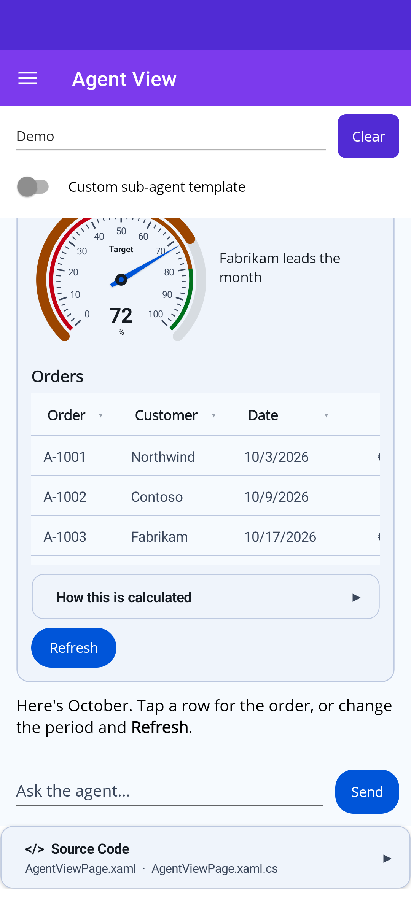
net11.0 and its platform builds.ExplorePasskeys & a Smarter SimulatorApp Device Bridge 4 adds AddPasskeysBridge: a web app hosted in your MAUI app creates and signs in with passkeys through Face ID, Touch ID, Android's Credential Manager and Windows Hello, because a page served from loopback can't call navigator.credentials for your domain. The shiny-bridge-sim simulator now plays KML and KMZ walks, answers monitored geofences like a device, and loads Shiny.Obd emulated vehicles.ExploreAccessory SetupLet users pick your BLE device in the OS's own setup UI: the AccessorySetupKit half-sheet with your product image on iOS 18+, and the CompanionDeviceManager dialog on Android. The user's choice is the permission, so there is no MFi, no location prompt and, on iOS, no Bluetooth prompt. The accessory opens as a Shiny.BluetoothLE peripheral with no scan, and Android 12+ can wake the app when it comes into range.ExploreMCUmgr Firmware UpdatesUpdate the firmware of Zephyr, nRF Connect SDK, Mynewt and NuttX devices over BLE. UpgradeFirmwareAsync runs the whole MCUboot update: it uploads in chunks sized to the device's buffer, resumes an interrupted upload, then tests, resets, reconnects and confirms. It reads nRF Connect SDK dfu_application.zip packages, including the nRF5340 network core image, and also covers OS, image, file, shell and stats commands.ExploreUno Platform & Avalonia HostingShiny runs in Uno Platform and Avalonia 12 apps, not just MAUI. Shiny.Hosting.Uno covers Android, iOS, Mac Catalyst, Windows and the Skia desktop with either Uno renderer, Shiny.Hosting.Uno.WebAssembly brings Shiny's browser modules to Uno WebAssembly, and Shiny.Hosting.Avalonia covers Android, iOS, Mac Catalyst and desktop.ExploreControls 2.5ResizablePanelGroup splits a layout into panels with draggable handles, and SignatureView puts a signature surface in any form, card or row. MediaElement takes the same analyzers as CameraView, so OCR, barcodes, faces and motion read a playing video, and SpeechCaptionAnalyzer with CaptionView captions what plays or what the camera hears.ExploreAG-UI & A2UI ControlsAgentView turns any AG-UI agent into a conversation on MAUI and Blazor: streaming markdown, reasoning, live tool-call cards, nested sub-agents, and interrupts answered with approve/reject, choices or a text reply. The agent can ask the user through real Shiny controls (confirm, pickers, date ranges). A2UISurfaceView draws A2UI v1.0 surfaces with native controls, covering the full basic catalog plus a Shiny catalog that adds DataGrid, Gauge, ChipGroup, DateRangePicker, Timeline and more. It works inside a conversation or on its own.ExploreAI Conversation 3Rebuilt around sessions. Replies stream as they are written and can be interrupted, and each session persists to SQLite with search, auto titles and context compaction. The assistant keeps its own long-term memory, sees images and can ask to use the camera. Voice is now the separate Shiny.AiConversation.Voice package: push-to-talk, wake word, barge-in, answering a question by voice while the AI is still speaking, and replies spoken sentence by sentence.ExploreLibraries
Fifty-plus libraries, grouped by the problem they solve. Every one runs on .NET 9 and later, AOT and trimming clean.
The building blocks under every Shiny app — hosting, messaging, DI and source generators that keep you AOT-clean.
- CoreThe host, lifecycle hooks and device monitoring every Shiny module builds on
- MediatorA source-generated mediator with middleware for offline, caching, validation and resiliency
- ActorsOrleans-style virtual actors in one process — even inside a MAUI or Blazor app
- Dependency InjectionAttribute-driven service registration, generated at compile time
- ReflectorReflection-style property access without runtime reflection
- SerializationEvery JsonSerializerContext in your app behind one AOT-safe ISerializer
- Localization GeneratorStrongly-typed classes generated from your .resx files
Radios, sensors and the local network — Bluetooth, GPS, beacons, Wi-Fi, VPN and discovery behind one API.
- BluetoothLEScan, connect and talk to BLE peripherals — reactive and async
- Accessory SetupThe system pairing sheet for your BLE accessory
- BluetoothLE HostingTurn your device into a BLE peripheral with custom GATT services
- Classic BluetoothRFCOMM serial connections, discovery and pairing over classic Bluetooth
- BluetoothLE HubsSignalR style hubs between nearby devices over Bluetooth LE
- Universal HubsBluetoothLE Hubs over Wi-Fi as well as Bluetooth LE
- BeaconsiBeacon and Eddystone — ranging, region monitoring and broadcasting
- OBDTalk to vehicles through OBD-II adapters
- GPSForeground and background GPS tracking
- GeofencingGeofencing with dwell, and unlimited region geofencing
- Reverse GeocodingTurn coordinates into addresses
- Motion ActivityKnow whether the user is walking, running, driving or still
- Network DiscoveryFind things on the local network and advertise your own
- Wi-FiScan, join and manage Wi-Fi networks, and host a hotspot
- VPNDrive the OS's built-in IKEv2 VPN client from your app
- WearablesTalk to your Apple Watch or Wear OS companion app
- Screen RecordingRecord the screen to MP4, with microphone and system audio
- AudioMicrophone capture, playback, recording, effects and call audio
- GamepadsRead game controllers, with rumble, battery, motion and light bars
- Game CenterAchievements, leaderboards and friends over Game Center and Play Games
- PrintingReceipt printers over BLE, WiFi and the browser, plus OS-native printing
- BiometricsTouch ID, Face ID, fingerprint and Windows Hello behind one prompt
- NFCRead and write NDEF tags on phones, desktop readers and the browser
The data the OS already owns — music, health, contacts and calendars — with permissions handled for you.
- MusicQuery, browse and play the device music library
- HealthApple HealthKit and Android Health Connect behind one API
- App StoreStore version checks, store and review deep links, and the in-app review prompt
- Age SignalsThe store-shared age range for Texas SB 2420 and other app store age laws
- In-App PurchasesStoreKit 2 and Google Play Billing 9 behind one API, with the backend included
- Contact StoreDevice contacts with full CRUD and LINQ queries
- Calendar StoreDevice calendars and events with CRUD and LINQ queries
- Call DirectoryBlock and identify incoming calls on iOS and Android from a list your app owns
Conversation, speech, and on-device recognition of faces, voices and documents.
- AI ConversationsStreaming, persistent AI sessions with voice, memory and a chat UI
- SpeechSpeech-to-text, text-to-speech, audio capture and playback
- Face IntelligenceOn-device face enrollment and recognition
- Voice IntelligenceOn-device speaker recognition from voiceprints
- Document IntelligenceNative document scanning plus on-device data extraction
Work that keeps running when your app isn't on screen, and the notifications that bring users back.
- JobsPeriodic and one-shot background tasks that survive app restarts
- Local NotificationsRich local notifications with channels and scheduling
- Push NotificationsAPNs, FCM, WNS and Web Push behind one delegate model
- Live ActivitiesThe live, updating status surface on iOS and Android — from C#
- App FunctionsExpose app functions to Siri, Shortcuts, Apple Intelligence and Gemini
- HTTP TransfersResumable background uploads and downloads
Navigation, modular hosting, configuration and permissions — the plumbing of a .NET MAUI app.
- MAUI ShellTyped Shell navigation with a proper ViewModel lifecycle
- ConfigurationPlatform preferences, JSON bundles and remote configuration
- MSBuild PermissionsDeclare permissions once; MSBuild writes the manifest and Info.plist
- App Device BridgeA web app inside a MAUI app, with typed access to the device
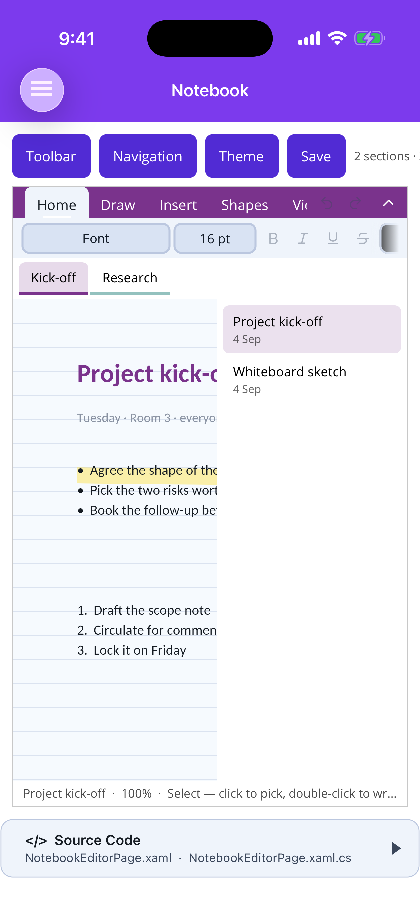
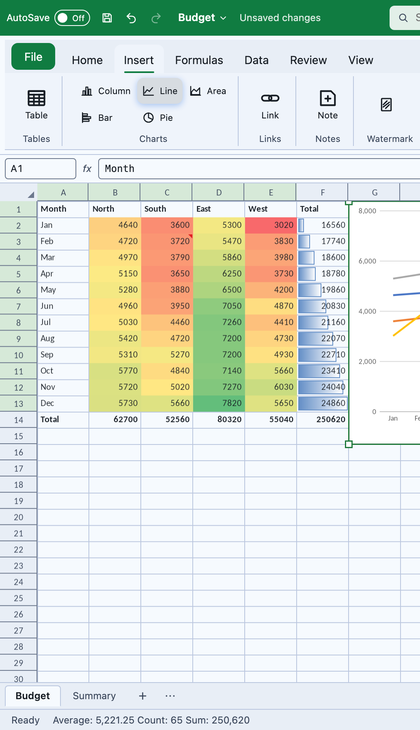
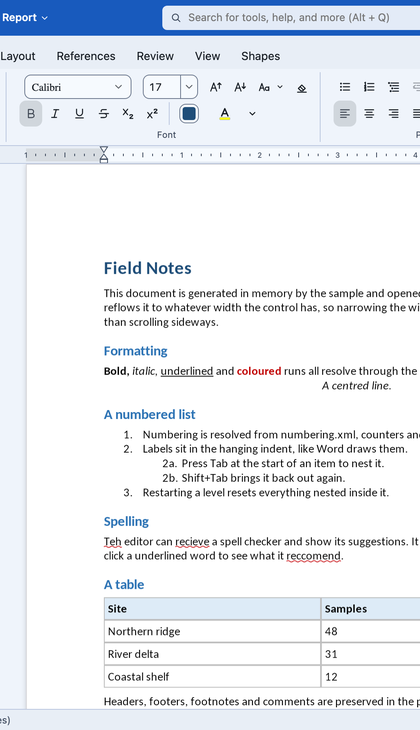
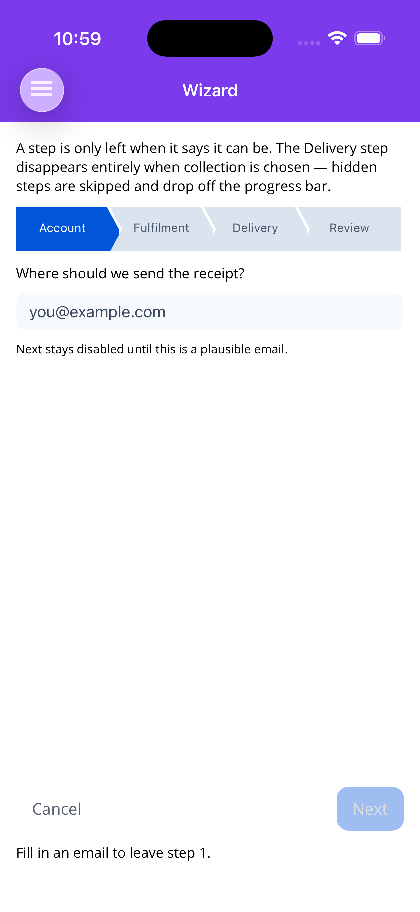
85+ native controls for .NET MAUI and Blazor, sharing one theme system — no WebViews.
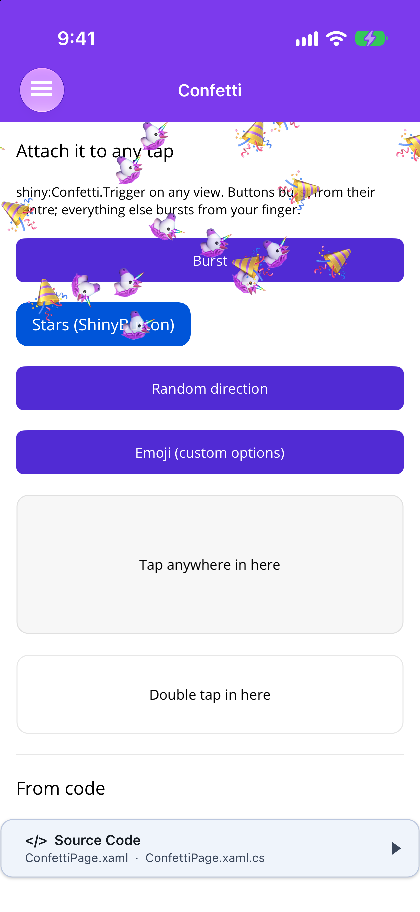
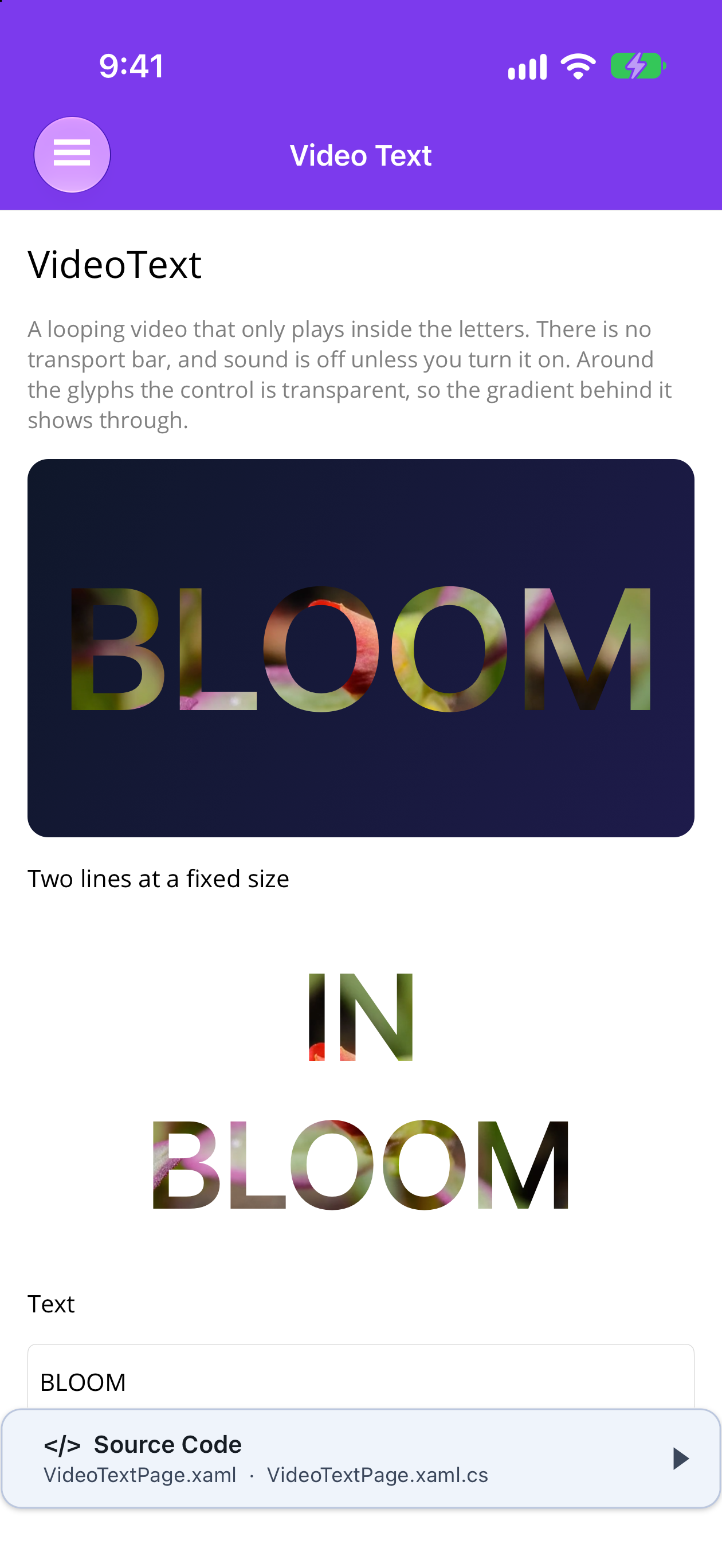
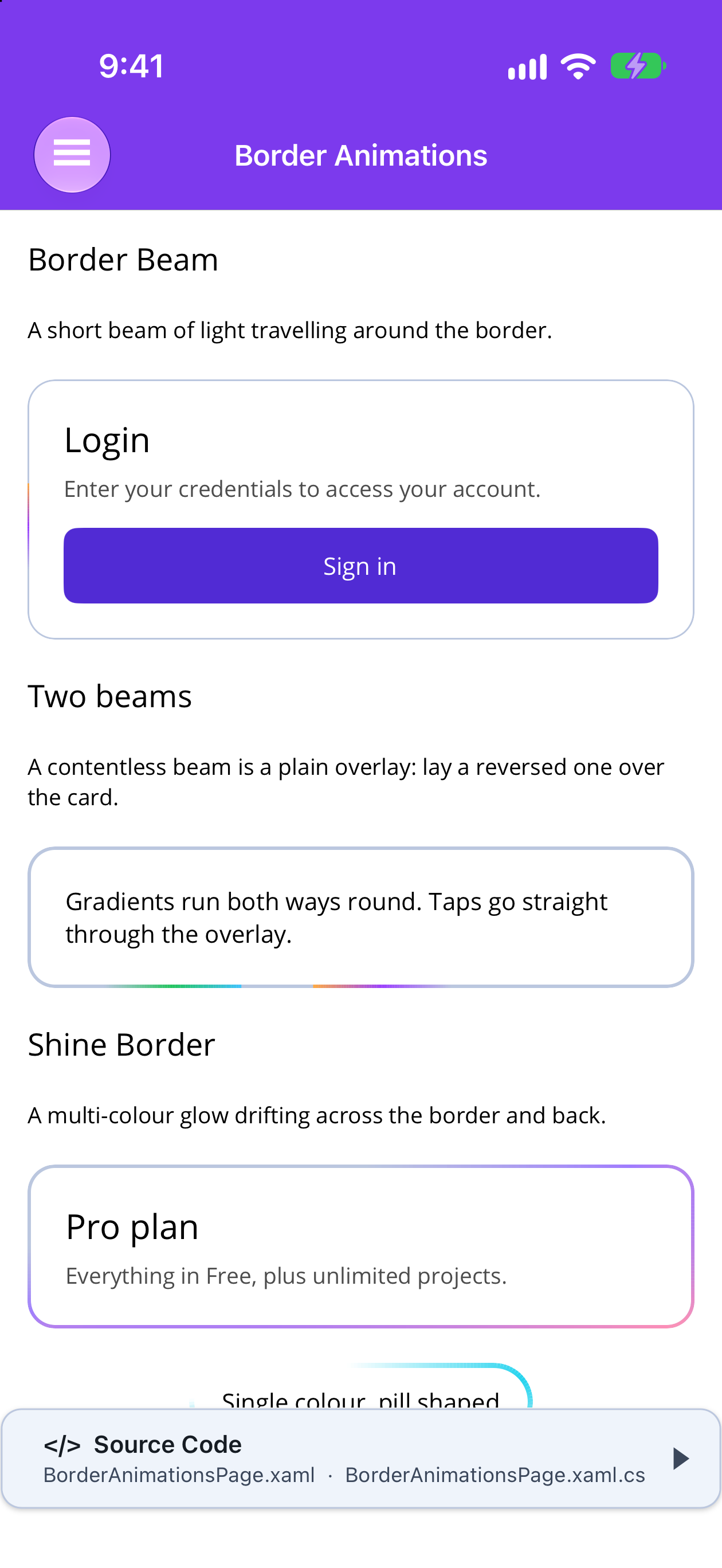
TableViewSchedulerChatViewDataGridGanttKanbanTimelineNotebookDiagramCameraViewSpreadsheetDocument EditorSlide EditorOffice ShellGamepadYogaLayoutFloor PlanMediaElementVideoTextBorder AnimationsKeyboard ShortcutsFoldablesTheming
Browse every controlStore, query, sync and persist data — on the device and in the cloud, with or without an ORM.
- Document DBA schema-free JSON document store on 20 databases — from SQLite to Cosmos DB
- EF Core ExtensionsMobile SQLite search, an outbox, temporal history and AI tools for EF Core 10
- Data SyncReliable, bidirectional JSON record sync with an HTTP backend
- StoresOne key/value API over Preferences, Secure Storage and browser storage
SQLiteSQLCipherPostgreSQLCockroachDBSQL ServerMySQLMariaDBOracleDuckDBAzure Cosmos DBMongoDBAmazon DocumentDBAmazon DynamoDBAzure Table StorageRedisRavenDBGoogle FirestoreLiteDBIndexedDBFirestore Mobile
Explore Data & StorageAn HTTP server that runs anywhere .NET does, push dispatch from your backend, and .NET Aspire integrations.
- HTTP ServerAn AOT-clean HTTP/1.1, HTTP/2 and HTTP/3 server — even inside a MAUI app
- ASP.NET ExtensionsWebDAV, CalDAV, tus, NuGet and npm feeds, ACME, webhooks and tunnels for ASP.NET Core
- Push (Server)Send push from your backend to APNs, FCM and Web Push
- AspireOrleans, Gluetun VPN and public tunnels as .NET Aspire resources
Powered by Microsoft.Extensions.AI
Build AI Into Your Apps
Turn your contracts, services, routes, and data into AI-callable tools — or drop in a complete voice assistant. Source-generated, AOT-safe function calling that works across mobile, desktop, web, and server.
AI ConversationsA complete conversational service — chat, speech-to-text, text-to-speech, and wake word behind one interface. Swap OpenAI, Azure, Ollama, or Copilot freely.ExploreShell NavigationGenerated AITool instances let an AI discover your routes, infer parameters from natural language, and navigate to the right page.ExploreMediatorExpose request and command contracts as AI-callable tools — AIFunction wrappers and JSON schemas generated automatically from your attributes.ExploreDependency InjectionTag a service interface and source-generate fully typed, reflection-free AIFunction tools, all registered with a single call.ExploreDocument DBVector / ANN search across pgvector, SQL Server 2025, Cosmos DiskANN, Mongo Atlas, DuckDB vss, and sqlite-vec — plus LLM-callable tool functions, structured filters, and auto-embed on insert via Microsoft.Extensions.AI.ExploreEF CoreExpose the entities of any
DbContext as AI-callable query, count, aggregate and CRUD tools — behind a per-caller scope the model can’t see or widen, pushed down to SQL. Read-only by default, with the same tools served over MCP.ExploreHealthExpose HealthKit and Health Connect data as AI-callable tools — let an agent read steps, heart rate, sleep, and more, or log workouts and nutrition, with opt-in, read-only-by-default capabilities.ExploreContactsLet an agent search the device address book, look up a contact, and — when you opt-in to write — create, update, or delete contacts. Read-only by default.ExploreCalendarLet an agent list device calendars, search events in a date window, and — with per-operation write opt-in — create, update, or delete events. Read-only by default.ExploreRemindersTurn local notifications into reminder tools — an agent can list pending reminders and, with write opt-in, schedule one-time or daily reminders and cancel them.ExploreLocationGive an agent read-only GPS awareness — where the user is, plus great-circle distance and rough travel-time estimates to any destination.ExploreApp FunctionsThe functions your app exposes to Siri and Gemini become tools for your own in-app LLM — same handlers, same sign-in and permission delegates, and the model finds entity ids with the generated search tools.ExploreMusicLet an agent search and browse the device music library, pick a track for a mood, control playback, and manage playlists — with opt-in tool areas and structured JSON results.ExploreAgentView & A2UIRender any AG-UI agent as a native conversation on MAUI and Blazor, with streaming markdown, tool-call cards and approvals, and let the model draw A2UI surfaces out of real Shiny controls.ExploreMCP ServerHost a Model Context Protocol server over Streamable HTTP on the Shiny HTTP server. No ASP.NET Core needed, so it runs inside a .NET MAUI app.ExploreDocument ScannerA cheap native detector watches every CameraView frame, and only a steady, real document is sent, as one frame, to any vision IChatClient for structured extraction. On Apple Intelligence devices it can run on the device.ExploreAI Coding Assistant Skills
Get contextual code generation and best practices directly in your IDE
Every Shiny library has an AI skill that understands its APIs, patterns, and conventions. These skills work with Claude Code and GitHub Copilot to help you scaffold projects, generate code, and follow best practices.
- 57 skills in one plugin
- 1 install, loaded only when relevant
# Claude Code$ claude plugin marketplace add shinyorg/skills$ claude plugin install shiny@shiny# GitHub Copilot$ copilot plugin marketplace add https://github.com/shinyorg/skills$ copilot plugin install shiny@shiny
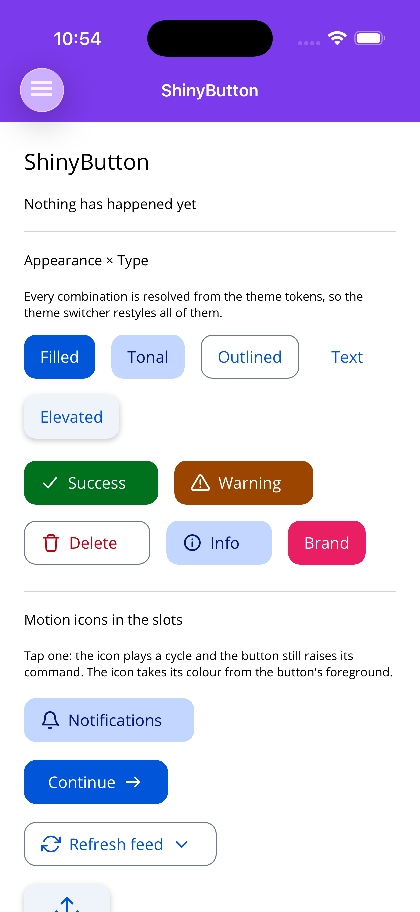
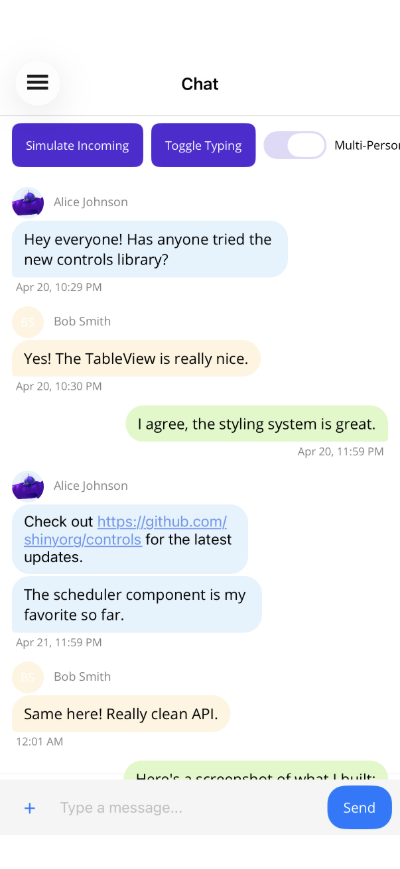
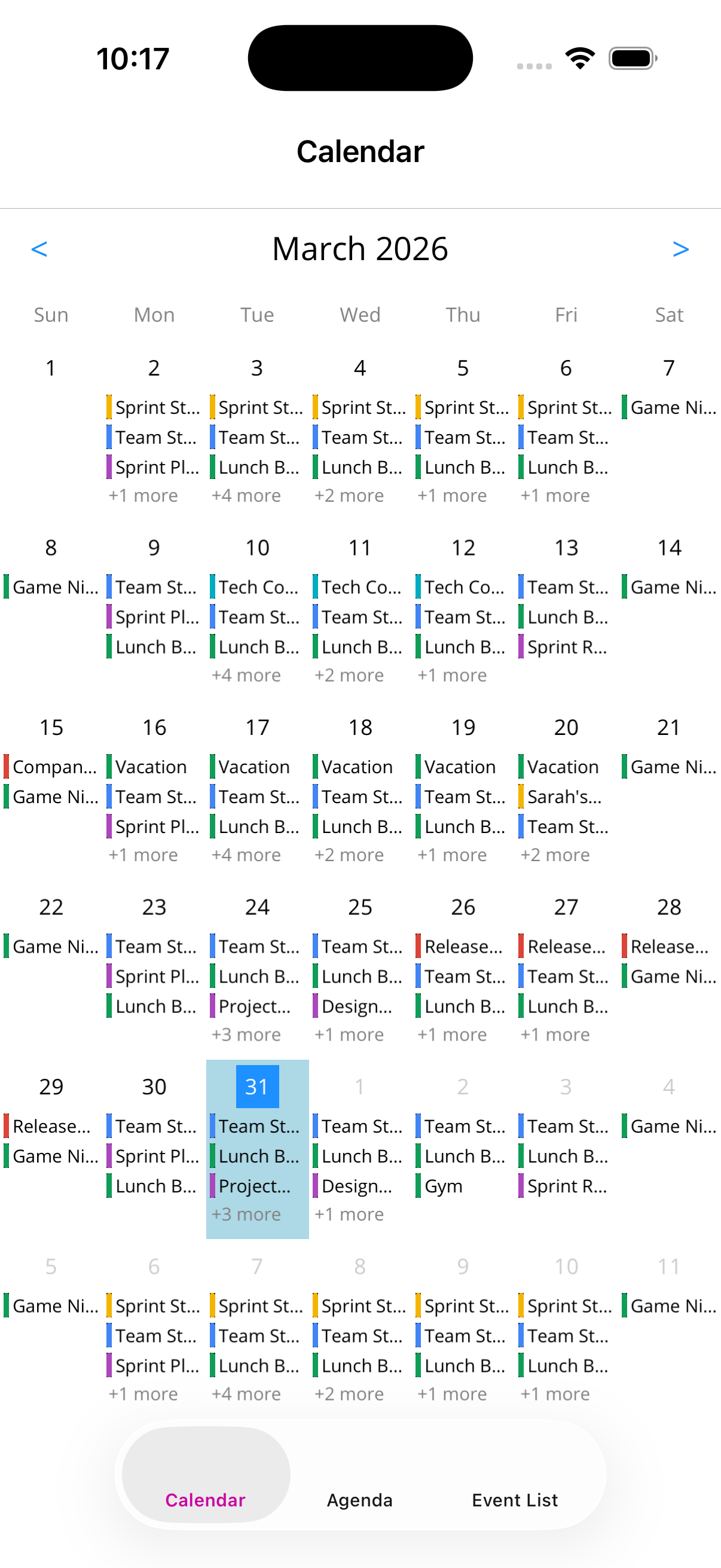
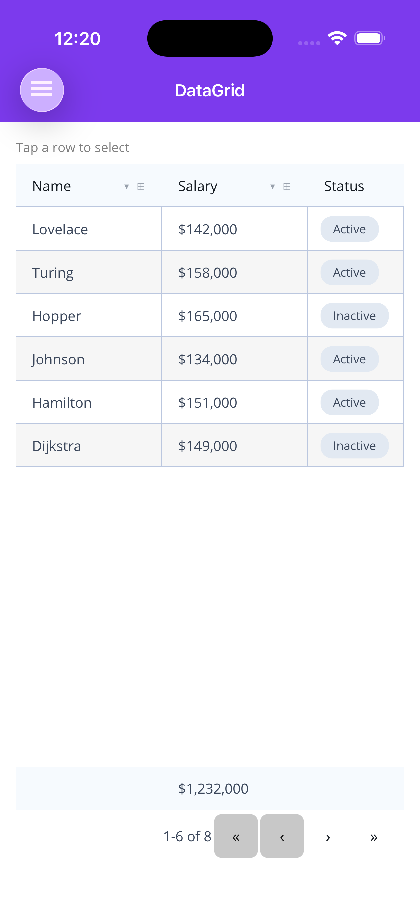
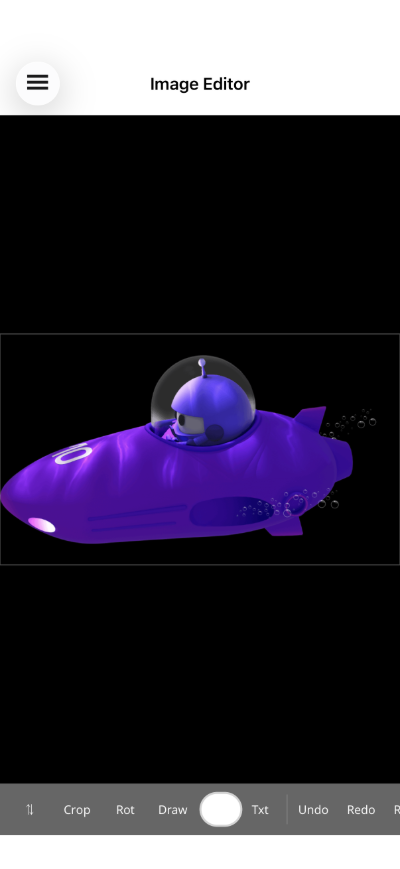
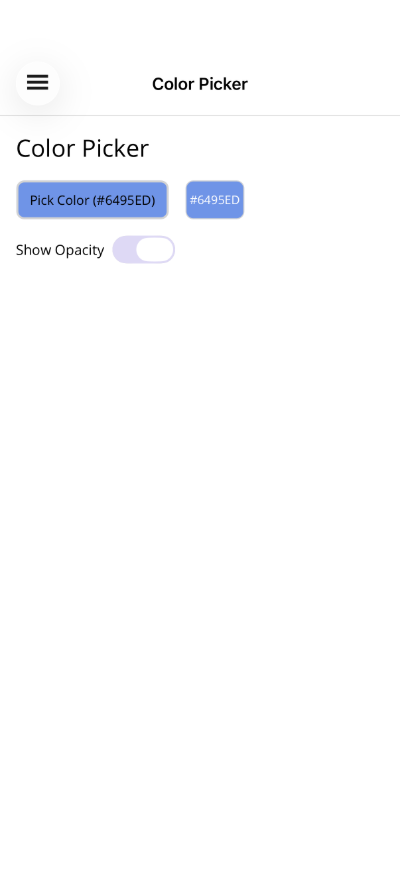
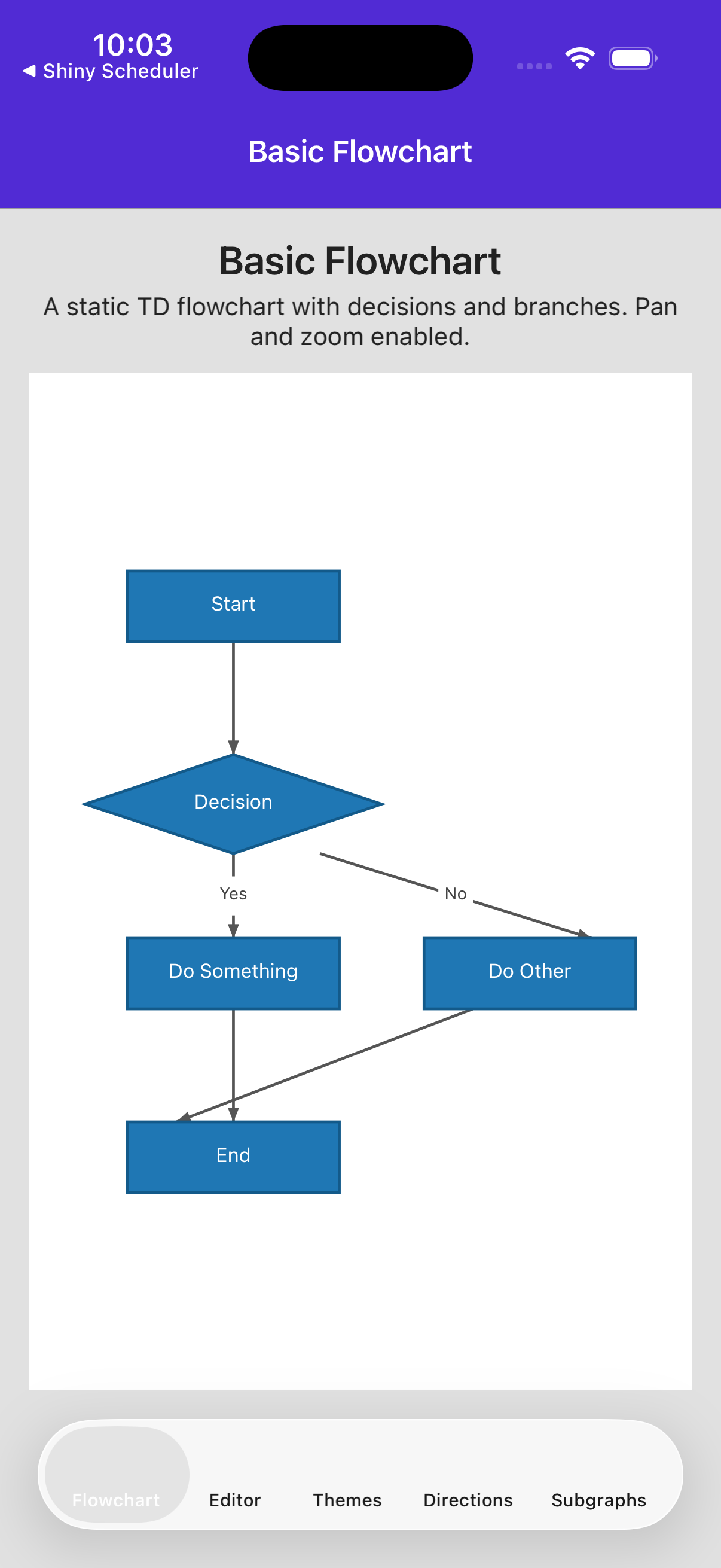
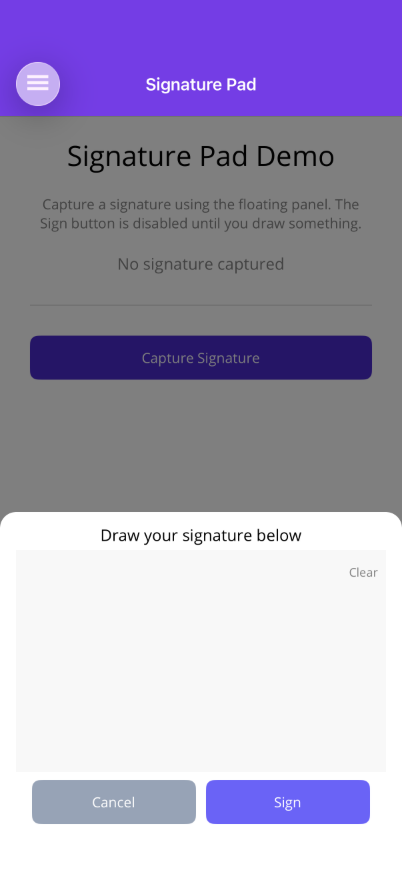
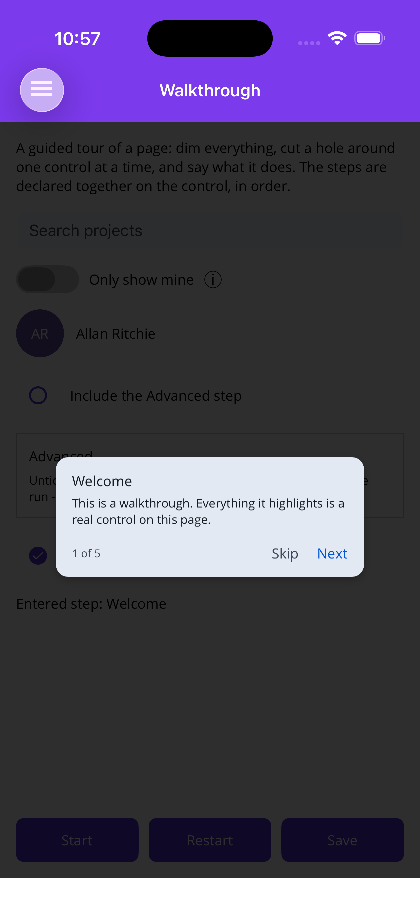
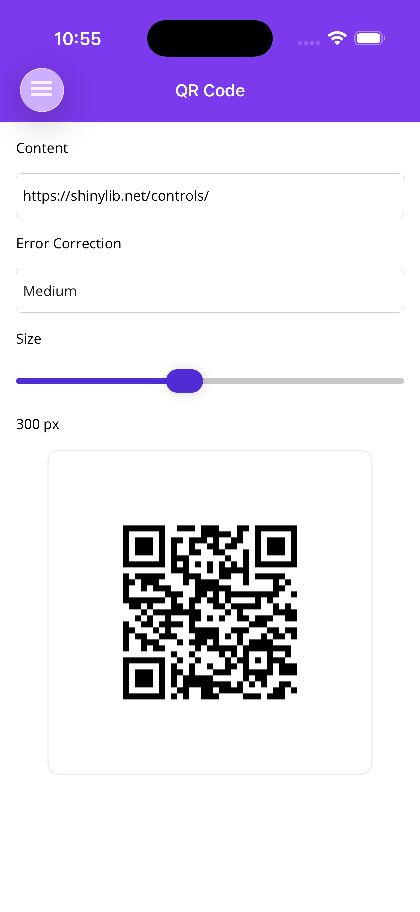
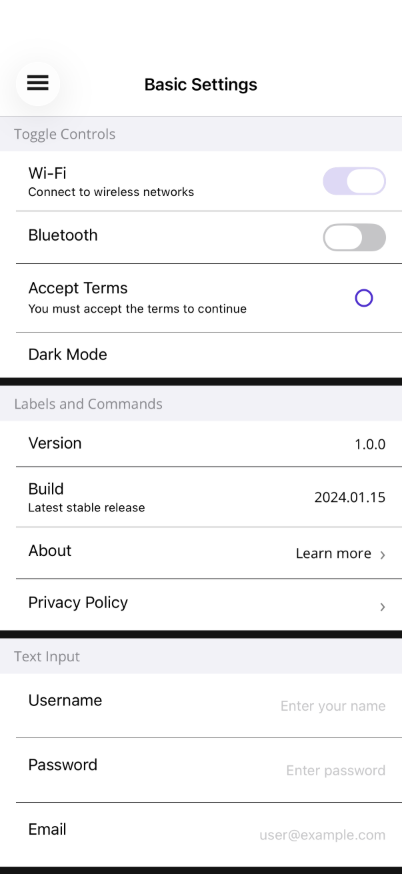
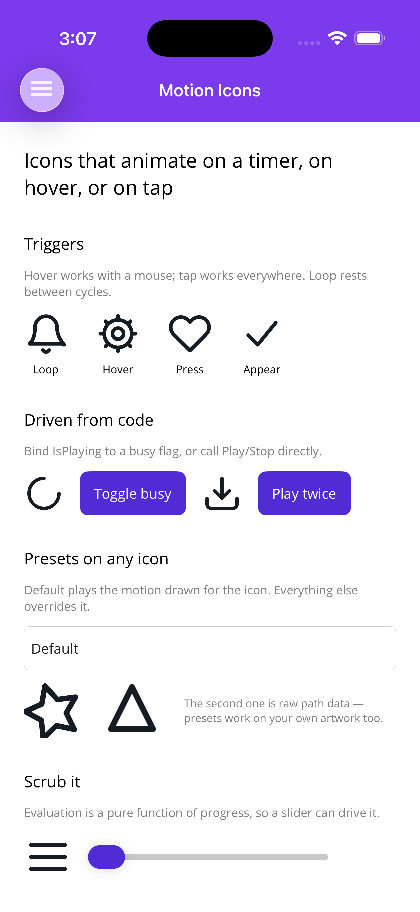
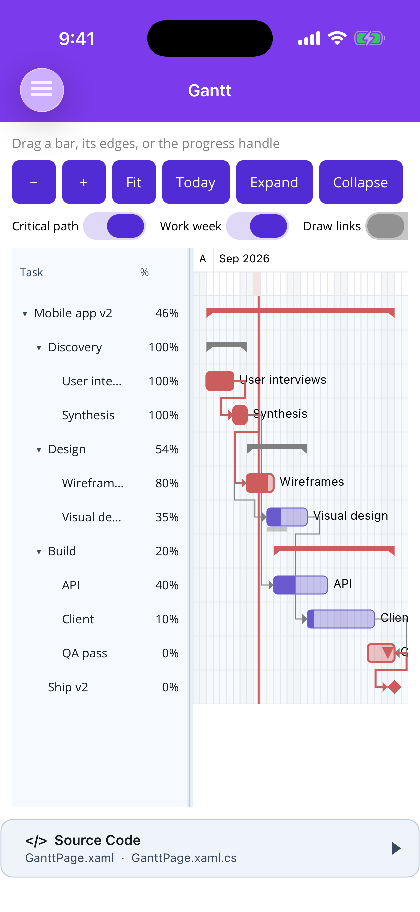
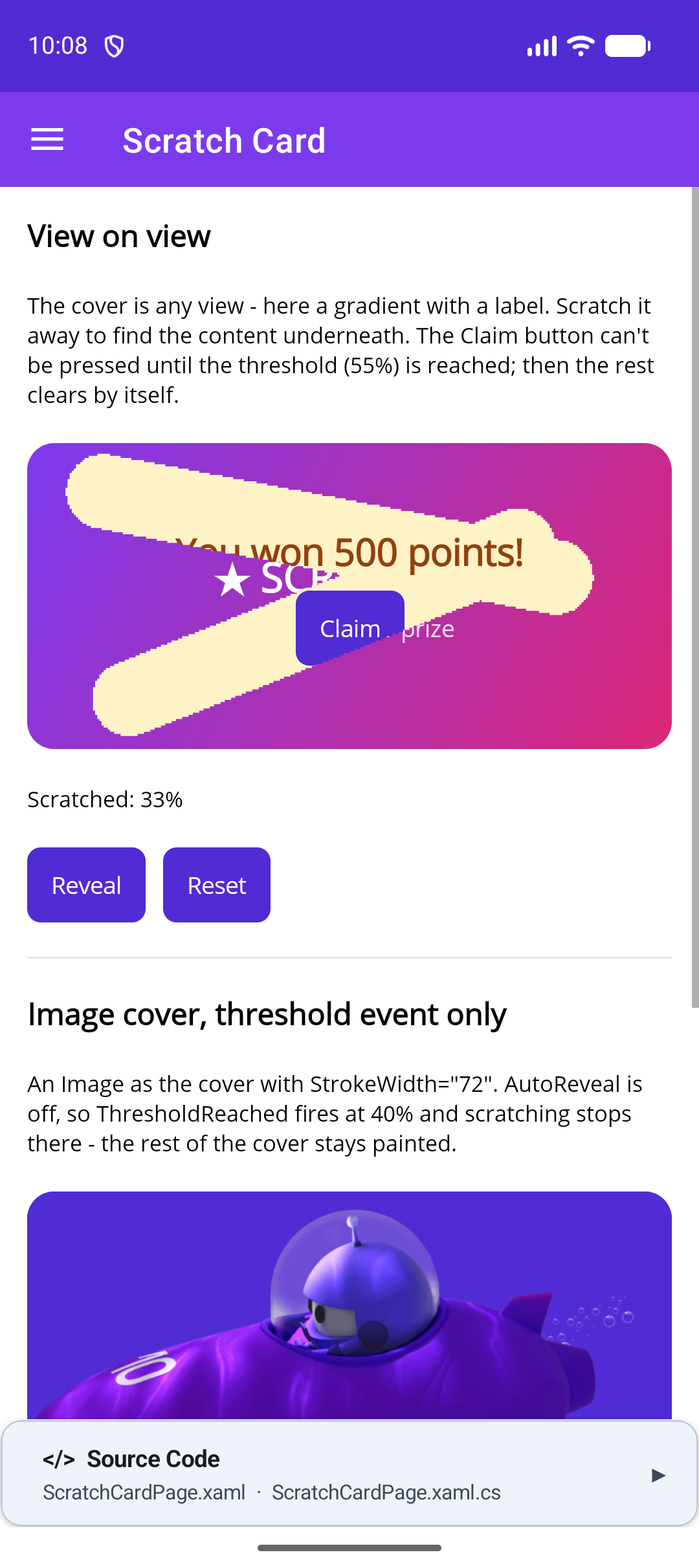
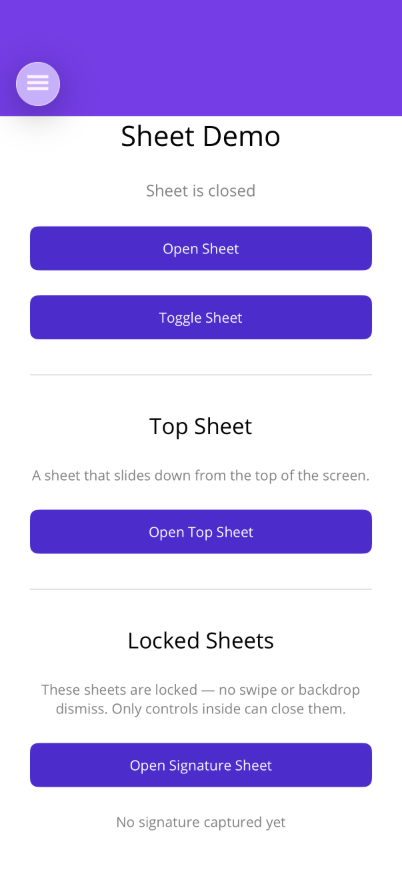
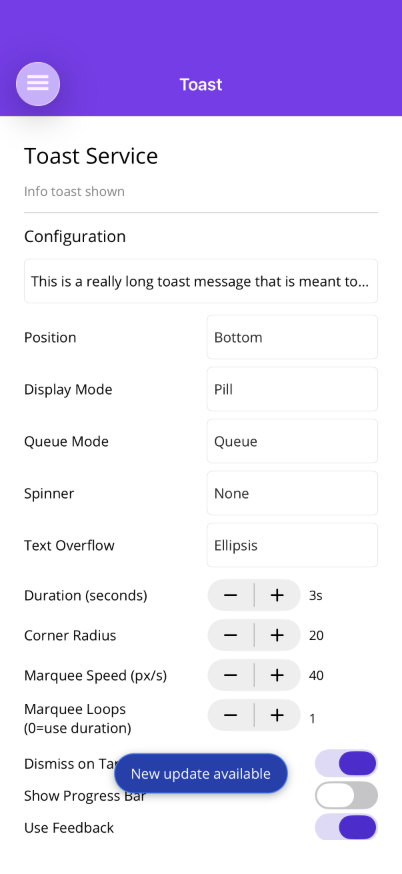
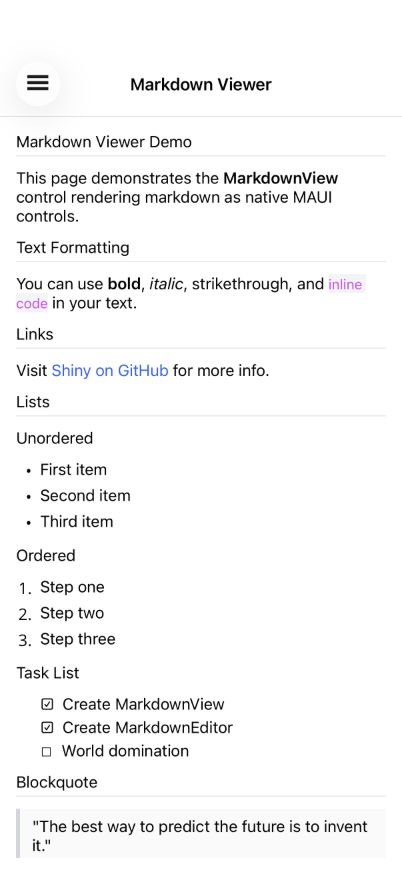
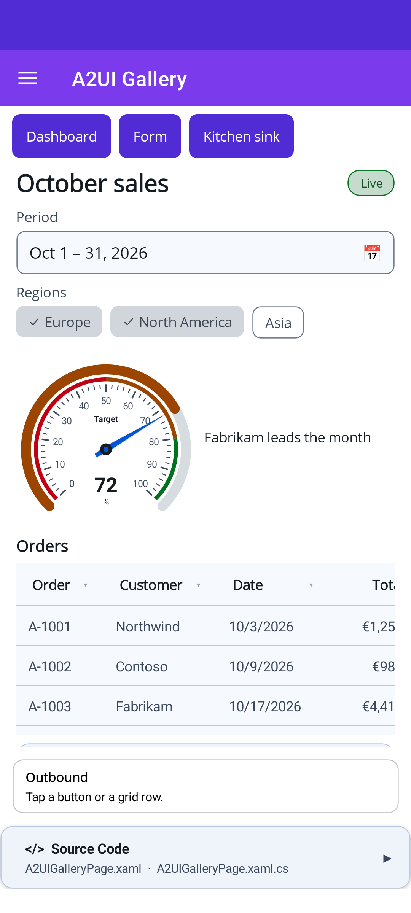
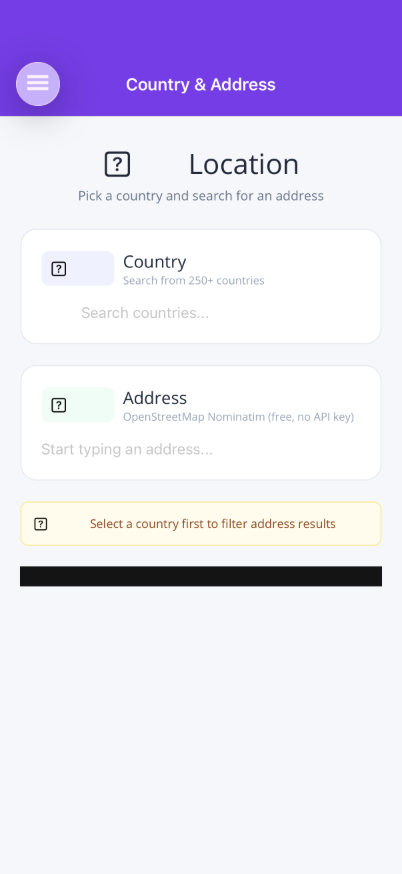
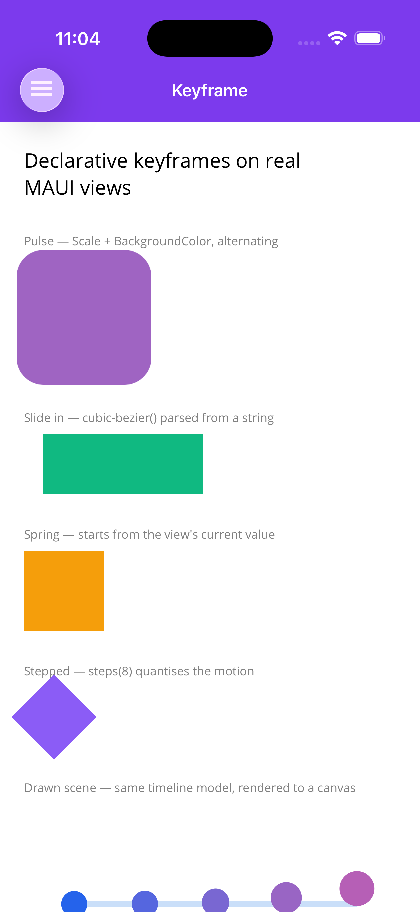
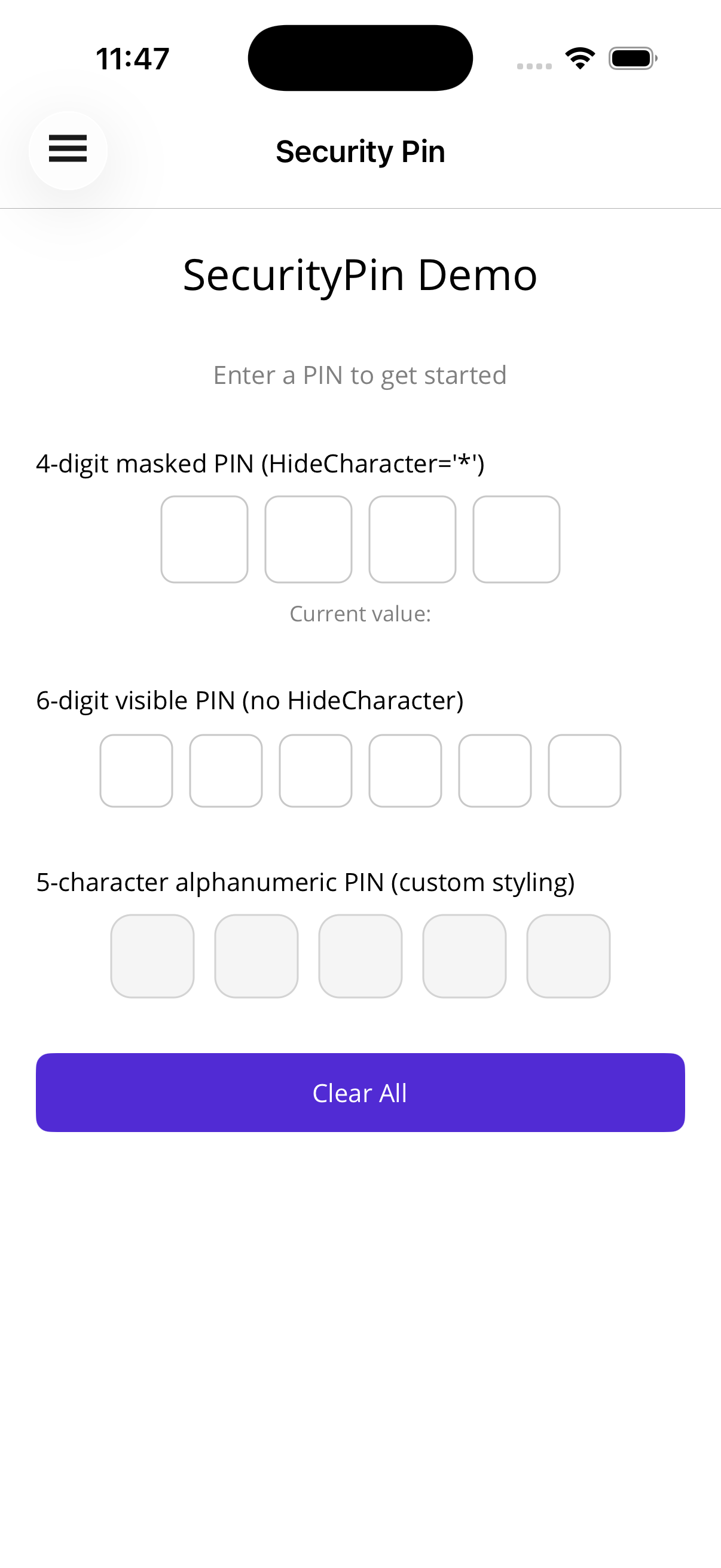
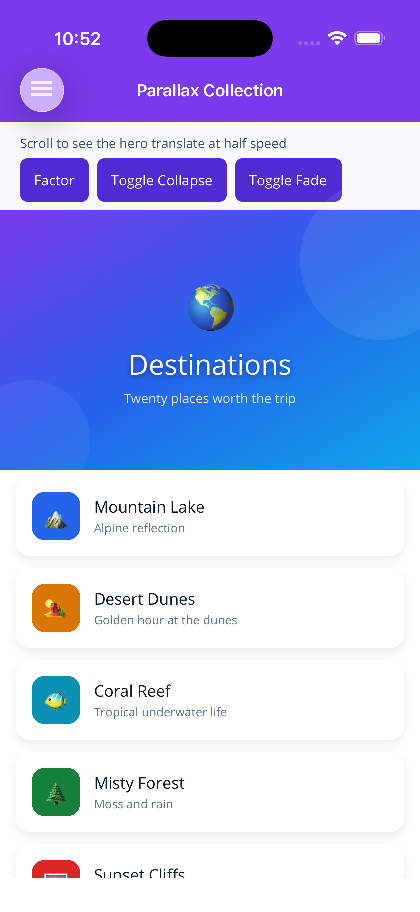
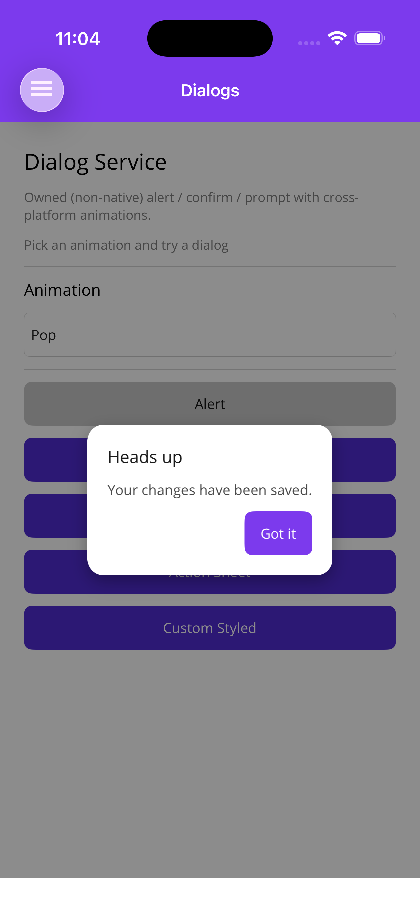
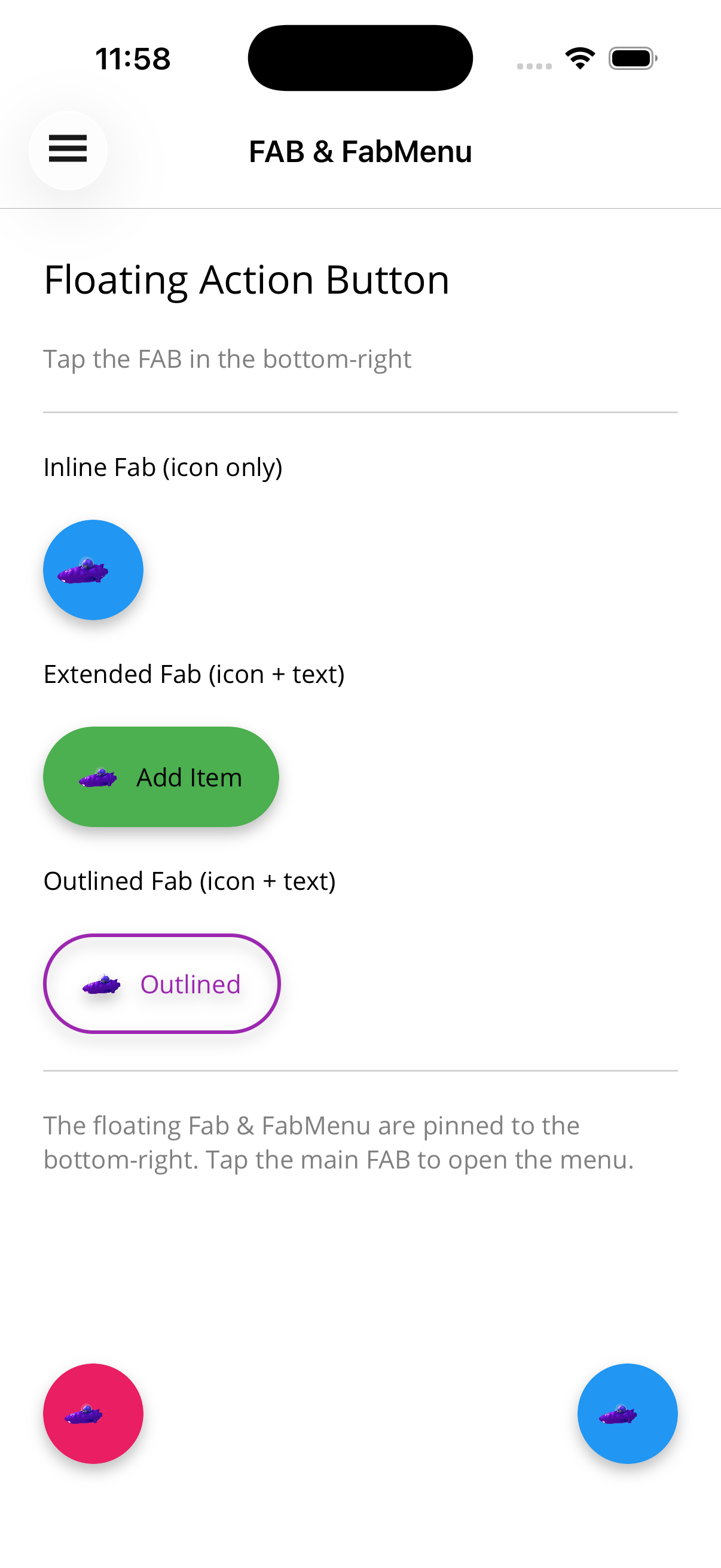
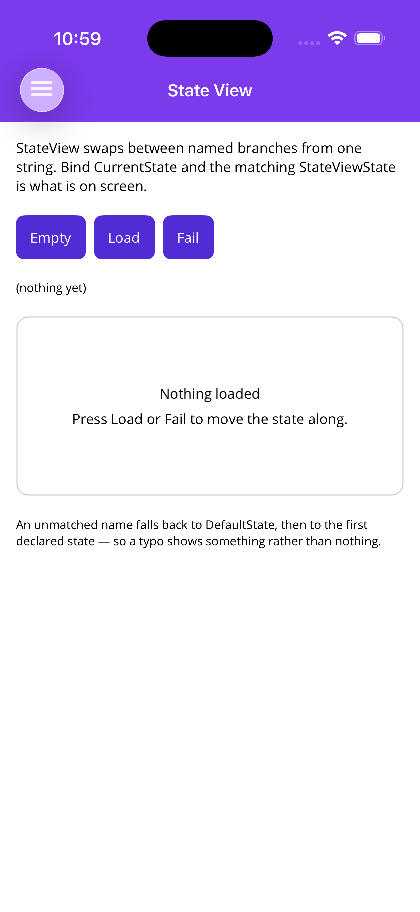
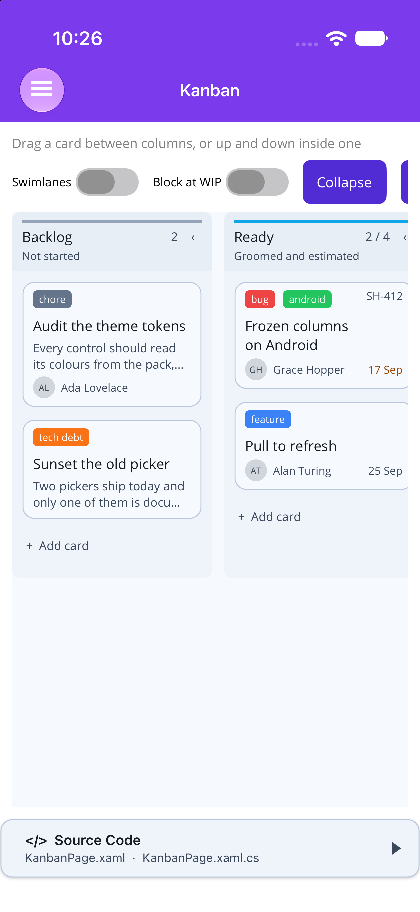
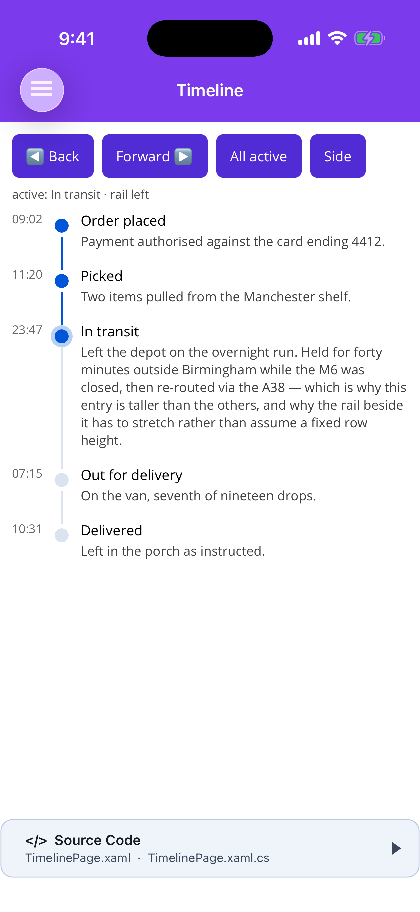
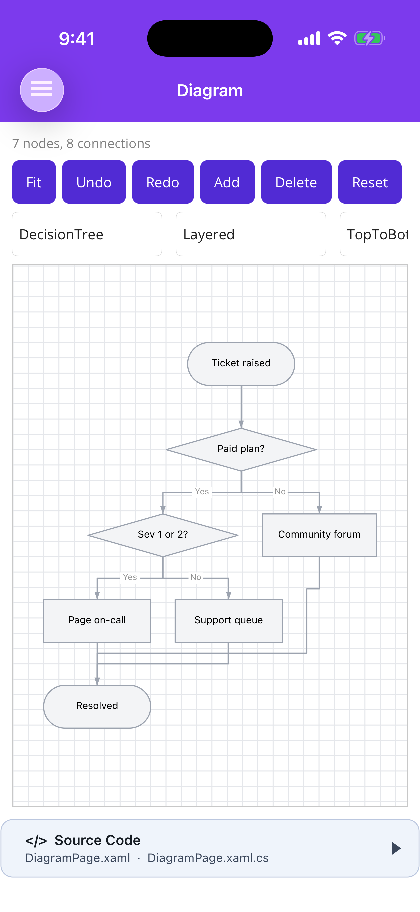
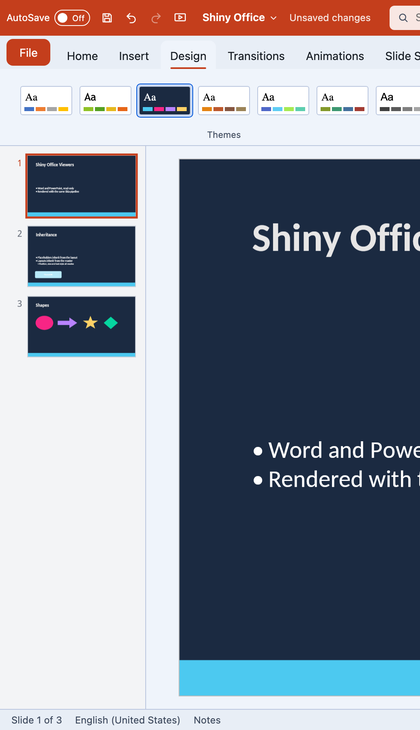
85+ controls, two hosts, one theme contract
Native .NET MAUI and Blazor components out of the same design system — no WebViews, no per-platform forks.

Our Apps
Desktop apps we build and ship on Shiny and .NET MAUI, for macOS, Windows and Linux.
 CommanderA keyboard-first, dual-pane file managerTwo panes, every action on the keyboard, and the same app on macOS, Windows and Linux.Visit website
 NotchoThe MacBook camera notch, turned into a live panelNow Playing, weather, a file tray, calendar, timers, a camera mirror and more, tucked into the notch.Visit website
 FileServeA self-hosted file server for a teamRuns from the system tray and serves a browser portal, with groups, quotas, an audit log and private NuGet and npm feeds.Visit website
Trusted In Production
Companies building real products on the Shiny Platform

Boat launch scheduling for drystack marinas — iOS, Android and web since 2016
Shiny isn't just a tool for SpeedyDock; it's a cornerstone of our mobile app development.
Read the full story
SpeedyDock is an essential application for drystack marinas, boat clubs, and their clientele, streamlining the process of scheduling and monitoring boat launch requests, reservations, and additional services. It offers a user-friendly alternative to the frequent calls customers used to make, enabling electronic scheduling around the clock. Since its initial release in 2016, SpeedyDock has been accessible across iOS, Android, and web platforms, seamlessly integrating Xamarin and Shiny to manage native functionalities.
A core component of SpeedyDock's efficiency is Shiny. It powers the app's capability to work with permissions requests, local notifications, geofencing, and Firebase push, ensuring customers are consistently informed about their request statuses. For marina operators, these timely notifications are instrumental in enhancing service quality when customers set foot on the premises. Shiny has expertly bridged the gap between iOS and Android, offering a structured way to organize and share code, which, in the absence of such a tool, would be intricate due to variances across platforms and different OS versions. It has streamlined our development process for new features and minimized the edge case bugs typically associated with varying Android versions.
Shiny isn't just a tool for SpeedyDock; it's a cornerstone of our mobile app development. Its integration has empowered us to deliver a top-tier app with a native experience. Looking ahead, we're eager to continue our journey with Shiny, leveraging its capabilities for upcoming projects and refining the SpeedyDock experience. It has undeniably been a key factor in our app's success story.

Pool care for hundreds of thousands of pool owners
If you're building a .NET MAUI app and you're not using Shiny, you're making your life harder than it needs to be.
Read the full story
PoolMath is the go-to pool care app for hundreds of thousands of pool owners, and Shiny has been a critical part of our stack from the beginning. Running on .NET MAUI across iOS & Android, Shiny handles the native plumbing that would take months to build and maintain on our own. It just works, and it works well.
Beyond PoolMath, I see Shiny's impact across the entire .NET MAUI ecosystem every day in my role at Microsoft. Shiny fills real gaps in the platform — areas where developers would otherwise be writing fragile, platform-specific code. It's become one of those libraries that the community leans on because it solves hard problems cleanly, and it's been instrumental in making .NET MAUI a viable choice for production mobile apps that need serious native integration.
If you're building a .NET MAUI app and you're not using Shiny, you're making your life harder than it needs to be.

Cellular trail cameras, feeders and land management tools
What would have been months of platform-specific work across iOS and Android gets reduced to clean, shared code that we can build on with confidence.
Read the full story
At Moultrie, we build mobile apps that connect hunters and landowners to our cellular trail cameras, feeders, and land management tools. Our apps run on .NET MAUI and lean heavily on several Shiny libraries to deliver the kind of native experience our customers expect — reliable background operations, seamless device communication, and responsive notifications even when cellular connectivity is spotty.
Shiny has been instrumental to our product development. What would have been months of platform-specific work across iOS and Android gets reduced to clean, shared code that we can build on with confidence. The breadth of the library suite means we're not stitching together a dozen different packages with different conventions — Shiny gives us a cohesive foundation that covers our needs and lets our team focus on the features that matter to our users.
For any team building production .NET MAUI apps that need to go beyond the basics, Shiny is the library suite you want in your toolbox.
Using Shiny in production?
We'd love to hear about it. Share your story and have your company logo featured here — it shows the rest of the community what's possible with the Shiny Platform.
Thank You, Sponsors
These companies sponsor Shiny’s open-source work. Thank you for keeping it going.


The Company Behind Shiny
Modernizing businesses with technology
Shiny.NET isn’t a side project — it’s the open-source foundation of the consulting work we do every day. ShinySoft builds and maintains the entire Shiny suite (40M+ NuGet downloads and counting), which means the same people who ship your product also own the libraries underneath it. Bugs get fixed by the maintainer, not filed into a queue.
Commercial SupportGuaranteed response times on Shiny bug fixes, straight from the maintainers. Plans from US$1,500 a year.
Fractional CTOSenior technical leadership — architecture, strategy, roadmaps, and mentoring your team without a full-time hire.
Team AugmentationSenior engineers embedded alongside your team to deliver features and level up the people around them.
Idea to ProductBusiness analysis that turns a concept into a scoped, buildable plan before a line of code is written.
AI ImplementationCapturing data, moving it reliably, storing it in a queryable shape, and integrating models responsibly.
Mobile & Cross-PlatformProduction .NET MAUI, iOS, and Android apps — built on the same Shiny libraries documented here.
IoT & BluetoothDevice fleet management and hardware integration, backed by years of real-world BLE experience.
Fleet & Field OperationsLocation tracking and telematics for teams that work away from a desk.
Behind Shiny
The person who maintains these libraries, and the show he records every week. You always know who is on the other end of an issue.
 Allan RitchieCreator & maintainer of the Shiny Platform
A software engineer with 25+ years specializing in .NET architecture across cloud, mobile, desktop and web. Building cross-platform .NET libraries since the early Xamarin days — those packages have now been downloaded over 40 million times on NuGet.
- 25+
- years in .NET
- 10×
- Microsoft MVP
- 40M+
- NuGet downloads
Need help integrating Shiny, or consulting support?
New episode every week
Gone .NET
.NET deep dives, library walkthroughs and community discussions — the two of them working through the same problems these libraries were built to solve.
Watch on YouTube