


DataGrid | Frozen Header & Columns
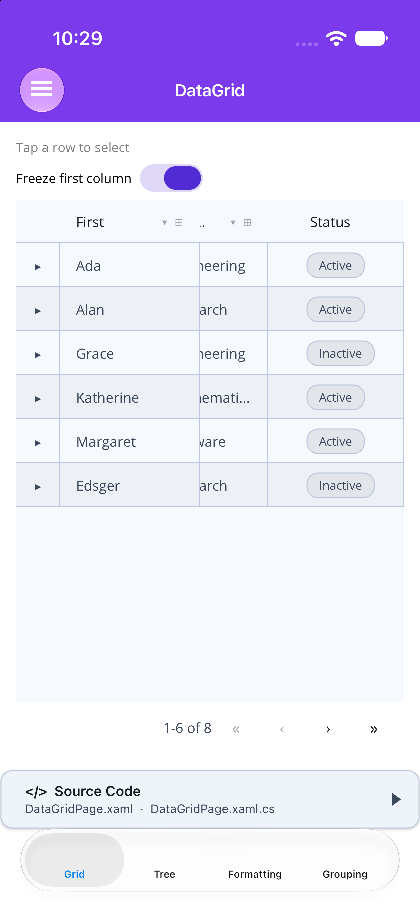
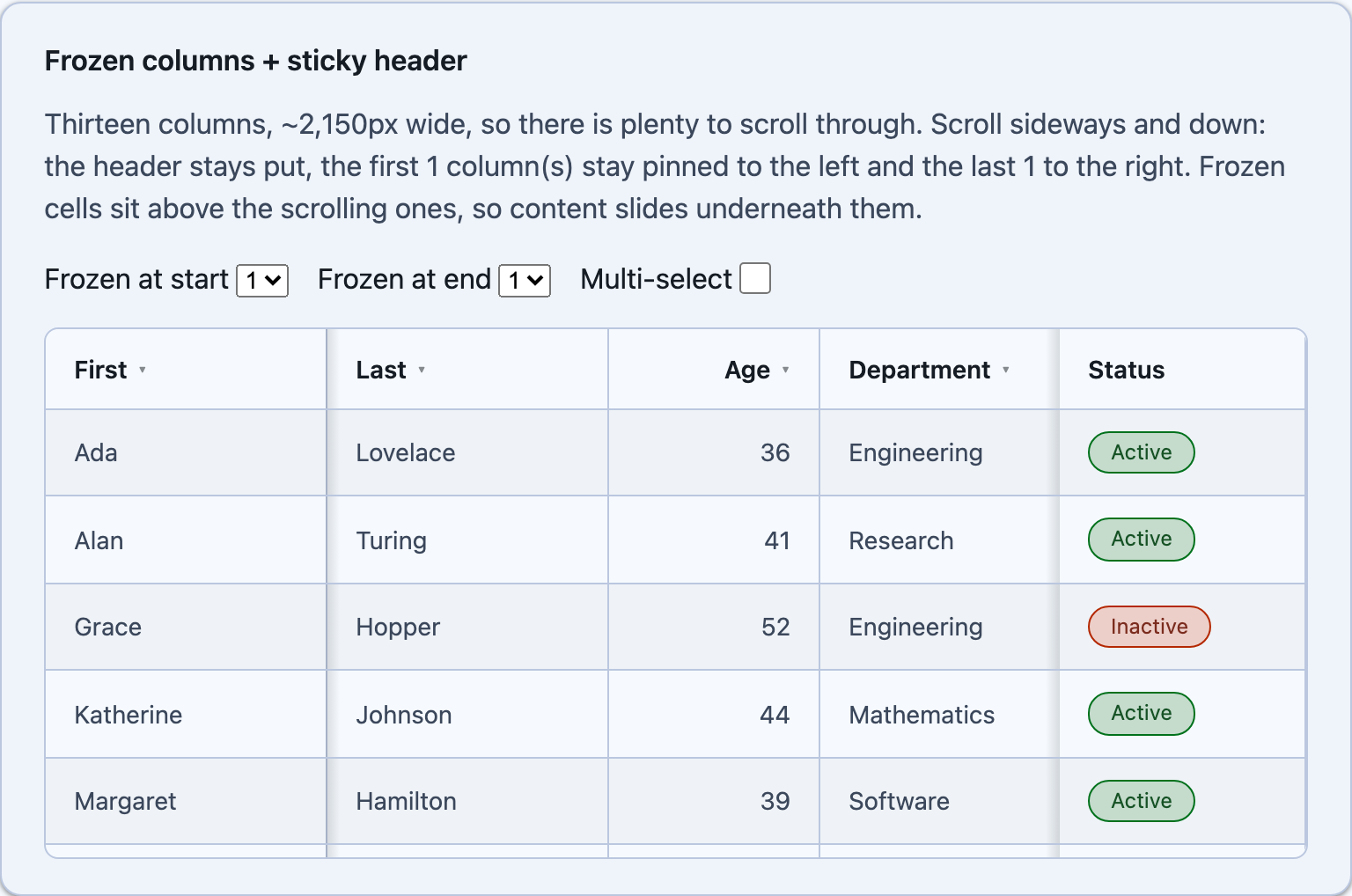
MAUI’s header is always frozen — it sits in its own row above the CollectionView, so scrolling the rows never moves it. Blazor needs FixedHeader="true" and a Height: the header sticks against the scroller, and without a capped height nothing scrolls in the first place.
Columns pin the same way on both hosts. Mark them individually with Frozen, or give the grid a count:
@* Blazor - the first column and the last stay put as the rest scrolls sideways *@<DataGrid TItem="Person" Items="people" FixedHeader="true" Height="420px" FrozenColumns="1" FrozenEndColumns="1"> <Columns> <PropertyColumn Property="x => x.FirstName" Title="First" Width="160px" /> <PropertyColumn Property="x => x.Department" Width="200px" /> <PropertyColumn Property="x => x.Salary" Format="C0" Width="180px" /> <PropertyColumn Property="x => x.Location" Width="180px" /> <TemplateColumn Title="Status" Width="140px"> <CellTemplate><Pill Text="@context.Item.StatusText" /></CellTemplate> </TemplateColumn> </Columns></DataGrid><!-- MAUI - HorizontalScroll is what makes freezing meaningful --><shiny:DataGrid ItemsSource="{Binding People}" HorizontalScroll="True" DefaultColumnWidth="140" FrozenColumns="1"> <shiny:DataGridColumn Title="First" PropertyName="FirstName" Width="1*" /> <shiny:DataGridColumn Title="Department" PropertyName="Department" Width="1.2*" /> <shiny:DataGridColumn Title="Salary" PropertyName="Salary" StringFormat="{}{0:C0}" Width="1.3*" /> <shiny:DataGridTemplateColumn Title="Status" Width="110" Frozen="End"> <shiny:DataGridTemplateColumn.CellTemplate> <DataTemplate><shiny:PillView Text="{Binding StatusText}" Margin="12,8" /></DataTemplate> </shiny:DataGridTemplateColumn.CellTemplate> </shiny:DataGridTemplateColumn></shiny:DataGrid>- Only a contiguous run at each edge can be pinned.
FrozenColumns/FrozenEndColumnstake a count from the leading / trailing edge and are raised by any leading (or trailing) column that setsFrozenitself; aFrozencolumn stranded in the middle is ignored. - With multi-selection on, the checkbox column pins along with the start block — it is always leftmost.
- Pinned cells paint an opaque background and repeat the row’s own stripe / selection / hover state, so scrolled content passes underneath them rather than showing through.
Blazor needs no extra flag: the table scrolls sideways whenever the columns are wider than the grid. Give the pinned columns an explicit px Width and their offsets are exact on the very first paint; otherwise a small script measures the rendered columns after render and corrects them (and keeps them right through resizes and column drags).
Next Steps
Section titled “Next Steps”| Topic | Description |
|---|---|
| Column Widths | pixels, stars and percentages |
| Detail (Breakdown) Rows | a full-width row under an expanded row |