


A2UI Surface



MAUI
| Shiny catalog | Basic catalog form |
|---|---|
 |
 |
Blazor
| Shiny catalog | Basic catalog form | Kitchen sink |
|---|---|---|
 |
 |
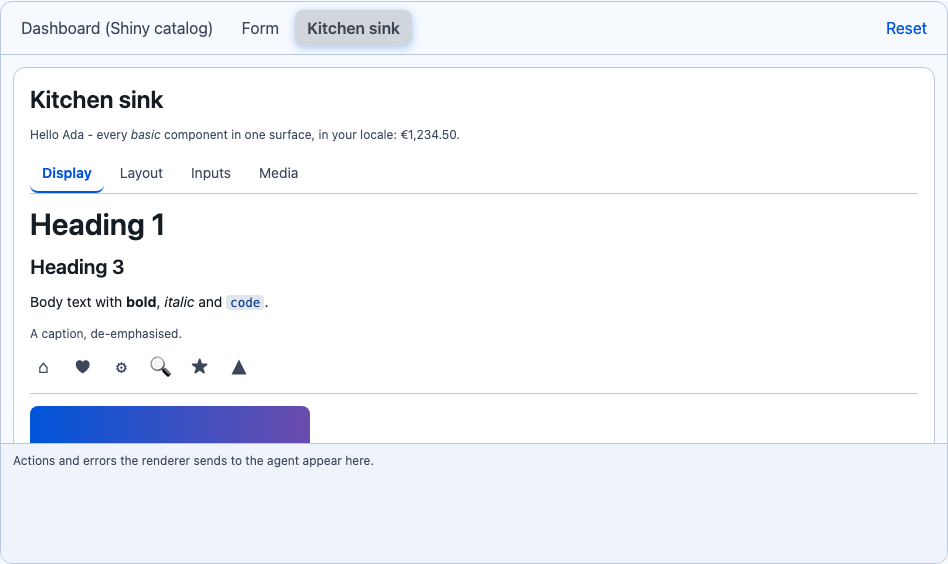 |
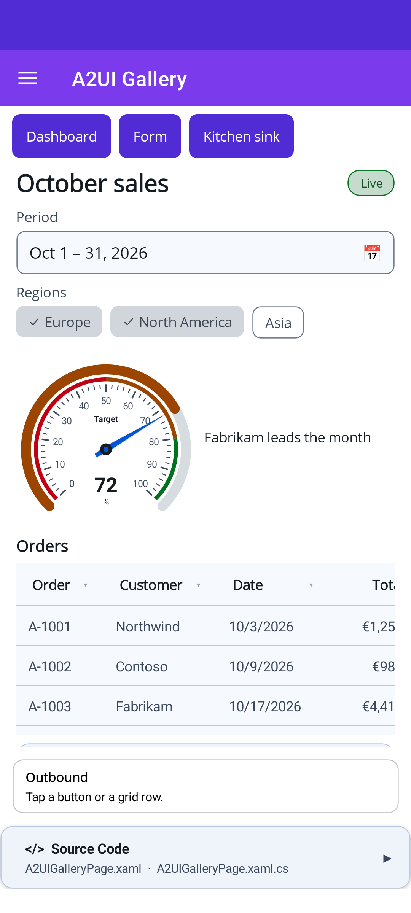
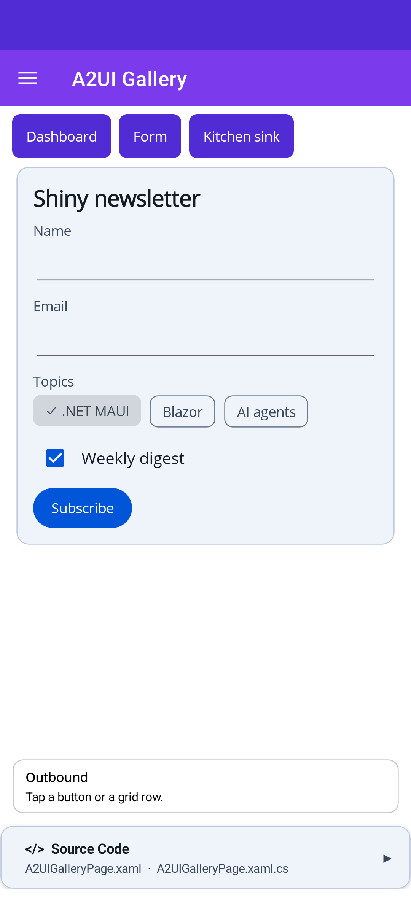
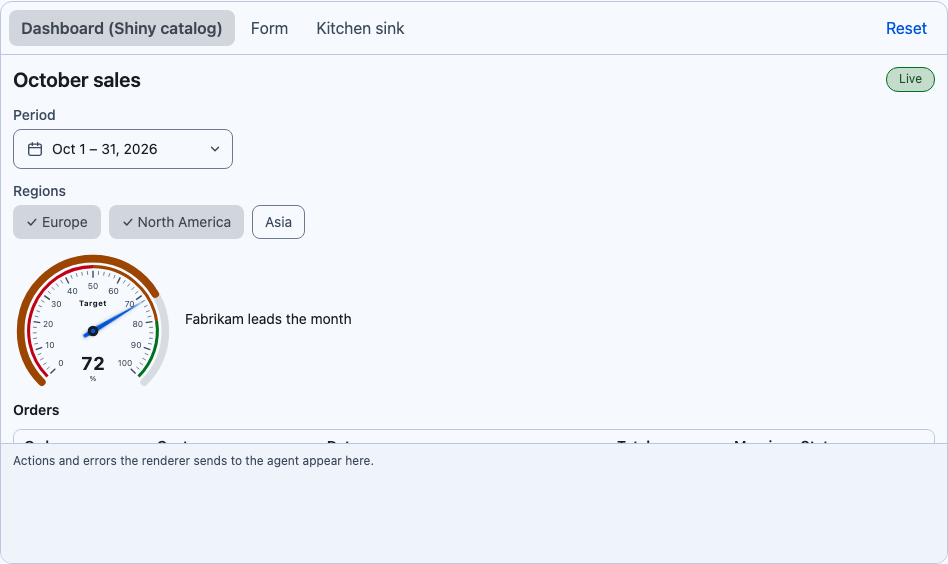
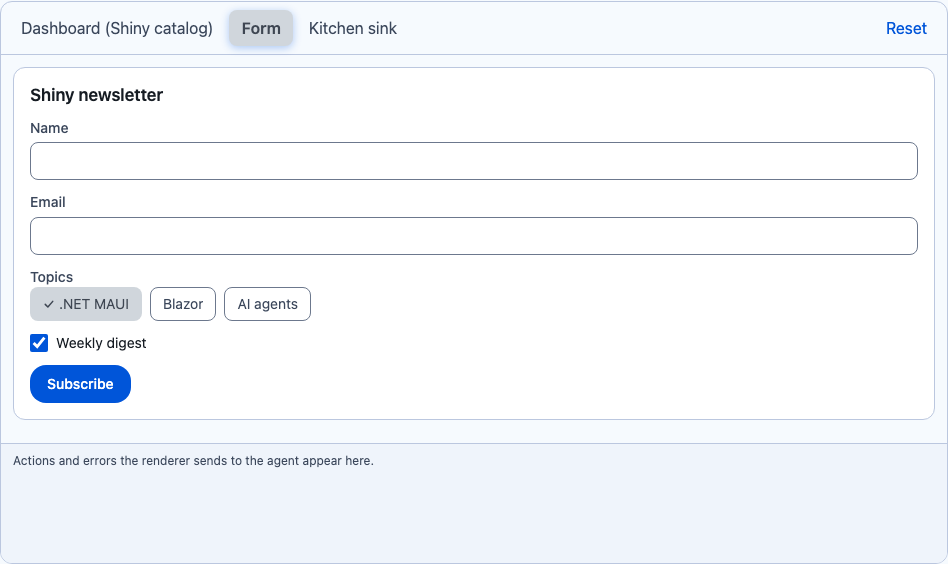
Renders agent-described UI, A2UI v1.0, with real native controls. An agent sends declarative JSON: a flat list of components, a data model, bindings and actions. A2UISurfaceView draws it, writes what the user types back into the data model, and sends button presses back to the agent. It is declarative JSON only, never code: the agent can only place components that the renderer registered.
AgentView hosts it for surfaces that arrive in a conversation. It also works on its own, with any transport.
var host = new A2UISurfaceHost(new A2UICatalogRegistry().Add(A2UICatalog.CreateShiny()));host.Outbound += (_, m) => SendToAgent(m.Message); // actions, errors, function callshost.Apply(json); // createSurface / updateComponents / updateDataModel / ...<shiny:A2UISurfaceView x:Name="Surface" /> <!-- Surface.Host = host; Surface.SurfaceId = "dashboard"; --><A2UISurfaceView Host="@host" SurfaceId="dashboard" />Properties
Section titled “Properties”| Property | Type | Description |
|---|---|---|
Surface |
A2UISurface |
The surface to draw |
Host + SurfaceId |
A2UISurfaceHost, string? |
An alternative to Surface. A null SurfaceId draws every surface on the host in creation order |
Renderers |
A2UIRendererRegistry |
Component type → renderer. A2UIRendererRegistry.CreateDefault() covers the basic and Shiny catalogs |
IsScrollEnabled |
bool |
true (default): the view owns vertical scroll. false: it sizes to its content (AgentView sets this) |
ShowBorder |
bool |
Whether a root Card draws its edge (AgentView turns it off inside a message) |
Catalogs
Section titled “Catalogs”| Catalog | Id | Components |
|---|---|---|
| Basic | https://a2ui.org/specification/v1_0/catalogs/basic/catalog.json |
Text, Image, Icon, Video, AudioPlayer, Row, Column, List, Card, Tabs, Divider, Modal, Button, TextField, CheckBox, ChoicePicker, Slider, DateTimeInput |
| Shiny | https://shinylib.net/a2ui/shiny.controls/v1.json |
Everything in basic, plus DataGrid, Gauge, ProgressBar, Pill, Avatar, ChipGroup, TagEntry, DateRangePicker, RangeSlider, Timeline, Expander, Markdown |
The Shiny catalog’s schema (give it to the agent) is A2UICatalog.CreateShiny().Definition, also published at
shinylib.net/a2ui/shiny.controls/v1.json. The functions
are those of the basic catalog: required, regex, length, numeric, email, formatString, formatNumber,
formatCurrency, formatDate, pluralize, openUrl, and, or, not.
The Shiny components render with the real controls. DataGrid formats number / currency / percent / date
columns in the user’s culture and sends rowAction with the tapped row as its scope (relative paths in the
action’s context read that row). Its columns keep the width their text needs and the grid scrolls sideways, so
on a phone it never squeezes every column into “…”; on MAUI a grid with more than 12 rows shows those and a
“Show all” link that opens the rest in a modal, so it never scrolls vertically inside the conversation. DateRangePicker, ChipGroup, TagEntry, RangeSlider and Expander write back to
their bindings.
Your own components
Section titled “Your own components”Register a renderer, and add the component to a catalog so the agent knows about it and the engine validates it:
// MAUIrenderers.Register("Rating", ctx => new RatingView { Value = ctx.Number("value") ?? 0 });// Blazorrenderers.Register<MyRating>("Rating"); // a component with an A2UIRenderContext Context parameterA2UIRenderContext evaluates properties (String, Number, Boolean, StringList, Value), writes
bindings (Write), dispatches actions (Dispatch), reads checks and accessibility, and renders children.
Rules it enforces (A2UI conformance)
Section titled “Rules it enforces (A2UI conformance)”- Nothing renders until
rootexists. Missing children show a placeholder, and unknown components show an “unsupported component” placeholder and reportVALIDATION_FAILED. There is never a guess. allowedParents/allowedChildren, required properties,allowedCallers, andrequiresUserActivation(openUrlonly runs from a tap) are all enforced.regexuses the spec’s dialect, with all four of its safety rules checked before anything runs.- Media URLs must pass the spec’s URL policy.
- Inputs write to the local data model immediately. The model goes to the agent only with an action, and only
when the surface set
sendDataModel. @accessibilitymaps toSemanticPropertieson MAUI and to ARIA on Blazor.- A Button whose checks fail is disabled. Check messages show under an input once the user has edited it.
Layout
Section titled “Layout”- Standalone (
IsScrollEnabled=true) the view fills its parent and owns vertical scroll. Don’t wrap it in aScrollViewor anoverflow:autoparent. - Inside AgentView it sizes to its content. A2UI
Listrenders without virtualization; Row/Columnweightmaps to star sizing on MAUI and toflex-growon Blazor.