


Fab & FabMenu
A Material Design-inspired floating action button (Fab) and a multi-action menu (FabMenu) that animates up from a main FAB with a staggered reveal. Each action supports Icon, Text, and Command, plus full color and border customization.


MAUI
| Closed | Menu Open |
|---|---|
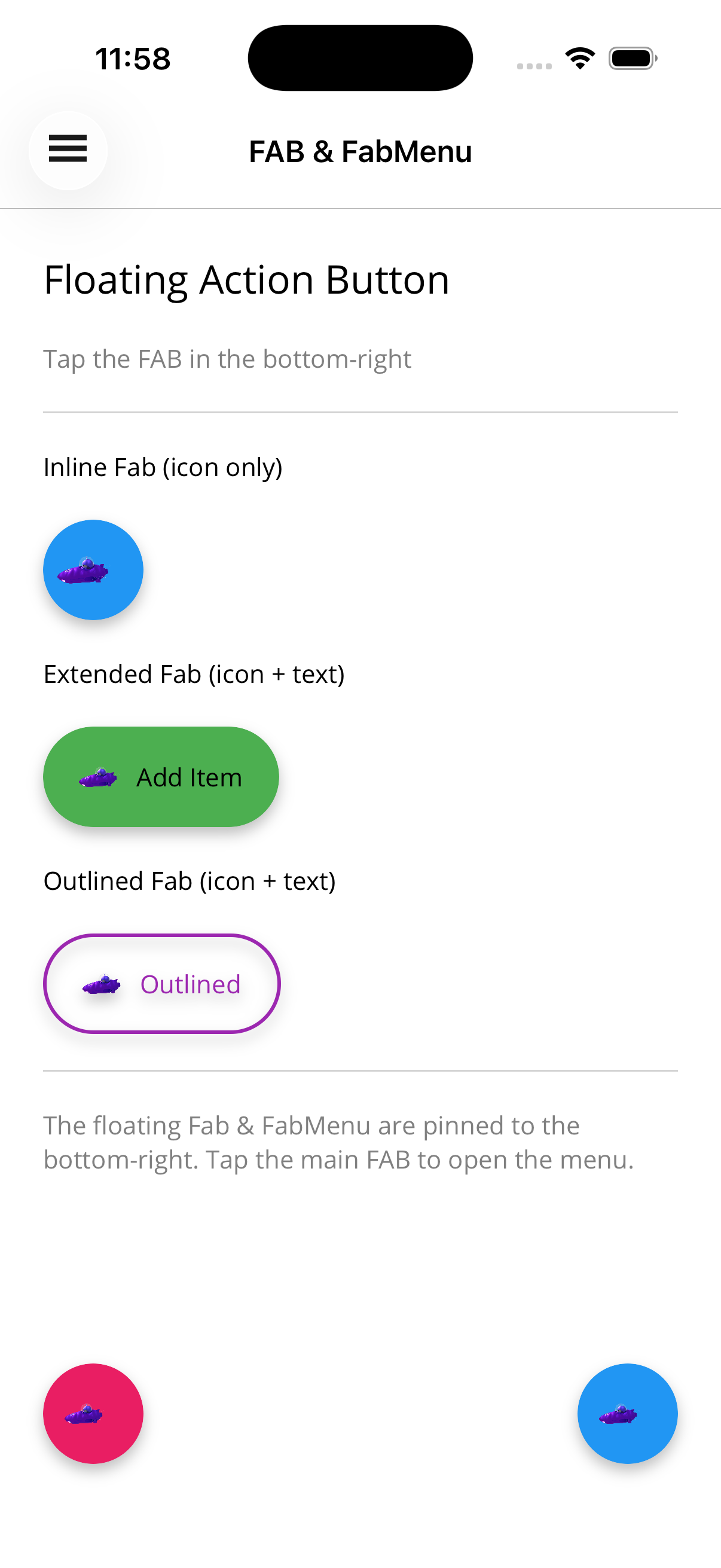 |
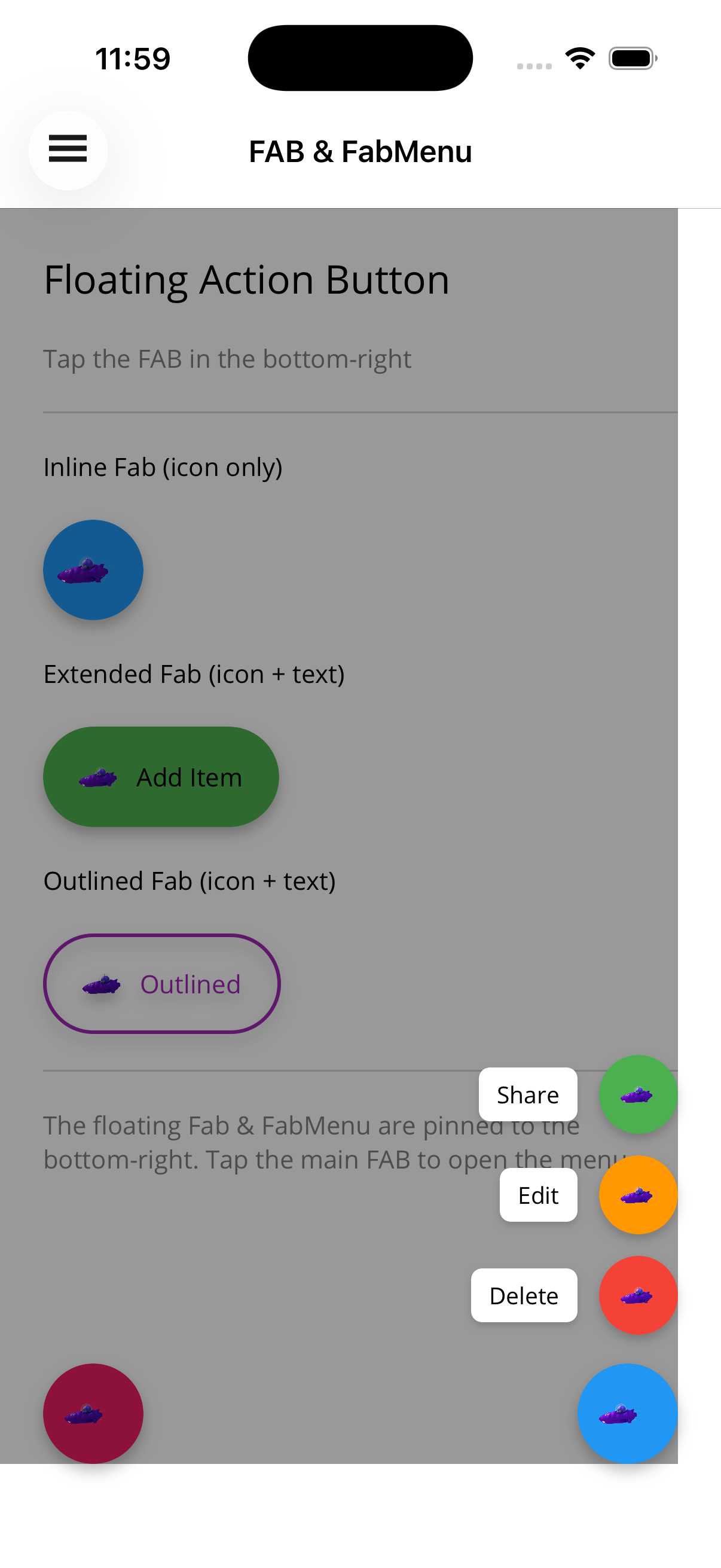 |
Blazor
| Icon-only, extended and sizes | FabMenu open |
|---|---|
 |
 |
Placement
Section titled “Placement”Place Fab / FabMenu inside a Grid that fills the page — the same pattern used by SheetView / ImageViewer — so the FabMenu’s backdrop can cover the main content.
<ContentPage>    <Grid>        <!-- Main page content -->        <ScrollView>            <!-- ... -->        </ScrollView>
        <!-- Fab/FabMenu overlay on top -->        <shiny:FabMenu IsOpen="{Binding IsMenuOpen}"                       Icon="plus.png"                       HorizontalOptions="End"                       VerticalOptions="End"                       Margin="24">            <!-- items -->        </shiny:FabMenu>    </Grid></ContentPage>
AI Skill
Section titled “AI Skill”Step 1 — Add the marketplace:
claude plugin marketplace add shinyorg/skillsStep 2 — Install the plugin:
claude plugin install shiny@shinyOne plugin installs all 48 Shiny skills. Your agent loads only the skill relevant to what you're building, so there's no cost to having them all available.
Step 1 — Add the marketplace:
copilot plugin marketplace add https://github.com/shinyorg/skillsStep 2 — Install the plugin:
copilot plugin install shiny@shinyOne plugin installs all 48 Shiny skills. Your agent loads only the skill relevant to what you're building, so there's no cost to having them all available.