


DataGrid
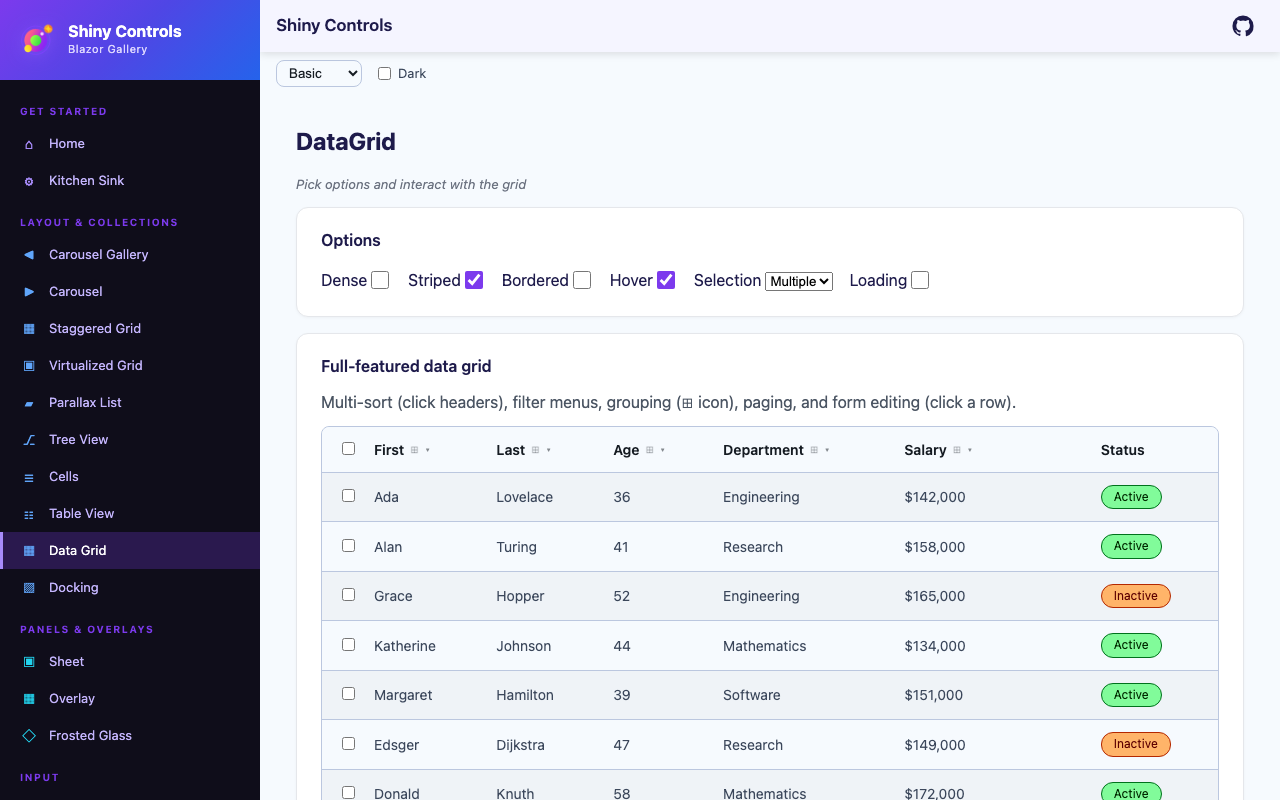
DataGrid is a feature-rich data grid modeled on MudBlazor’s DataGrid. On Blazor it’s a generic DataGrid<TItem> that renders a semantic HTML <table>; on MAUI it’s a pure cross-platform composite — a Grid header over a virtualized CollectionView, with no per-platform native handlers — so it looks and behaves identically on iOS, Android, Windows, and Mac.


MAUI
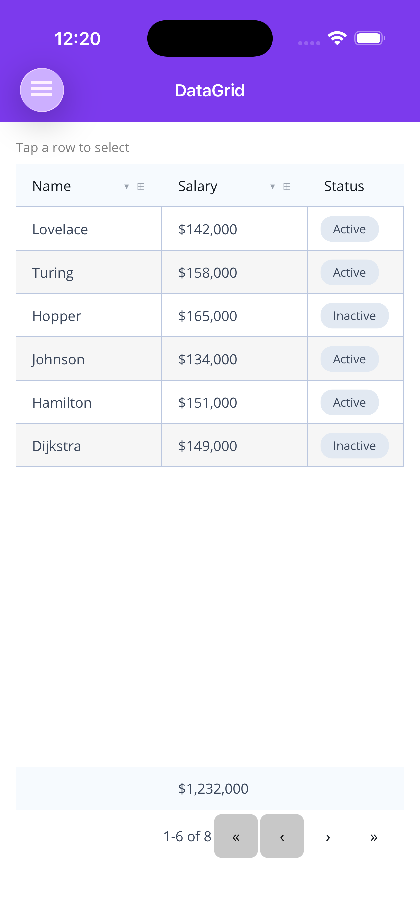
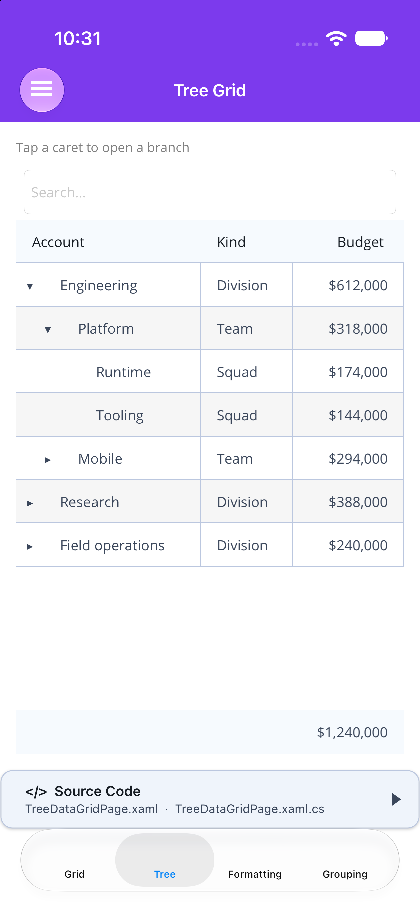
| Frozen columns | Grouping & summaries | Detail row | TreeDataGrid |
|---|---|---|---|
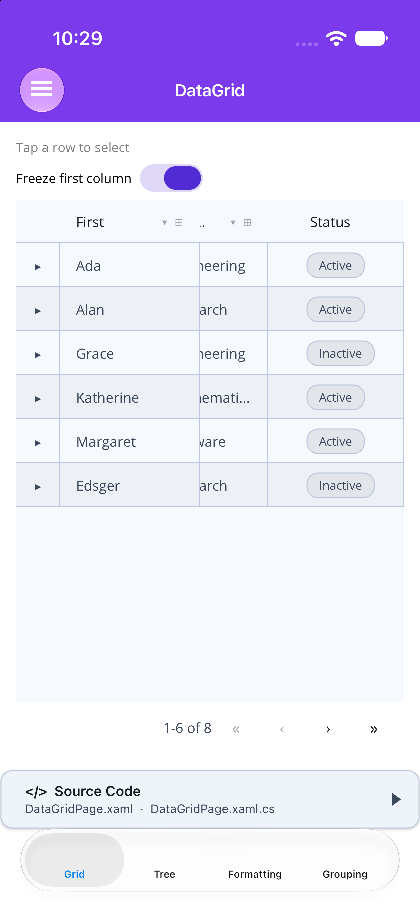 |
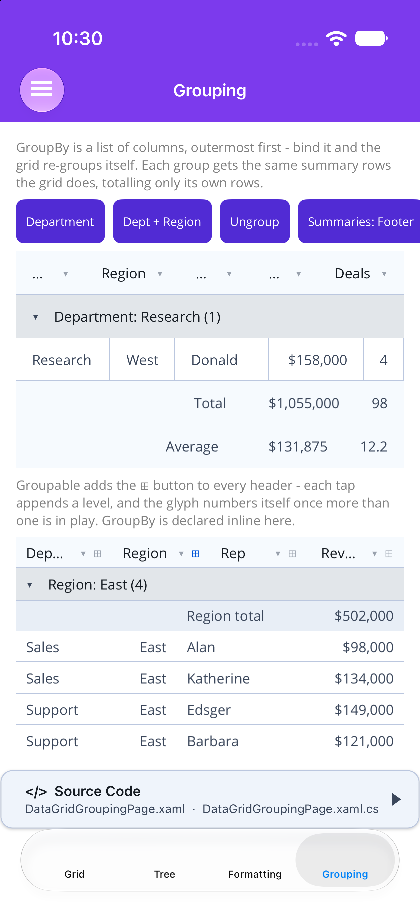 |
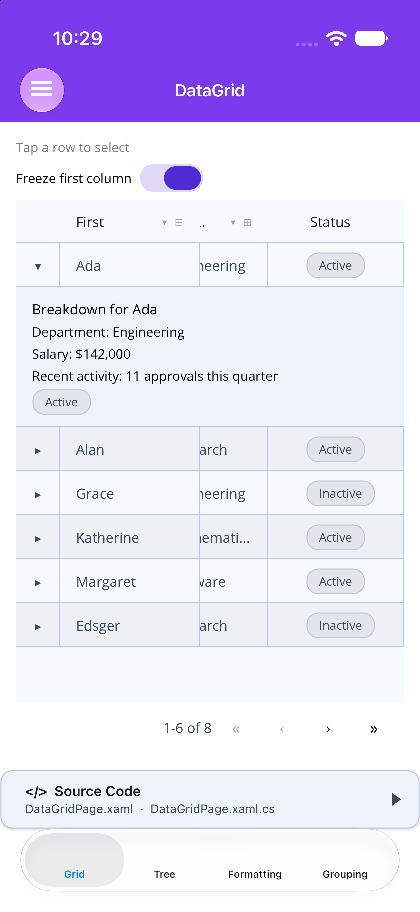 |
 |
Blazor
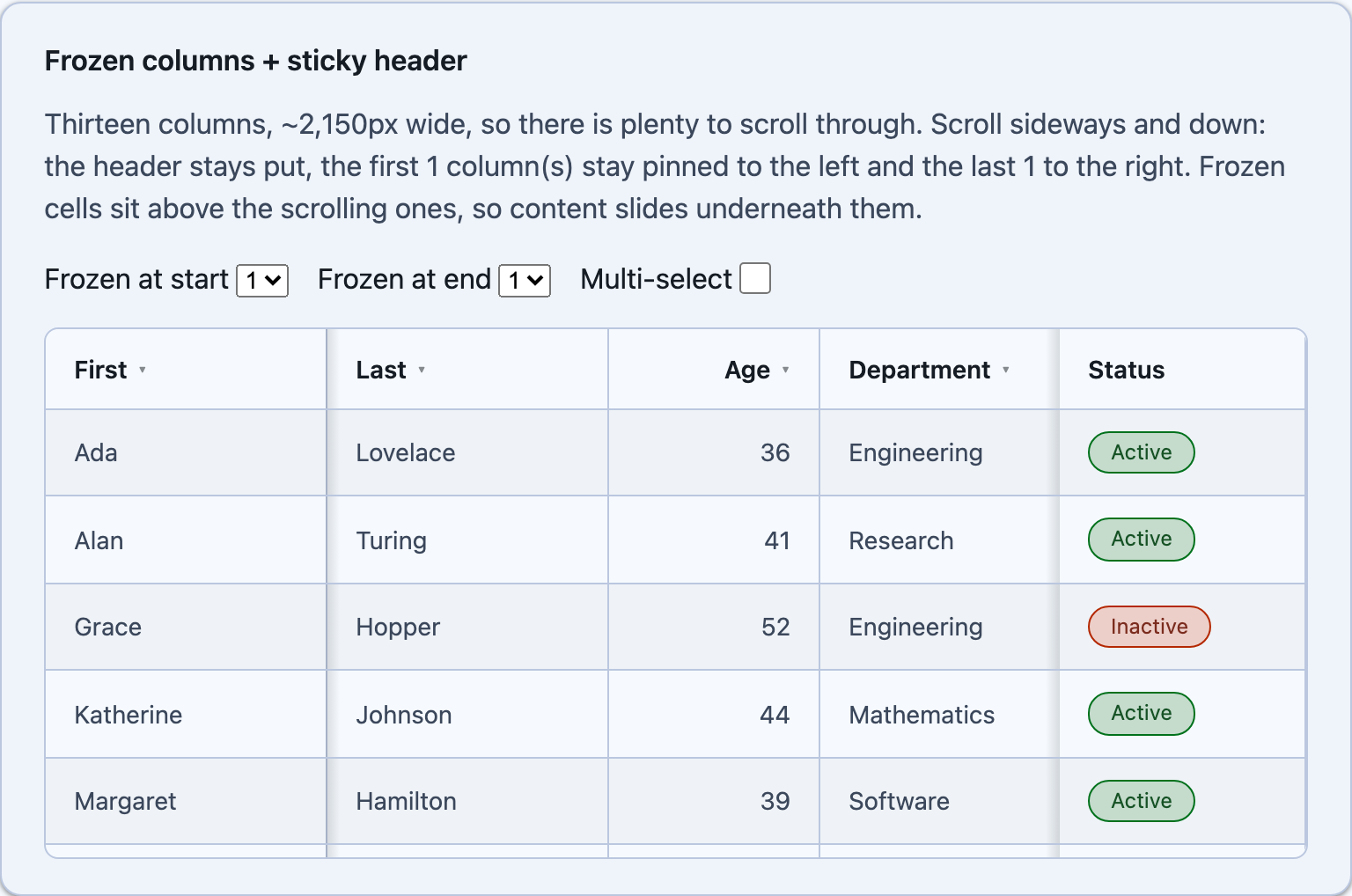
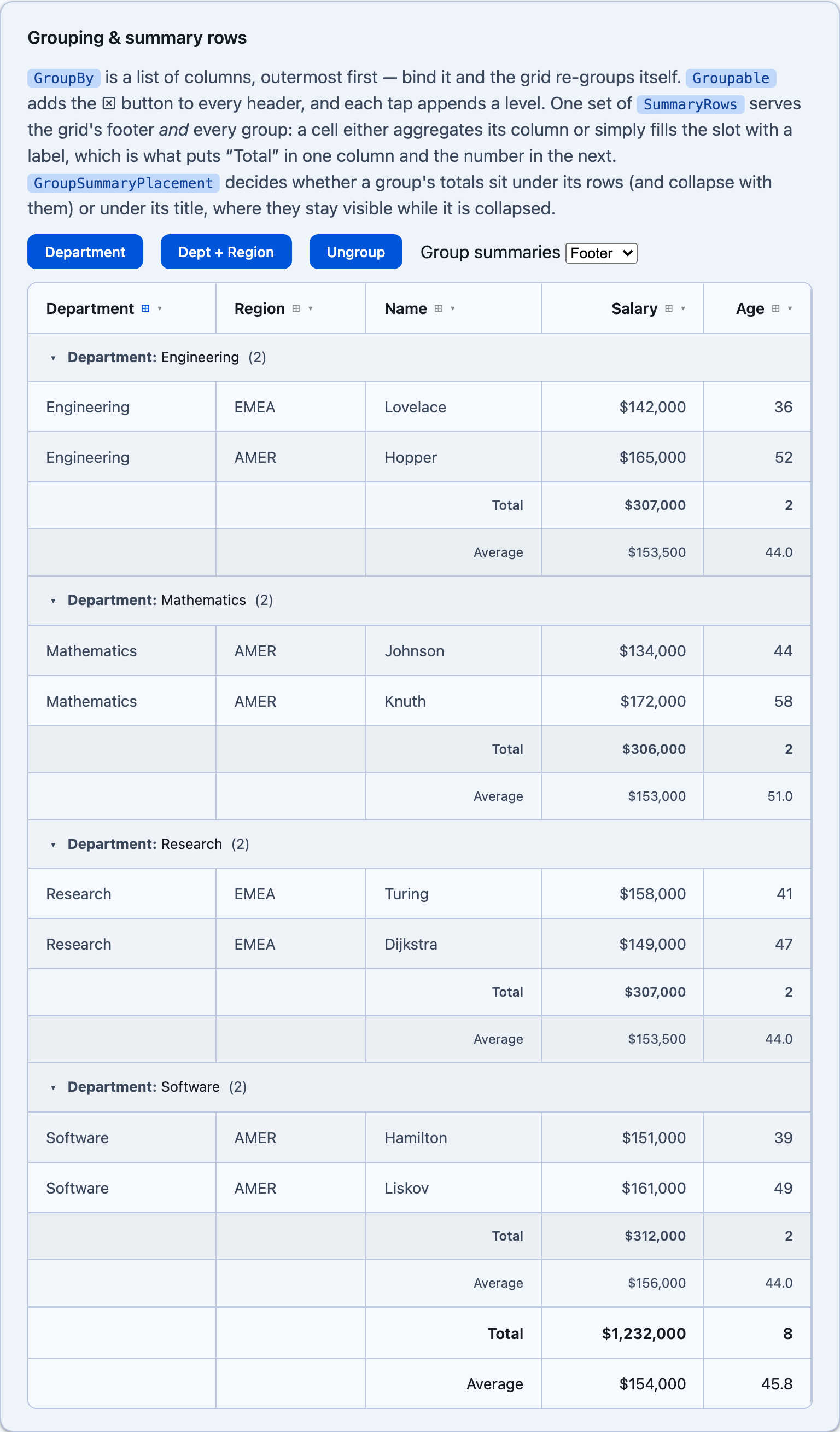
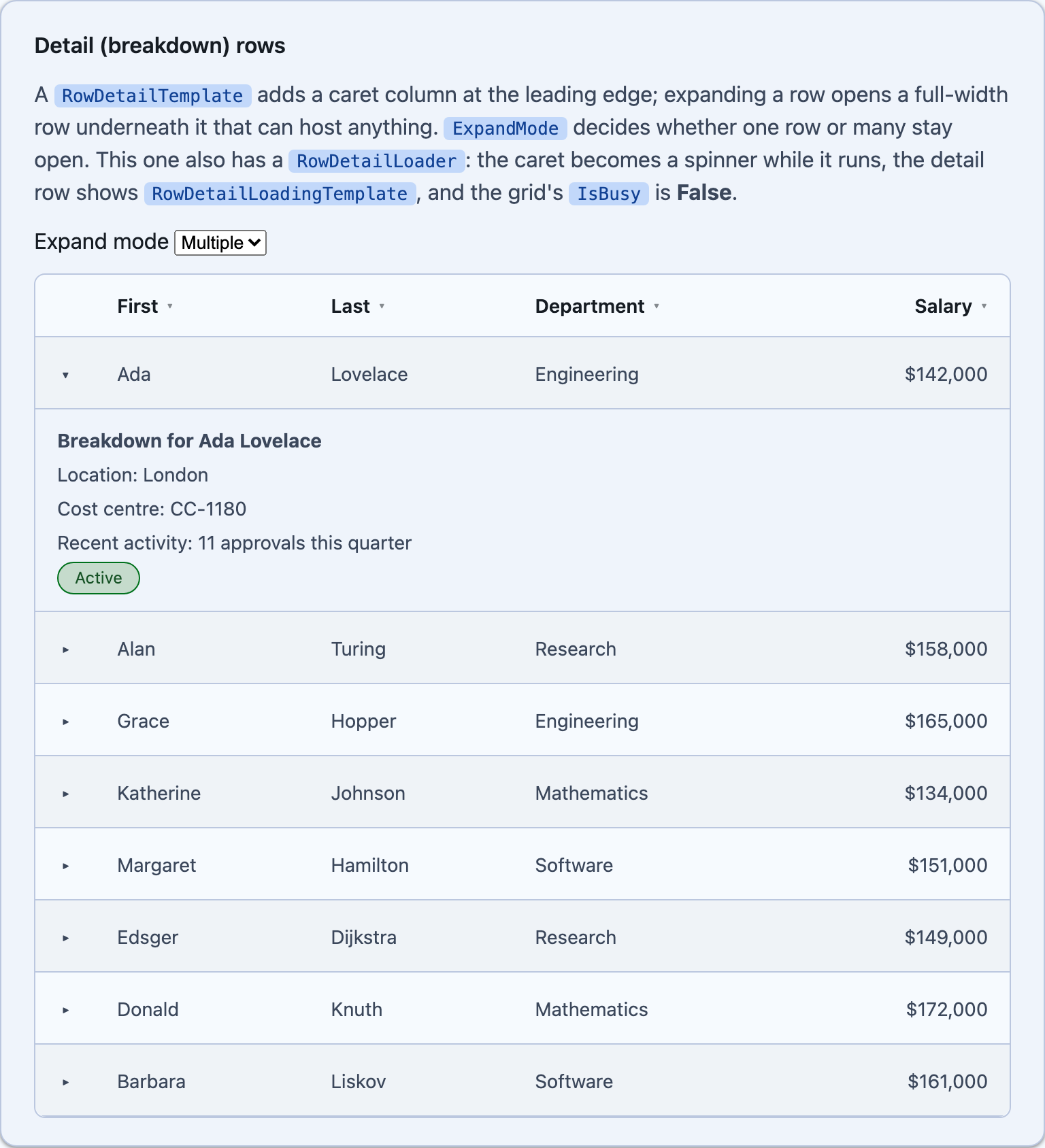
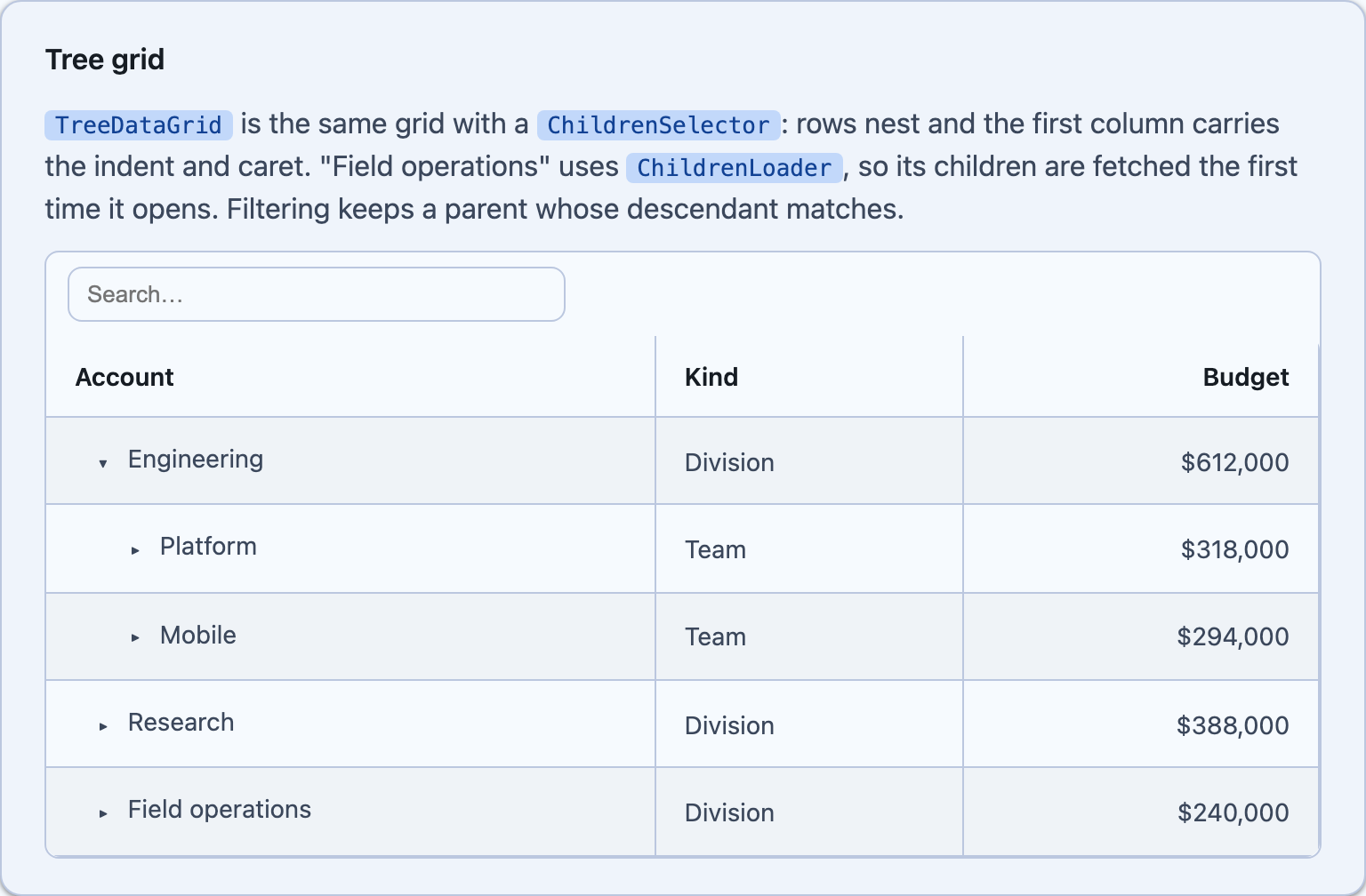
| Frozen columns | Grouping & summary rows | Detail rows | Tree grid |
|---|---|---|---|
 |
 |
 |
 |
Features
Section titled “Features”- Typed & template columns —
PropertyColumn(expression-bound, auto title/format) andTemplateColumn(custom cell/edit/header/footer content) - Sorting — click headers; single or multi-sort with order badges
- Filtering — per-column filter menu, an inline filter row, or a toolbar quick-search; type-aware operators (string/number/date/bool/enum)
- Grouping — any number of nested levels, with expandable group rows
- Summary rows — totals under the grid and inside every group; a label in one column, the number in the next (Count / Sum / Average / Min / Max / Custom)
- Selection — single or multiple with checkboxes and select-all
- Inline editing — cell and form edit modes with commit/cancel and edit events
- Detail rows — a full-width “breakdown” row under an expanded row, hosting whatever controls you like, with optional async loading and a spinner on the caret
- Tree mode — nest rows with a
ChildrenSelector, with optional lazy loading per level (TreeDataGrid) - Paging — built-in pager with page-size selection
- Virtualization — for large datasets (free on MAUI via
CollectionView) - Column formatting — display presets (currency/percent/date/file size/boolean/enum), alignment, a null placeholder, prefix/suffix, wrapping and conditional per-cell styling, none of which need a cell template
- Column widths in pixels, stars or percentages; column resize with per-column min/max widths and a per-column opt-out; drag-and-drop column reorder; sticky header, loading + empty states
- Server-side data via a
ServerDatadelegate (GridState→GridData) - Theming — surface/text/outline/primary colors follow the theme tokens (light/dark aware)
Documentation
Section titled “Documentation”| Page | What’s in it |
|---|---|
| Getting Started | Declaring a grid and its columns on Blazor and MAUI, plus the behavior differences between the hosts |
| Column Formatting | DisplayAs presets, format strings, NullText/Prefix/Suffix, alignment, wrapping and clamping |
| Conditional Cell Styling | CellStyle — colour, background and weight for one cell, from the row item |
| Column Widths | Pixels, stars and percentages, and how a percentage resolves on each host |
| Column Ordering | Drag-and-drop reorder, the MAUI ‹ › arrows, and persisting a user’s order |
| Column Resizing | Drag handles, per-column min/max bounds, and the Blazor resize modes |
| Grouping & Summary Rows | Nested grouping levels, and the total rows that go under the grid and inside each group |
| Frozen Header & Columns | Pinning a contiguous run of columns to either edge |
| Detail (Breakdown) Rows | A full-width row under an expanded row, hosting whatever you like |
| Async Detail & IsBusy | Fetching a breakdown on demand, the caret spinner, and the grid-level IsBusy |
| TreeDataGrid | The same grid in hierarchy mode — nested rows, lazy levels, and how the pipeline treats a tree |
Step 1 — Add the marketplace:
claude plugin marketplace add shinyorg/skillsStep 2 — Install the plugin:
claude plugin install shiny@shinyOne plugin installs all 48 Shiny skills. Your agent loads only the skill relevant to what you're building, so there's no cost to having them all available.
Step 1 — Add the marketplace:
copilot plugin marketplace add https://github.com/shinyorg/skillsStep 2 — Install the plugin:
copilot plugin install shiny@shinyOne plugin installs all 48 Shiny skills. Your agent loads only the skill relevant to what you're building, so there's no cost to having them all available.