


File Drop
Window-level file drop. A user drags files out of Finder, Explorer or the Files app and lets go anywhere in your window — over a page, over a toolbar, over a BlazorWebView — and your code gets them.
— MAUI
— Blazor (core package)
Screenshots
Section titled “Screenshots”Blazor
| Idle | Dragging over the window | After the drop |
|---|---|---|
 |
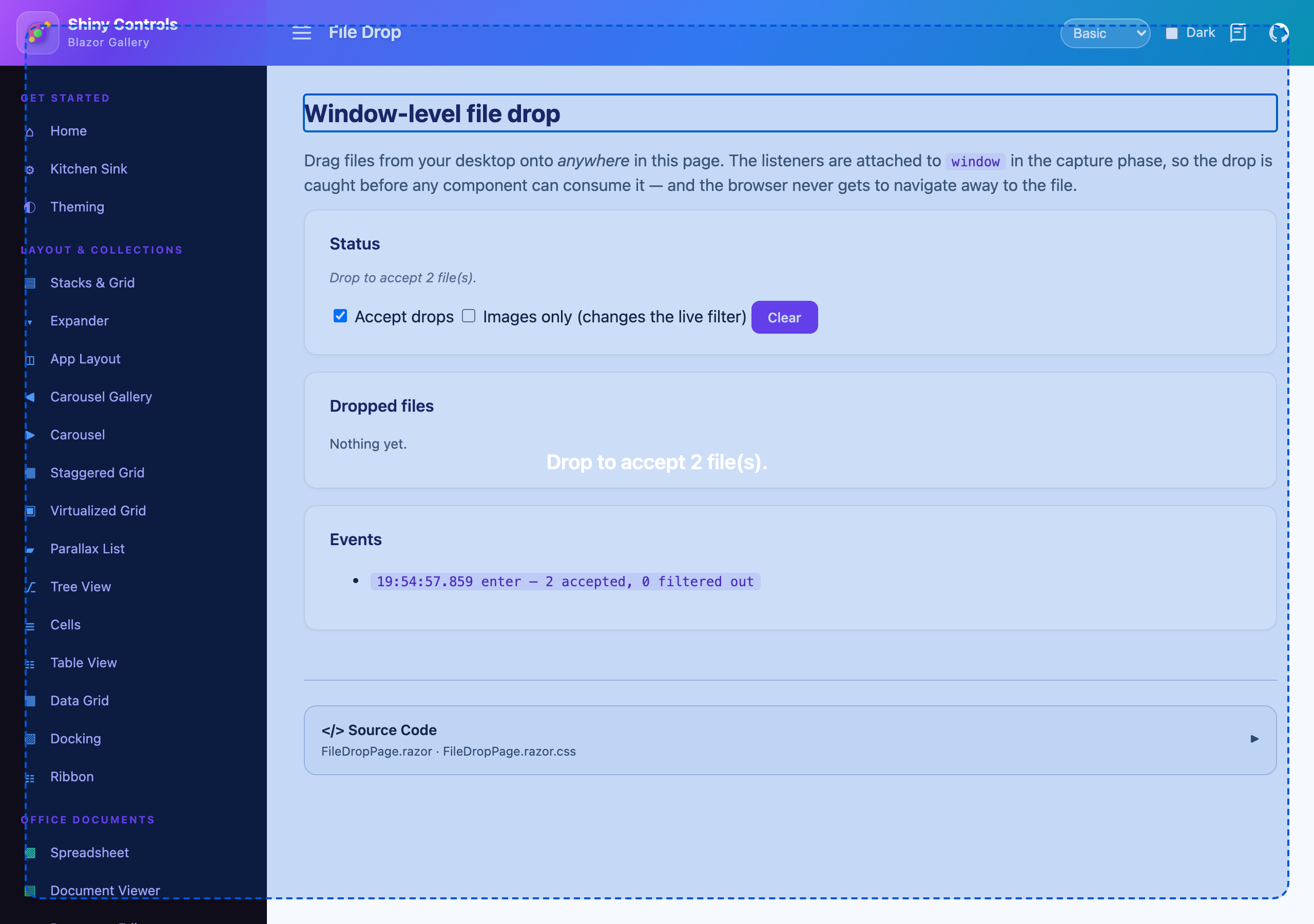 |
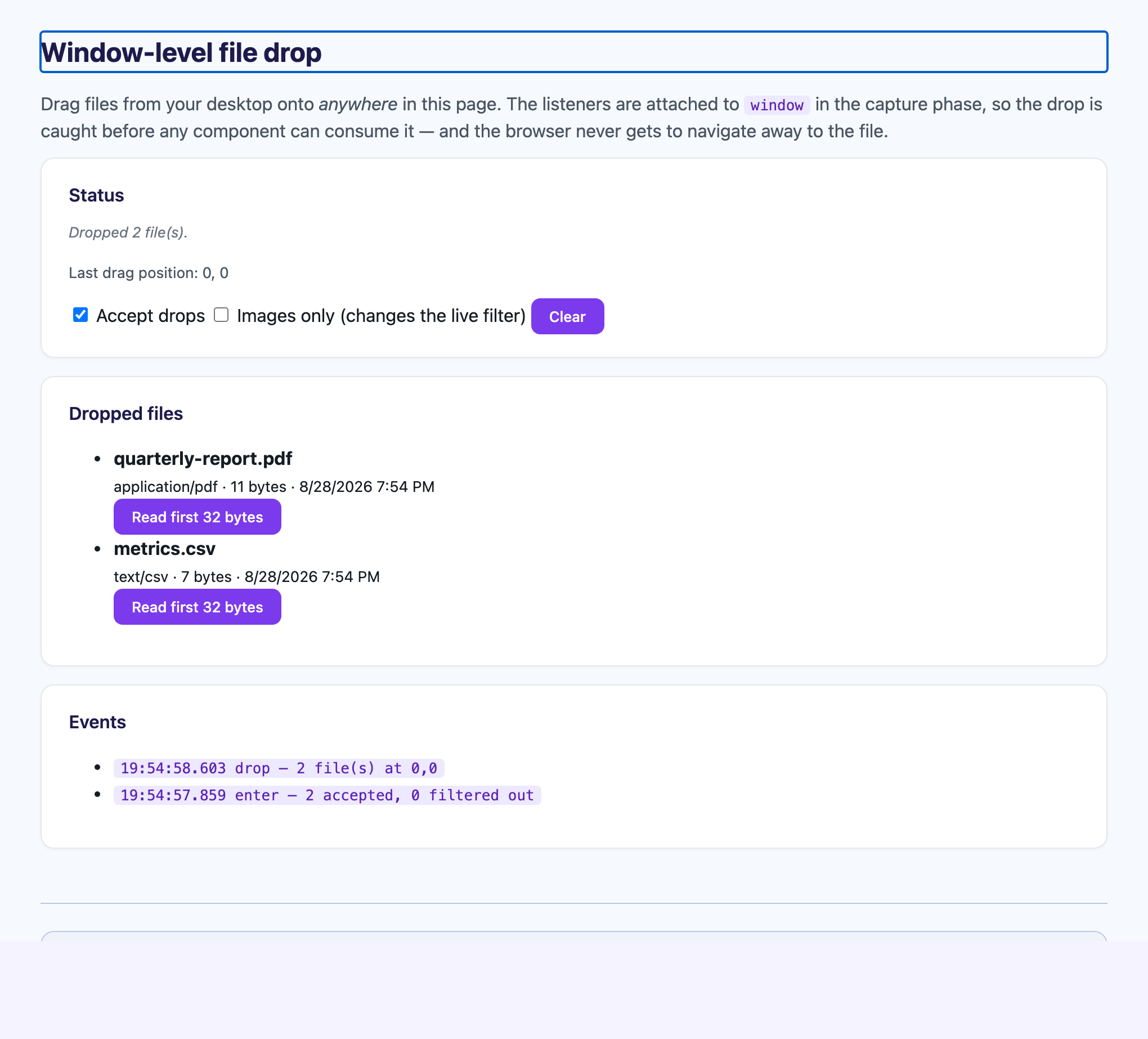 |
Why not DropGestureRecognizer
Section titled “Why not DropGestureRecognizer”MAUI already has a drop gesture, and for a single view on iOS, Android or Windows it is the right tool. For an app-wide drop target it is not, for three separate reasons:
- It is per-view. Covering the window means attaching it to something that fills the window, and keeping that true as pages change.
- It is not implemented on the AppKit (
net10.0-macos) and GTK4 heads, and is broken on Mac Catalyst. - It sits behind hosted web content. A
WebView2/WKWebView/WebKitWebViewis its own drop target and wins over anything underneath — usually by navigating itself to the dropped file, which looks exactly like the app crashing. An app whose UI is aBlazorWebViewnever sees the drop at all.
IFileDropService attaches to the native window and, by default, stops hosted web content claiming the drag first.
What each host gives you
Section titled “What each host gives you”| Host | Platforms | Payload |
|---|---|---|
| MAUI | Windows (WinUI), macOS AppKit, Mac Catalyst, Linux (GTK4) | Real file paths |
| Blazor | WebAssembly, Server, Hybrid | Bytes — the browser gives no path |
On iOS, Android and anywhere else, the service still resolves, IsSupported is false, attaching is a no-op and nothing fires. Shared code needs no #if.
using Shiny;
builder    .UseMauiApp<App>()    .UseShinyControls()    .UseFileDrop(o =>    {        o.AllowedExtensions.Add(".pdf");   // empty (default) accepts everything        o.MaxFileSize = 50 * 1024 * 1024;        o.MaxFiles = 10;    });
using Shiny.Maui.Controls.Desktop.FileDrop;
public class ImportViewModel{ public ImportViewModel(IFileDropService drop) { drop.DragEnter += (_, e) => this.IsDragging = e.HasAcceptableFiles; drop.DragLeave += (_, e) => this.IsDragging = false; drop.Dropped += (_, e) => { this.IsDragging = false; foreach (var file in e.Files) this.Import(file.FullPath!); }; }}Windows are attached as they open. Set AutoAttachWindows = false and call AttachTo(window) yourself to control it, disposing the result to detach.
Blazor
Section titled “Blazor”services.AddShinyFileDrop(o => o.AllowedExtensions.Add(".png"));AddShinyControls() already covers the registration — cfg.ConfigureFileDrop(o => …) is the umbrella’s equivalent of the delegate above. Then place one host in the root layout:
@using Shiny.Blazor.Controls.FileDrop
@* once, in MainLayout.razor *@<FileDropHost />
The host exists because the service imports a JS module, which prerendering cannot do — it calls StartAsync() after the first render. An app that would rather own that lifecycle can skip the component and call StartAsync() itself.
@inject IFileDropService FileDrop
this.FileDrop.Dropped += async (_, e) =>{    foreach (var file in e.Files)    {        await using var stream = await file.OpenReadAsync();        await this.Upload(file.FileName, stream);    }};
Listeners go on window in the capture phase — the browser equivalent of “over top of any web view”. The drop is caught wherever it lands, before any component can consume it, and the browser’s default action for a dropped file (navigate to it, unloading the app) never happens.
Handling drops app-wide
Section titled “Handling drops app-wide”The events belong to a page or a component. When a drop should be handled the same way whatever is on screen — with constructor-injected services rather than whatever the current page captured — register an IFileDropDelegate instead. It runs first and can consume the drop.
builder.UseFileDrop<ImportFileDropDelegate>();        // MAUI  (singleton)services.AddShinyFileDrop<ImportFileDropDelegate>();  // Blazor (scoped)
public class ImportFileDropDelegate(IImportService imports) : IFileDropDelegate{    public async Task OnFilesDropped(FileDropContext context)    {        await imports.QueueAsync(context.Files);        context.Handled = true;   // suppresses the Dropped event for this drop    }}
Filtering
Section titled “Filtering”FileDropOptions decides what your code ever sees, and it is live — change it at runtime and the next drag honours it.
| Option | Default | What it does |
|---|---|---|
AllowedExtensions |
empty | Accept only these. "pdf" and ".pdf" both work; matching is case-insensitive. |
MaxFileSize |
0 |
Largest file, in bytes. 0 is no limit. |
MaxFiles |
0 |
Most files from one drop, taken in order. 0 is no limit. |
AllowDirectories |
false |
MAUI only — accept dropped folders as well as files. |
SuppressWebViewDrop |
true |
Stop hosted web content taking the drop first. |
AutoAttachWindows |
true |
MAUI only — attach to each window as it opens. |
ReleaseFilesAfterHandling |
true |
Blazor only — let go of the browser’s File objects once your handler returns. |
Filtering here rather than in your handler is what lets the drag feedback be honest: a drag carrying nothing acceptable reports no files on DragEnter, so an overlay bound to that can say “not this one” before the user lets go.
Things worth knowing
Section titled “Things worth knowing”A wholly refused drop raises DragLeave, not Dropped
Section titled “A wholly refused drop raises DragLeave, not Dropped”No platform sends a “leave” after a drop. If a refused drop reported nothing at all, an overlay bound to the drag state would stay up for good. RejectedCount on those args says how many were filtered out.
A drag in progress knows less than the drop does
Section titled “A drag in progress knows less than the drop does”Browsers deliberately hide file names and sizes until the drop lands, and Mac Catalyst has only a suggested name. DragEnter / DragOver therefore may carry placeholder entries — on Blazor IsMetadataKnown is false for them and only ContentType is set. The count is always real, which is enough for “drop 3 files here”. Bind an overlay to Files.Count or HasAcceptableFiles, not to a file name.
Draw your own affordance, and make it pointer-transparent
Section titled “Draw your own affordance, and make it pointer-transparent”The service reports the drag; the overlay is yours. Give it InputTransparent="True" on MAUI or pointer-events: none on Blazor — the window-level target does the catching, and an overlay that swallows the pointer only gets in the way.
SuppressWebViewDrop is the switch that makes this work over web content
Section titled “SuppressWebViewDrop is the switch that makes this work over web content”It is also the first thing to turn off if hosted web content starts behaving oddly. It sets AllowDrop = false and revokes the OLE drop registration on WebView2, unregisters WKWebView’s dragged types on AppKit, strips the drop interactions inside WKWebView on Mac Catalyst, and puts the GTK drop target in the capture phase.
Blazor lets go of a drop’s files once your handler returns
Section titled “Blazor lets go of a drop’s files once your handler returns”They live in JS memory until then. Set ReleaseFilesAfterHandling = false if you need to read one later, and call ReleaseAsync(files) when you are done — otherwise a page that takes several large drops grows without bound.
Platform notes
Section titled “Platform notes”| Platform | Details |
|---|---|
| macOS AppKit | the drop view becomes the window’s contentView and MAUI’s content becomes its subview. AppKit finds a drop’s destination by hit-testing and then walking up the superview chain, which rules out the obvious implementation twice over: a transparent overlay that returns nil from hitTest: is never found, and one that does not swallows every click in the app. |
| Mac Catalyst | a UIDropInteraction on the UIWindow, and the weakest of the four. UIKit gives the drop to the deepest view willing to take it, and there is no supported opt-out inside WKWebView the way WebView2 has one. Files arrive as NSItemProviders, so a drop is staged into the temp directory before FullPath is set. |
| Linux/GTK4 | a GtkDropTarget on the toplevel in the capture phase, with preloading on so the file list is readable while the drag is still moving rather than only on drop. |
| Windows | XAML drag/drop on the window’s root element rather than OLE RegisterDragDrop on the HWND, because the XAML router already knows how to walk the element tree. |