


Captcha
Captcha is a human check in front of a form. One component over four providers: the built-in local challenge — no account, no keys, no third-party script — plus Google reCAPTCHA, hCaptcha and Cloudflare Turnstile, chosen by name at registration and swapped without touching the markup.

Screenshots
Section titled “Screenshots”Blazor
| The built-in local challenge | Math mode, dark surface | Gating a submit button |
|---|---|---|
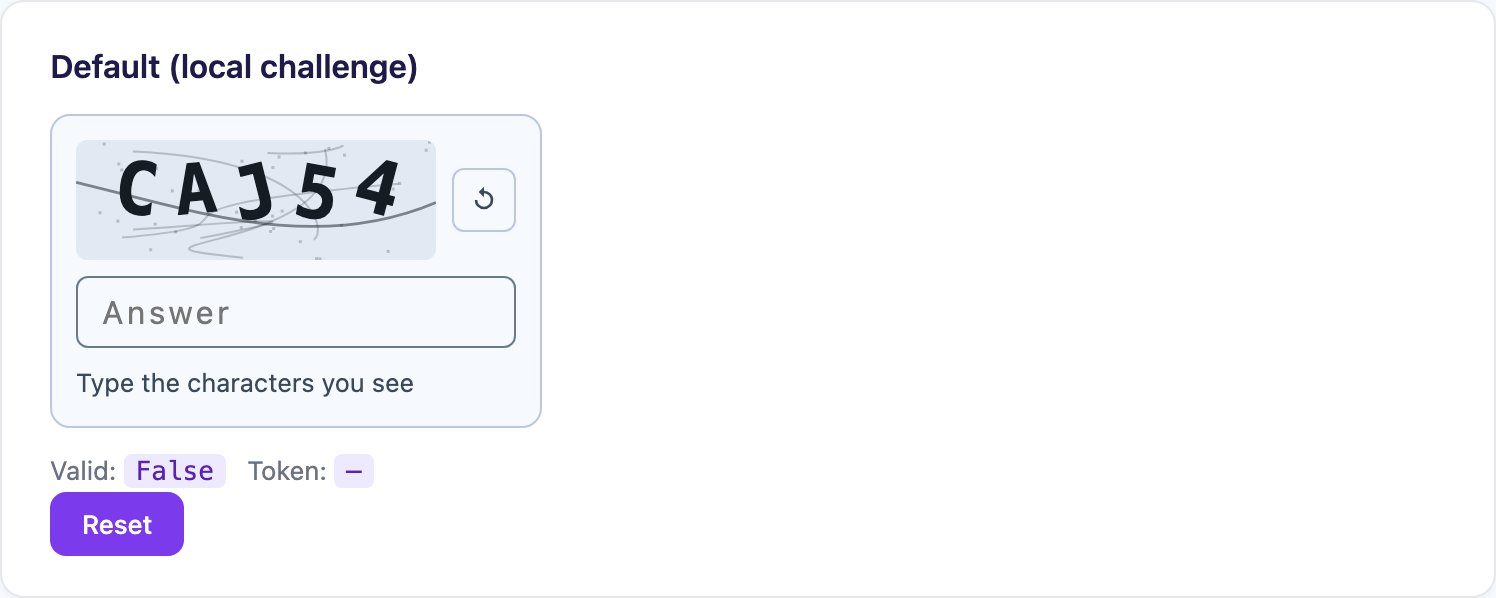 |
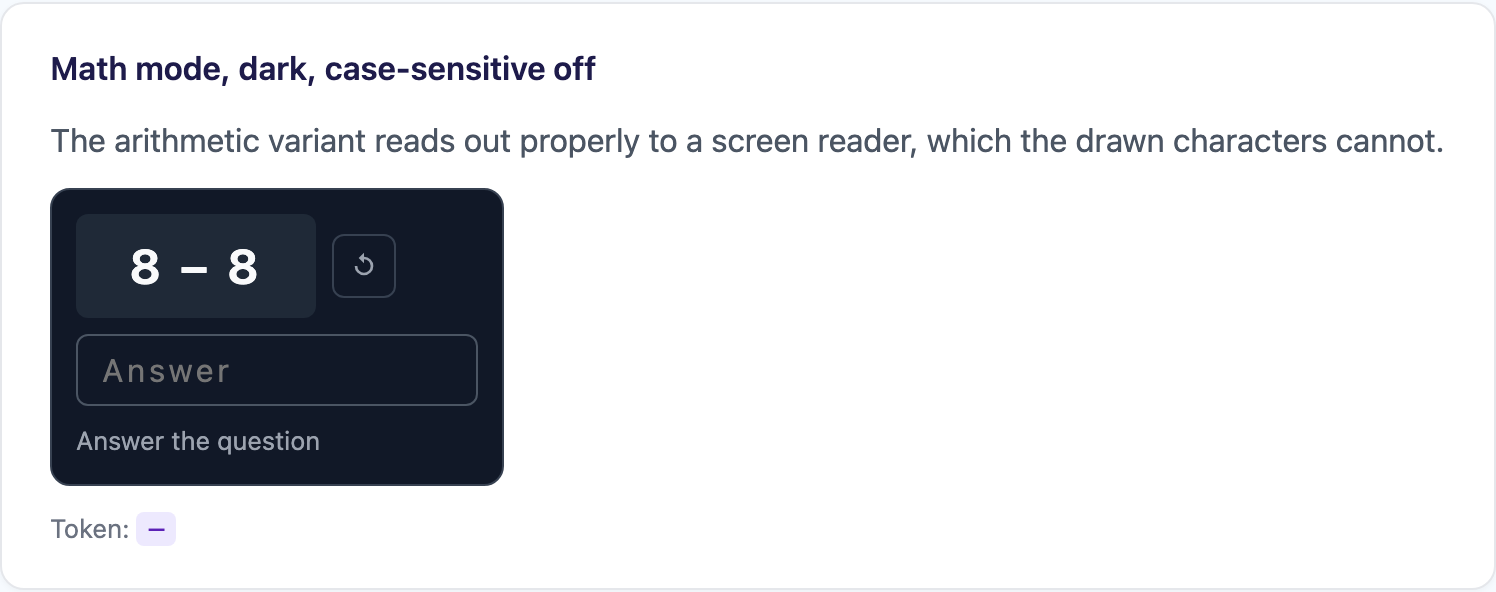 |
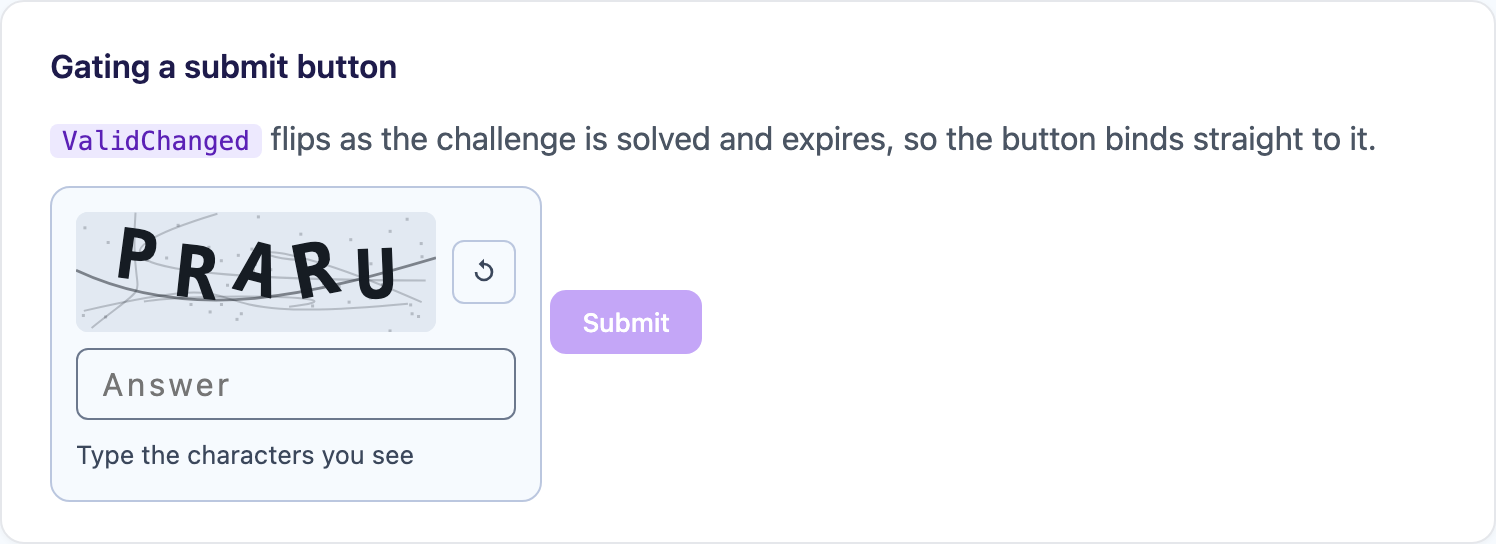 |
Features
Section titled “Features”| Feature | Description |
|---|---|
| Four providers, one component | local, recaptcha, hcaptcha, turnstile, selected by name |
| Works from the package reference alone | with nothing registered it renders the local challenge |
| A local challenge that needs no account | distorted text or arithmetic, drawn and checked in the browser, offline and inside a BlazorWebView |
| Server-side validation hook | Validate runs the moment the widget solves and decides whether the state counts |
| Bindable validity | ValidChanged flips as the challenge is solved and expires, so a submit button binds straight to it |
| Invisible mode | score the session in the background and trigger from your submit handler with ExecuteAsync() |
| Theme, size and language | per component or as app-wide defaults |
| Extensible | implement ICaptchaProvider, or subclass RemoteCaptchaProvider for a hosted provider this package does not ship |
Registration is optional. With nothing registered, <Captcha /> renders the local challenge with its defaults — which is the right answer for an internal form and the wrong one for a public sign-up page.
@* _Imports.razor *@@using Shiny.Blazor.Controls.Captchasbuilder.Services.AddShinyControls(cfg => cfg .ConfigureCaptcha(c => c.UseTurnstile("0x4AAA...")) // public site key only);
// or on its ownbuilder.Services.AddShinyCaptcha(c => c.UseTurnstile("0x4AAA..."));Register as many as you like. The component picks one by name; absent a name it uses SetDefaultProvider, then the first registered, then the local challenge — which is what makes “Turnstile in production, local challenge in the dev build” a config change rather than a markup change.
builder.Services.AddShinyCaptcha(c => c .UseTurnstile(siteKey) .UseLocal(o => o.Mode = LocalCaptchaMode.Math, name: "math") .SetDefaultProvider("turnstile") .SetTheme(CaptchaTheme.Auto) .SetSize(CaptchaSize.Normal));| Registration | Provider name |
|---|---|
UseLocal(configure?, name?) |
local, or the name you give it |
UseReCaptcha(siteKey) |
recaptcha |
UseHCaptcha(siteKey) |
hcaptcha |
UseTurnstile(siteKey) |
turnstile |
UseProvider<T>() / UseProvider(instance) |
whatever Name returns |
<Captcha @ref="captcha" ValidChanged="v => canSubmit = v" />
<button disabled="@(!canSubmit)" @onclick="SubmitAsync">Sign up</button>
@code {    Captcha? captcha;    bool canSubmit;
    async Task SubmitAsync()    {        var token = this.captcha!.Response;   // hand this to your server        // ... post the form ...
        // a spent token cannot be replayed, so start a fresh challenge after a failed submit        await this.captcha.ResetAsync();    }}
Server-side validation
Section titled “Server-side validation”Validate is called with the fresh token the moment the widget solves, and decides whether the state counts as valid. Return false and the component stays invalid — and, unless you set ResetOnFailedValidation="false", throws the challenge away and starts a new one, because a token your server rejected is spent either way.
<Captcha Validate="VerifyAsync" Solved="OnSolved" />
@code {    void OnSolved(CaptchaState state) => this.status = $"verified by {state.ProviderName}";
    async Task<bool> VerifyAsync(CaptchaState state)    {        // your endpoint, holding the secret key, posts to the provider's siteverify        var result = await http.PostAsJsonAsync("api/captcha/verify", new { state.Response });        return result.IsSuccessStatusCode;    }}
Invisible mode
Section titled “Invisible mode”An invisible provider scores the session in the background and renders no challenge, so nothing solves until you ask it to. Call ExecuteAsync() from your submit handler and wait for Solved.
<Captcha @ref="captcha" Size="CaptchaSize.Invisible" Solved="OnSolvedAsync" />
@code {    Task SubmitAsync() => this.captcha!.ExecuteAsync();   // then continue in OnSolvedAsync}
BadgePosition says where the provider parks its badge — BottomEnd (default), BottomStart or Inline, which renders it in the flow so the page decides. The local provider has nothing to score and ignores invisible entirely.
The local challenge
Section titled “The local challenge”Self-hosted: no account, no site key, no third-party script, and it works offline.
builder.Services.AddShinyCaptcha(c => c.UseLocal(o =>{ o.Mode = LocalCaptchaMode.Math; // or Text (default) o.ExpirySeconds = 60;}));| Option | Default | What it does |
|---|---|---|
Mode |
Text |
Distorted characters drawn to a canvas, or an arithmetic question |
Length |
5 |
Characters in the text challenge |
CharacterSet |
ABCDEFGHJKMNPQRSTUVWXYZ23456789 |
Look-alikes (0 O 1 I L) removed — “is that a one or an ell” is not a Turing test |
CaseSensitive |
false |
Whether the typed answer has to match case |
Width / Height |
180 / 60 |
Canvas size in CSS pixels |
ExpirySeconds |
120 |
How long a solved challenge stays solved. Zero or less disables expiry |
MaxAttempts |
3 |
Wrong answers before the challenge is redrawn |
Prompt, IncorrectText, RefreshText, PlaceholderText |
— | Wording, for localisation |
Parameters
Section titled “Parameters”| Parameter | Type | Default | Description |
|---|---|---|---|
Provider |
string? |
null |
Which registered provider to render. Null follows the configured default |
Theme |
CaptchaTheme? |
configured | Auto (resolved from prefers-color-scheme), Light, Dark |
Size |
CaptchaSize? |
configured | Normal, Compact, Invisible, Flexible (Turnstile only) |
LanguageCode |
string? |
null |
Two-letter code for the provider’s UI. Null follows the browser |
BadgePosition |
CaptchaBadgePosition |
BottomEnd |
Where an invisible provider parks its badge |
ShowError |
bool |
true |
Whether widget failures render under the widget |
ResetOnFailedValidation |
bool |
true |
Whether a failed Validate starts a fresh challenge |
Validate |
Func<CaptchaState, Task<bool>>? |
null |
Your server-side check, run the moment the widget solves |
CssClass |
string? |
null |
Extra classes on the host element |
Events — Solved (CaptchaState), Expired, Errored (string), ValidChanged (bool).
Members — State (never null), IsSolved, Response, ResetAsync(), ExecuteAsync().
CaptchaState is (bool Valid, string? Response, string ProviderName): whether the challenge is satisfied, the token to hand your server, and which provider produced it.
Your own provider
Section titled “Your own provider”The built-ins are nothing more than ICaptchaProvider implementations registered by name. For a hosted provider this package does not ship, subclass RemoteCaptchaProvider and supply a descriptor — script loading, widget lifetime, callbacks, reset and execute all come for free.
public class MyCaptchaProvider(string siteKey) : RemoteCaptchaProvider{    public override RemoteCaptchaDescriptor Descriptor { get; } = new()    {        Name = "mycaptcha",        ScriptUrl = "https://example.com/api.js?render=explicit{lang}",        GlobalName = "mycaptcha",        SiteKey = siteKey,        SupportedSizes = ["normal", "compact"]    };}
builder.Services.AddShinyCaptcha(c => c.UseProvider(new MyCaptchaProvider(siteKey)));Step 1 — Add the marketplace:
claude plugin marketplace add shinyorg/skillsStep 2 — Install the plugin:
claude plugin install shiny@shinyOne plugin installs all 48 Shiny skills. Your agent loads only the skill relevant to what you're building, so there's no cost to having them all available.
Step 1 — Add the marketplace:
copilot plugin marketplace add https://github.com/shinyorg/skillsStep 2 — Install the plugin:
copilot plugin install shiny@shinyOne plugin installs all 48 Shiny skills. Your agent loads only the skill relevant to what you're building, so there's no cost to having them all available.