


Notebook


Two controls, on both hosts:
| Control | What it is |
|---|---|
NotebookEditor |
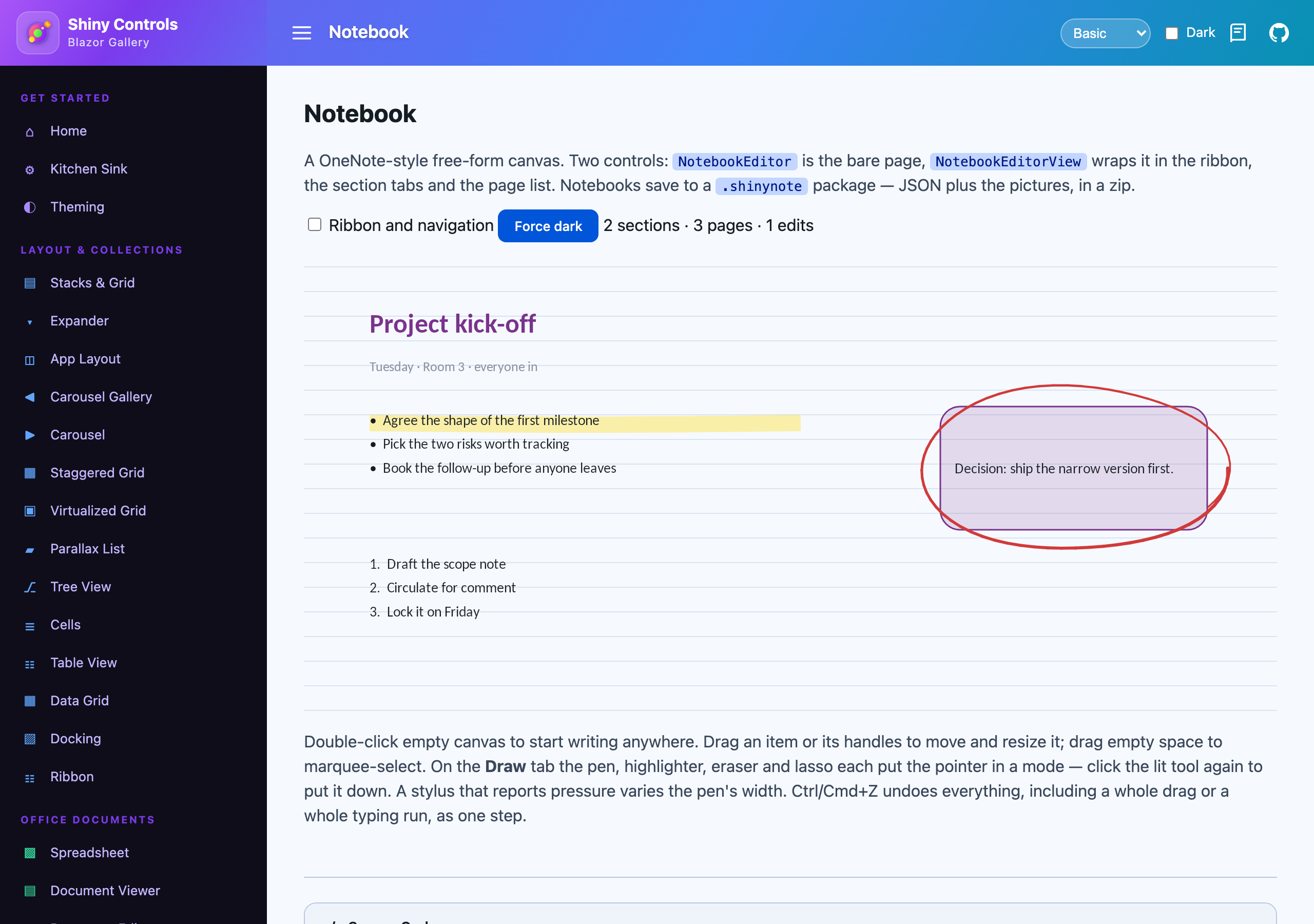
the lone canvas — tools, selection, caret, typing, ink. No chrome. |
NotebookEditorView |
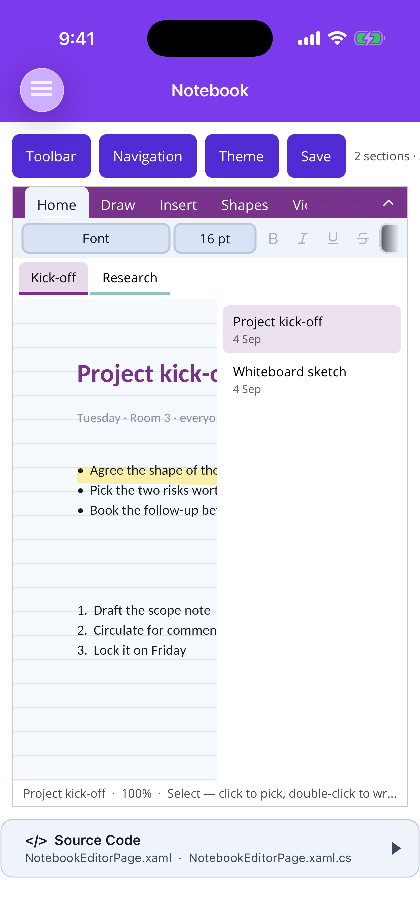
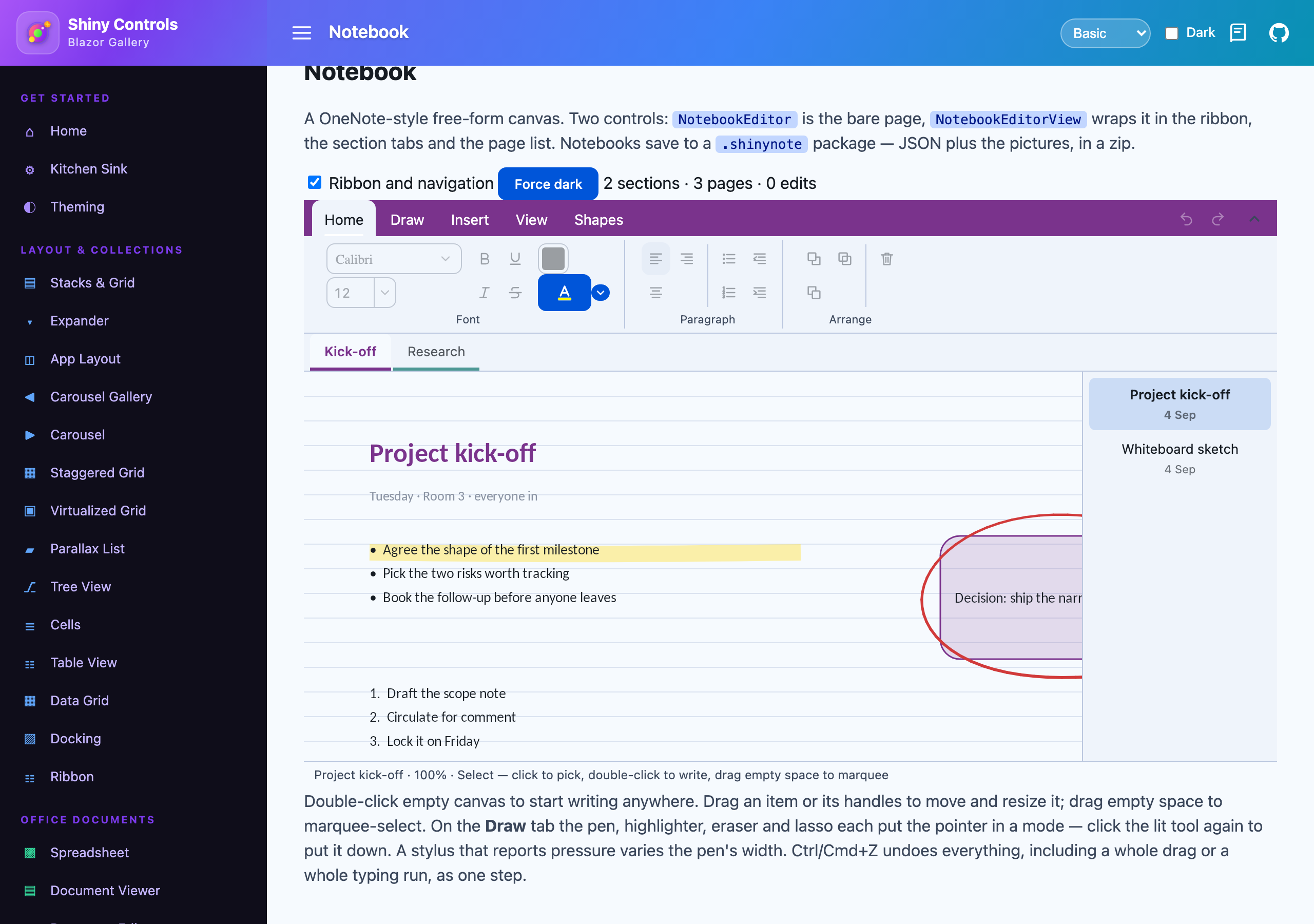
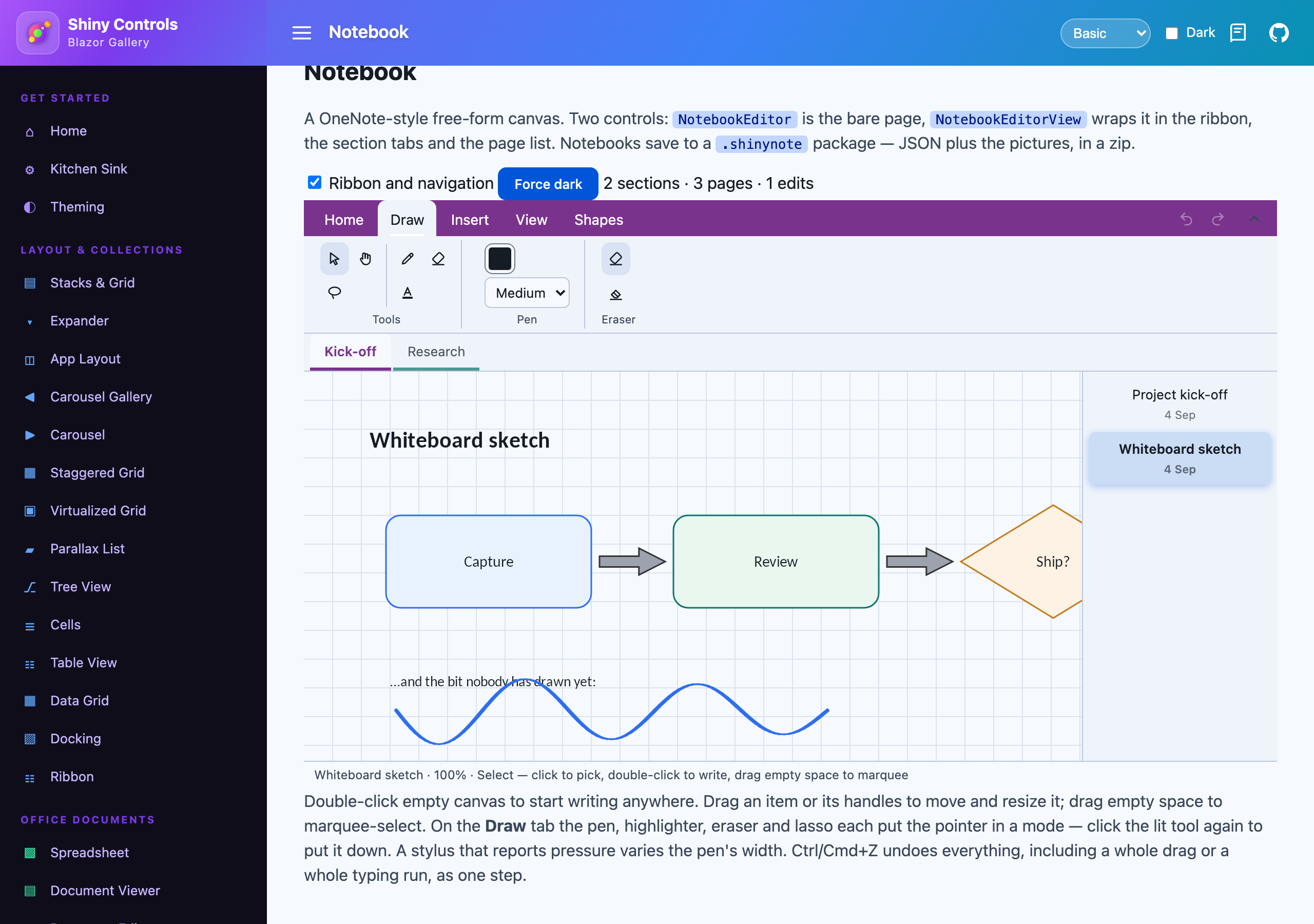
NotebookEditor plus the ribbon, the section tabs and the page list |
Same packages as the other Office editors (Shiny.Maui.Controls.Office /
Shiny.Blazor.Controls.Office), same constraints: MAUI needs UseShinyOffice(), Blazor is
WASM-only, and on Blazor the container needs an explicit height.
Create or open
Section titled “Create or open”var notebook = NotebookDocument.Create("Field notebook"); // one section, one empty pageusing var notebook = await NotebookDocument.OpenAsync("field.shinynote");There is no editable: flag. Unlike the deck, the workbook and the document, a notebook is not a
projection of an OOXML package — the model is the truth — so it is always editable, and a control
presents one read-only through IsReadOnly.
Blazor
Section titled “Blazor”<div style="height:640px"> <NotebookEditorView Notebook="notebook" @bind-Tool="tool" NotebookChanged="OnChanged" /></div><office:NotebookEditorView x:Name="Editor" />this.Editor.Notebook = notebook;The page has no edges
Section titled “The page has no edges”This is the one structural difference from the slide editor, and everything else follows from it. A slide is a fixed artboard and the viewer’s job is to fit it to the window. A notebook page grows to hold whatever is written on it, and the canvas scrolls and zooms instead.
NotebookPage.Extent() is MinWidth/MinHeight unioned with every item’s bounds plus Padding, so
there is always blank room past the furthest thing on the page to keep writing into — and a page with
one note in the corner is not a viewport-sized scroll region, while a diagram running off the bottom
is not clipped.
Everything else is the machinery the .docx and .pptx editors already run on: the same shape
geometry, the same rich-text layout engine, the same SkiaSharp painter shared verbatim by both hosts,
and the same transactional undo stack.
Three layers of state
Section titled “Three layers of state”| What it is | |
|---|---|
| Tool | what a press starts — Select, Text, Shape, Pen, Highlighter, Eraser, Lasso, Pan |
| Selection | a set of item ids — a lasso routinely catches thirty strokes and a picture, and they all move together |
| Text editing | a caret inside exactly one item, entered by double-clicking it |
Keeping them apart is the whole design. There is no single “selected shape” index the way the slide editor has one, because there is no gesture here that only ever selects one thing.
Escape steps back out one layer at a time: it leaves the text, then puts the tool down, then clears the selection.
Gestures
Section titled “Gestures”| Gesture | With the Select tool |
|---|---|
| Click | Select the topmost item under the pointer |
| Double-click | Put a caret inside its text |
| Drag an item | Move it |
| Drag a handle | Resize — the whole selection scales together |
| Drag empty canvas | Marquee-select with a mouse; pan with a finger |
| Shift-click | Add to or remove from the selection |
| Wheel | Scroll. Ctrl/Cmd-wheel zooms about the pointer |
A finger on empty canvas pans rather than marquee-selecting. There is no wheel to scroll with on a touch screen, so if the drag also meant “select a region” there would be no gesture left to reach the rest of the page with — the same reasoning the spreadsheet and document surfaces already carry.
Ink is hit-tested against its path, not its bounding box. A stroke’s rectangle is mostly empty, and treating it as solid makes a single flourish swallow every click in that corner of the page.
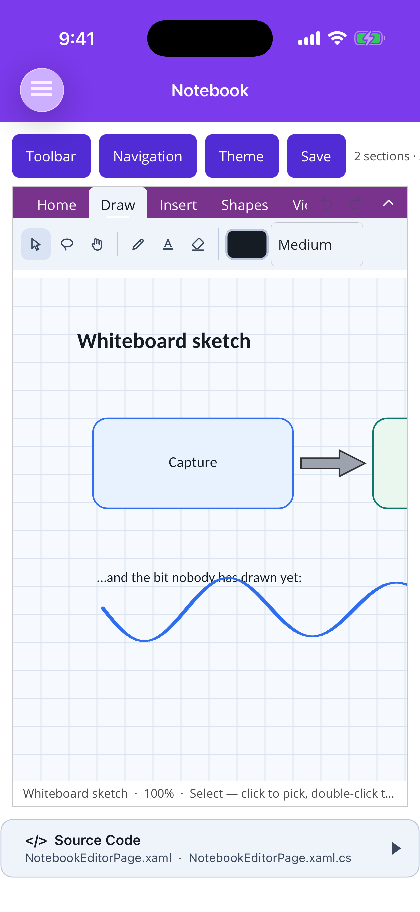
Four tools, each a mode the pointer stays in until another is picked. Clicking the lit tool again puts it down and returns to Select — the way out of the pen that does not require finding the arrow.
Pen. A colour and one of four nib widths. A stylus that reports real force varies the width along
the stroke; a mouse, a finger and a pen mid-flick all report 0.5, which draws at the nominal width.
Pressure is a multiplier on the width rather than the width itself, so a stroke recorded with a
pressure-capable pen and one recorded with a mouse are the same stroke at different fidelities — and
switching input device does not change how thick the pen looks.
Highlighter. Translucent, wide, flat-capped, and painted beneath every other item on the page. Ink over text would be ink over the words rather than under them; even at 40% alpha that greys the glyphs, which is exactly the thing a highlighter is not supposed to do. The flat cap is deliberate too — a round cap on a 16px band reads as a lozenge rather than as a chisel nib.
Eraser. Two modes. EraseMode.Stroke removes a whole stroke on contact. EraseMode.Point eats
only the points under the eraser and splits the stroke into separate items where it passes
through. That split matters: a stroke is a single path, so leaving a hole in its point list would have
the painter draw a straight line across the gap the user just rubbed out.
Lasso. Circle a region. Ink is judged on its points — a majority inside — rather than on its box, so circling one word of a handwritten line does not take the whole line. Everything else is judged on its centre, which is what makes a lasso drawn roughly around a picture take it.
Strokes are drawn as a quadratic through the sample midpoints rather than as a polyline through the samples. A polyline shows every sample as a corner, which under a fast hand is a visibly faceted curve; the midpoint construction is what makes handwriting look written rather than plotted.
The same rich-text engine as the document and slide editors — fonts, sizes, bold, italic, underline, strikethrough, colour, highlight, alignment, and bulleted and numbered lists with nine outline levels.
A text container is OneNote’s outline. It has no frame of its own unless one is asked for, because a page of boxed paragraphs reads as a form rather than as notes, and it grows in height as you type. Dragging a top or bottom handle turns that off: a container told to be a specific height was told so by the user.
Typing - or 1. at the start of a paragraph starts a list, through the same detector the Word and
PowerPoint editors use. Backspace at the very start of a list item leaves the list
rather than joining the line above — the only way out of one with the keyboard.
Numbers are resolved from position rather than stored, so inserting a line in the middle renumbers everything after it, and stepping out to a shallower level and back in restarts the deeper run — 1, 1.1, 1.2, 2, 2.1, not 2.3.
A container the user typed nothing into is deleted when the caret leaves it. It has no outline of its own, so an empty one would sit on the page as an invisible click-trap.
Formatting reaches a selected container as well as a caret inside one — unlike the slide editor. A
shape with a label should go bold from one click rather than needing a double-click and a select-all
first, so a toolbar’s enabled state here is IsEditingText || HasSelection.
Which ink text is drawn in
Section titled “Which ink text is drawn in”Text nobody gave a colour to follows the surface it sits on, because black is where the model’s default starts rather than a decision anyone made — and a notebook page, unlike a document’s paper, follows the app’s theme. The ground is whatever is directly behind the glyphs: a shape’s own fill where it has an opaque one, and the page otherwise. That second half matters, since a pale shape on a dark page needs dark text and following the page alone would put pale ink on a pale fill.
A colour the author actually chose is honoured as-is, however it reads. Second-guessing one is how a deliberately subtle caption gets repainted.
Ink is content and is never recoloured — a stroke laid down in black stays black when the app flips to dark. Only the pen follows the theme, and only until somebody picks a colour: an unchosen pen would otherwise draw invisible ink on a dark page, which is a defect rather than a preference.
Pages and sections
Section titled “Pages and sections”NotebookDocument → NotebookSection → NotebookPage → NoteItemNotebookEditorView shows both levels at once — sections across the top, the current section’s
pages down the side — rather than as a tree. A tree makes finding a page a two-step
expand-then-pick, and the point of the section tab is that its pages are always in front of you.
There is never a section with no pages and never a notebook with no sections: deleting the last one refills it, because a tab that cannot be opened is worse than an empty one.
Each page carries its own rule — blank, lined, grid or dots — with its own spacing and colour.
Hiding the page list
Section titled “Hiding the page list”ShowPageList hides just the page list down the right and gives the canvas the full width; the
section tabs stay. It is two-way and also toggled from the View tab’s Page list button. On a
phone the list takes about half the screen from the page, so default it off there:
<office:NotebookEditorView ShowPageList="{OnIdiom Phone=False, Default=True}" /><NotebookEditorView Notebook="notebook" @bind-ShowPageList="showPageList" />ShowNavigation is still the switch for the section tabs and the page list together.
| Blazor | MAUI | |
|---|---|---|
| Write, draw, erase, lasso, arrange | ✅ | ✅ |
| Typing, IME, dictation, paste | ✅ via beforeinput |
✅ via a hidden Entry |
| Pen pressure | ✅ | ✅ |
| Image drag-and-drop onto the page | ✅ | ✅ via the desktop add-on’s window file drop |
| Physical keys (arrows, shortcuts) | ✅ | ⚠️ route through HandleKey — MAUI has no portable key-down event |
Everything goes through the transactional undo stack, including the commands a drag produces per pointer sample. Those coalesce, so a whole drag is one undo step and a whole typing run is one — and the run is broken on pointer-up, so the next drag starts a step of its own rather than being folded into the one that just finished. Undoing an insert also drops the item from the selection, so no frame is left drawn around nothing and no keystroke edits an item that is not on the page.
The file format
Section titled “The file format”.shinynote is a zip, written from the model rather than projected back into a package:
notebook.json the notebook, its sections, and each page's settingspages/{pageId}.json that page's items, in z-ordermedia/{itemId}.png one entry per embedded picturePages are separate entries because a notebook is the one Office-shaped thing here that genuinely grows without bound — a manifest that has to be parsed in full to open the page someone clicked is the wrong shape for that, and a per-page entry also makes a page recoverable when a neighbour is corrupt. Pictures stay as files rather than base64 in the page: base64 costs a third again in size, defeats the zip’s own deflate on already-compressed formats, and is the difference between a page that streams and one held twice in memory while it parses.
Reads are lenient. A file from a newer writer opens rather than being refused, and a colour that will not parse costs a highlight rather than the whole notebook — these files are meant to be hand-editable.
await notebook.SaveAsAsync("field.shinynote"); // atomic, through a temporary fileawait notebook.SaveToAsync(stream); // a copy; leaves IsDirty alonevar bytes = notebook.ToArray();Theming
Section titled “Theming”The one Office surface whose page follows the app’s theme. A document and a deck are pictures of something printed, so tinting the paper would misrepresent what the file actually looks like; a notebook page was never printed and has no canonical appearance — it is the app’s own writing surface, and a dark app with a white page reads as a control that missed the memo rather than as fidelity.
Leave Theme unset to follow the app, or pin it to NotebookTheme.Light / NotebookTheme.Dark.
Existing ink is never recoloured. A stroke written in black stays black when the app flips to dark — repainting a user’s ink is not theming.
Screenshots
Section titled “Screenshots”MAUI (iOS)
NotebookEditorView — ribbon, section tabs, page list |
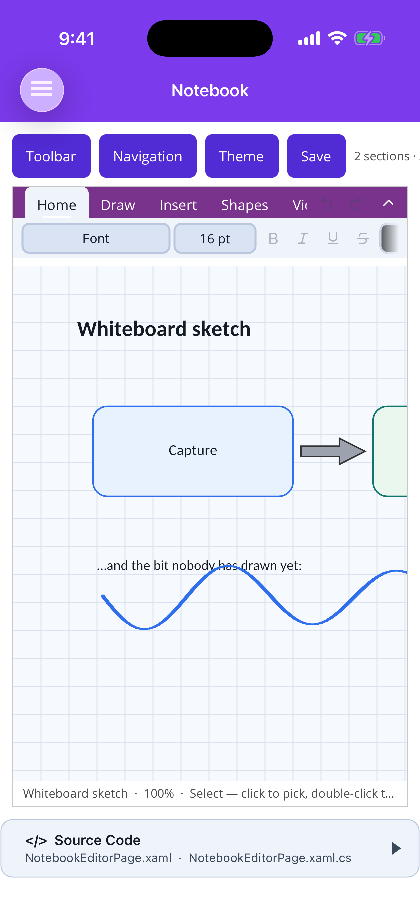
A page of shapes and ink | The Draw tab |
|---|---|---|
 |
 |
 |
Blazor
NotebookEditorView |
The Draw tab on a sketch page | NotebookEditor — the bare canvas |
|---|---|---|
 |
 |
 |
Not implemented
Section titled “Not implemented”Rotation handles, tables on a page, ink-to-shape recognition, page templates, search across pages, tags, and reordering sections by drag.