


TagEntry
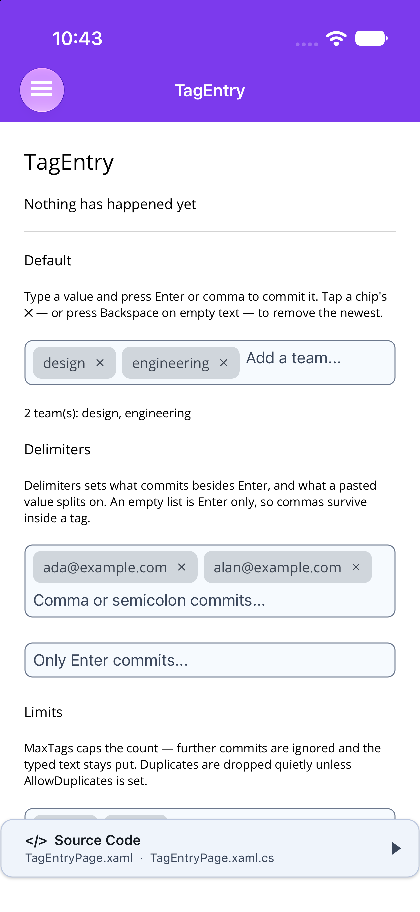
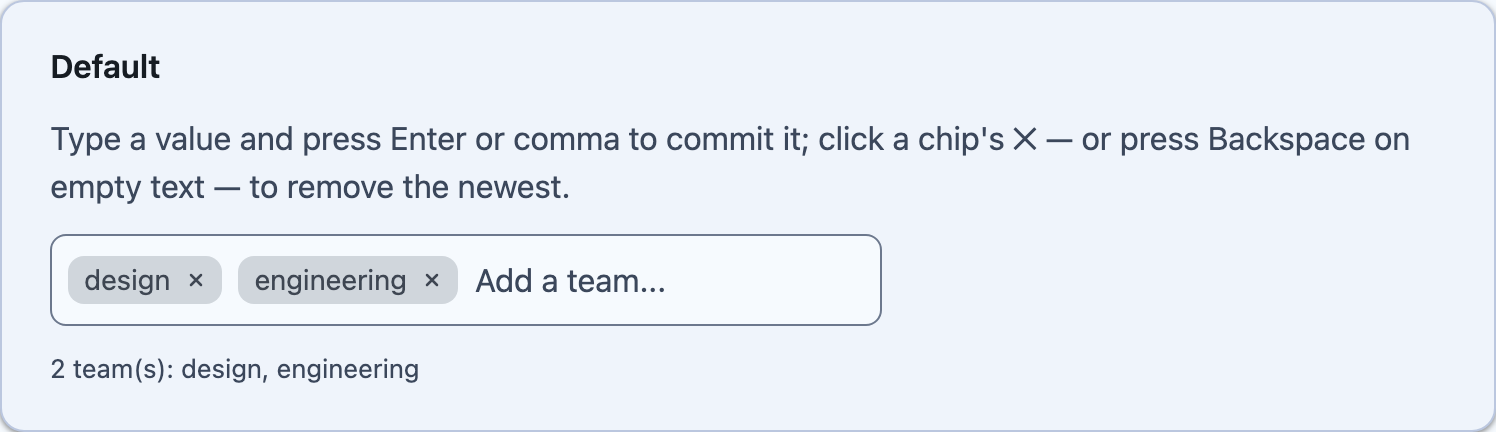
A free-text tags field: type and press Enter — or a delimiter — to commit each value as a removable chip, all inside one bordered box.


Screenshots
Section titled “Screenshots”MAUI (iOS)
| Committed tags | Limits, templates, read-only |
|---|---|
 |
 |
Blazor
| Default | Validation | Chip content |
|---|---|---|
 |
 |
 |
Features
Section titled “Features”| Feature | Description |
|---|---|
| Chips in the box | every committed tag is a chip with its own remove button, and the typing area takes the rest of whichever line it lands on. |
| Delimiters | a comma by default. An empty list means Enter only, which is how a tag gets to contain a comma. |
| Paste splits | pasting "a, b, c" commits three tags; typing the same characters leaves c in the editor, because the user is still writing it. |
| Backspace removes | Backspace against empty text takes the newest chip off. |
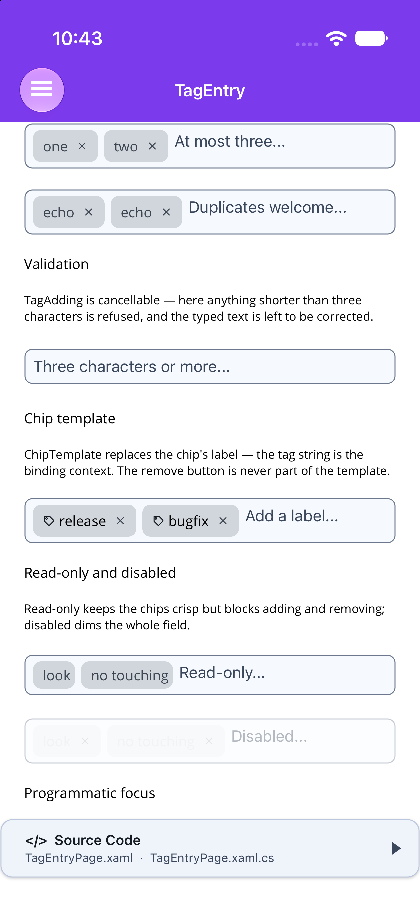
| Limits and duplicates | MaxTags caps the count without eating the typed text, and duplicates are dropped quietly unless you allow them. |
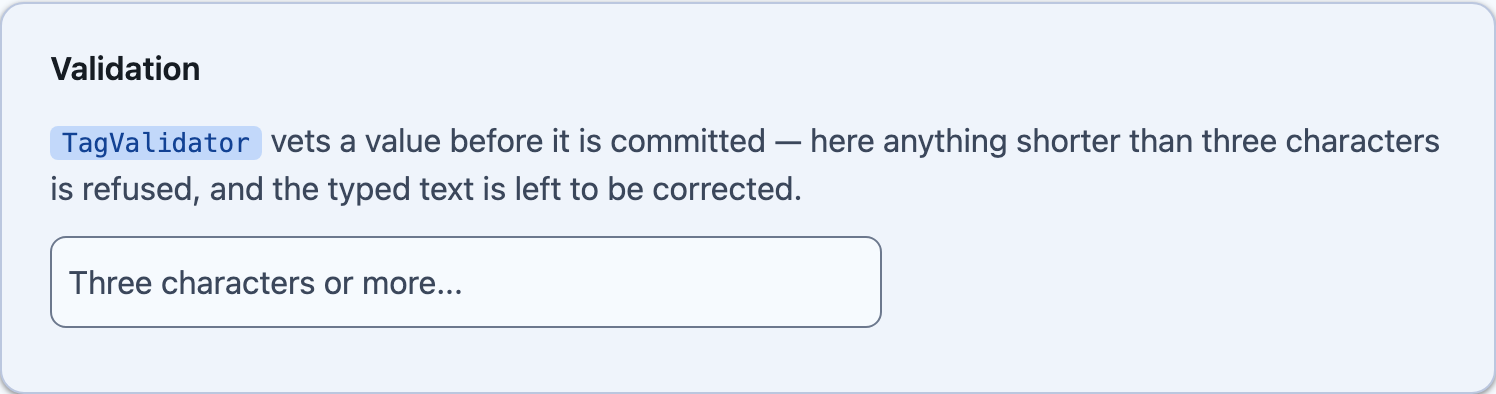
| Validation | a cancellable event on MAUI, a predicate on Blazor, running after trimming and after the duplicate and cap rules. |
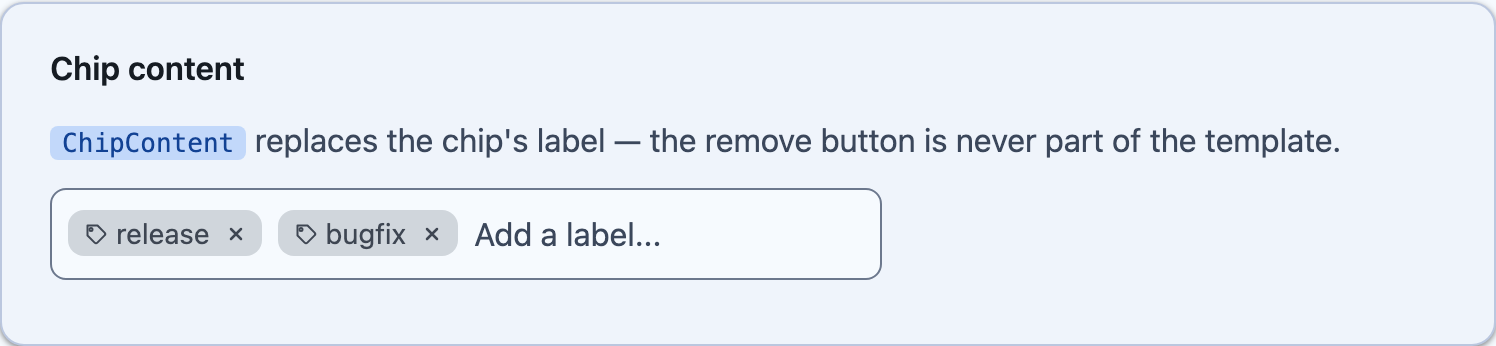
| Chip templates | replace a chip’s label; the remove button is never part of the template. |
AI Skill
Section titled “AI Skill”Step 1 — Add the marketplace:
claude plugin marketplace add shinyorg/skillsStep 2 — Install the plugin:
claude plugin install shiny@shinyOne plugin installs all 48 Shiny skills. Your agent loads only the skill relevant to what you're building, so there's no cost to having them all available.
Step 1 — Add the marketplace:
copilot plugin marketplace add https://github.com/shinyorg/skillsStep 2 — Install the plugin:
copilot plugin install shiny@shinyOne plugin installs all 48 Shiny skills. Your agent loads only the skill relevant to what you're building, so there's no cost to having them all available.
Quick Start
Section titled “Quick Start”<shiny:TagEntry Tags="{Binding Topics}" Placeholder="Add a topic..." MaxTags="5" /><TagEntry @bind-Tags="topics" Placeholder="Add a topic..." MaxTags="5" />Reach for it when the values are the user’s own words. When they have to come from a known list, AutoCompleteEntry is the control that offers one — this deliberately has no suggestion popup, because a field that both accepts anything and suggests something is a field nobody can tell the rules of.
Committing
Section titled “Committing”<shiny:TagEntry Tags="{Binding Recipients}" Delimiters="{Binding CommaOrSemicolon}" /><shiny:TagEntry Tags="{Binding Phrases}" Delimiters="{Binding NoDelimiters}" /><TagEntry Delimiters="@([",", ";"])" Placeholder="Comma or semicolon commits..." /><TagEntry Delimiters="@([])" Placeholder="Only Enter commits..." />At MaxTags further commits are ignored and the typed text stays put — eating it would throw away something the user wrote with no sign that it happened.
Validation
Section titled “Validation”void OnTagAdding(object sender, TagAddingEventArgs e) => e.Cancel = e.Tag.Length < 3;<TagEntry TagValidator="@(tag => tag.Length >= 3)" />It runs after trimming and after the duplicate and MaxTags rules, so a handler only ever sees a tag that would otherwise have been added — and a refusal leaves the typed text where it is, to be corrected rather than retyped.
Backspace on empty text — the MAUI difference
Section titled “Backspace on empty text — the MAUI difference”On Blazor this is a real keydown and there is nothing to explain.
MAUI has no portable key-down on an Entry: backspacing text that is already empty changes nothing and raises nothing. So the field keeps a zero-width space in front of whatever is typed — deleting that does raise TextChanged, and is the signal. The sentinel never reaches a committed tag and is taken out the moment the field loses focus. The sentinel is in the box only while it can do something — while the field is being typed into, and while there is a tag for Backspace to reach — so an empty or unfocused field keeps its placeholder. If a platform’s predictive text fights it, BackspaceRemovesTag="False" turns the mechanism off and nothing else about the control changes.
<shiny:TagEntry Tags="{Binding Labels}"> <shiny:TagEntry.ChipTemplate> <DataTemplate x:DataType="x:String"> <HorizontalStackLayout Spacing="4"> <shiny:MotionIconView Icon="tag" WidthRequest="12" HeightRequest="12" Trigger="Manual" InputTransparent="True" /> <Label Text="{Binding .}" FontSize="14" VerticalTextAlignment="Center" /> </HorizontalStackLayout> </DataTemplate> </shiny:TagEntry.ChipTemplate></shiny:TagEntry><TagEntry Tags="@labels"> <ChipContent Context="tag"> <MotionIcon Icon="tag" Size="12" Trigger="MotionTrigger.Manual" /> @tag </ChipContent></TagEntry>A chip is not a PillView. A pill is a status badge and carries no interaction; giving it one would mean every pill in every app grew a hit target it does not want. A chip is those visuals plus a remove button, and the remove button is the only part that takes a tap — tapping the word does nothing rather than something surprising.
An unset chip colour follows the theme’s secondary container. Set one and the chip’s ink is computed from it by WCAG luminance — the same rule PillView uses — so a brand colour stays readable.
Properties
Section titled “Properties”| Property | Type | Default | Description |
|---|---|---|---|
Tags |
IList<string> / IReadOnlyList<string> |
empty | The committed tags (two-way) |
Delimiters |
IList<string> |
[","] |
What commits besides Enter, and what a paste splits on |
MaxTags |
int |
0 |
Cap, or 0 for no limit |
AllowDuplicates |
bool |
false |
Whether the same tag may be committed twice |
CaseSensitiveDuplicates |
bool |
false |
Whether Design and design are two tags |
TrimWhitespace |
bool |
true |
Trim a committed tag |
BackspaceRemovesTag |
bool |
true |
Backspace on empty text removes the newest chip |
CommitOnUnfocus / CommitOnBlur |
bool |
true |
Leaving the field commits what was typed |
IsReadOnly / ReadOnly |
bool |
false |
Chips stay crisp, adding and removing are blocked |
Placeholder |
string |
"" |
Prompt in the typing area |
AutoFocus |
bool |
false |
Focus the typing area as soon as the field appears |
ChipTemplate / ChipContent |
DataTemplate / RenderFragment<string> |
null |
Replaces a chip’s label |
MAUI adds TextColor, PlaceholderColor, FontSize, DisabledOpacity, the events TagAdding (cancellable), TagAdded, TagRemoved and TagsChanged, and TagAddedCommand / TagRemovedCommand.
Blazor adds TagValidator, Disabled, CssClass, FocusAsync(), CommitPendingAsync(), AddTagAsync(), RemoveTagAsync() and ClearAsync(). Anything else set on the component is splatted onto the inner input, so aria-invalid turns the box destructive and a field pairing works like any other input.
Read-only, disabled and focus
Section titled “Read-only, disabled and focus”Read-only keeps the chips visible and crisp but blocks adding and removing; disabling the field also dims it. Read-only is “these are the values”, disabled is “not right now”.
Focus always targets the typing area, never a chip or its remove button — so clearing the tags and calling Focus() / FocusAsync() hands the field straight back, ready for the replacement list.