


ChipGroup
A bound set of chips: one per item in ItemsSource, selectable singly or in any number, reported back through SelectedItem and SelectedItems.


Screenshots
Section titled “Screenshots”MAUI (iOS)
| Single, multiple, capped | Templated and removable |
|---|---|
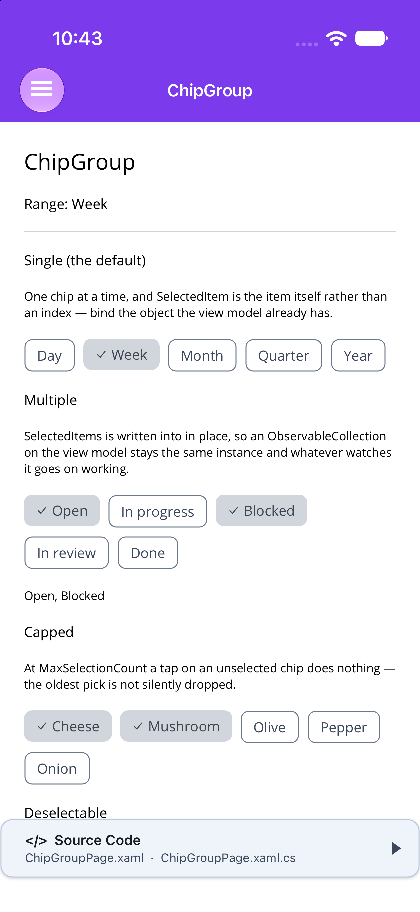 |
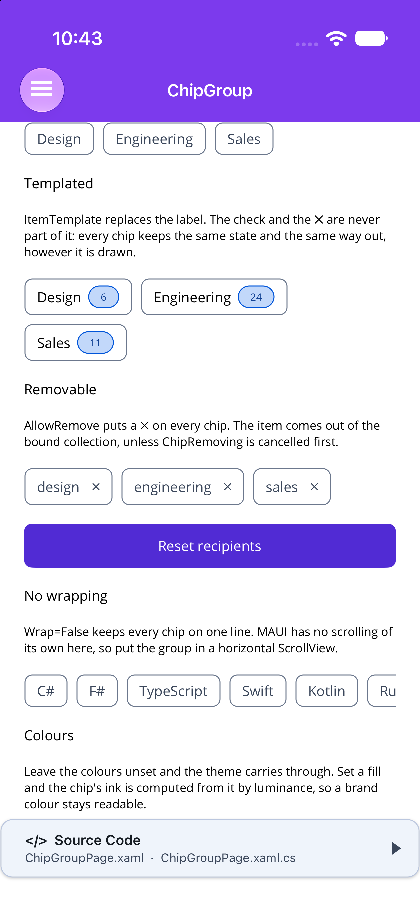 |
Blazor
| Multiple selection | Removable | Colours |
|---|---|---|
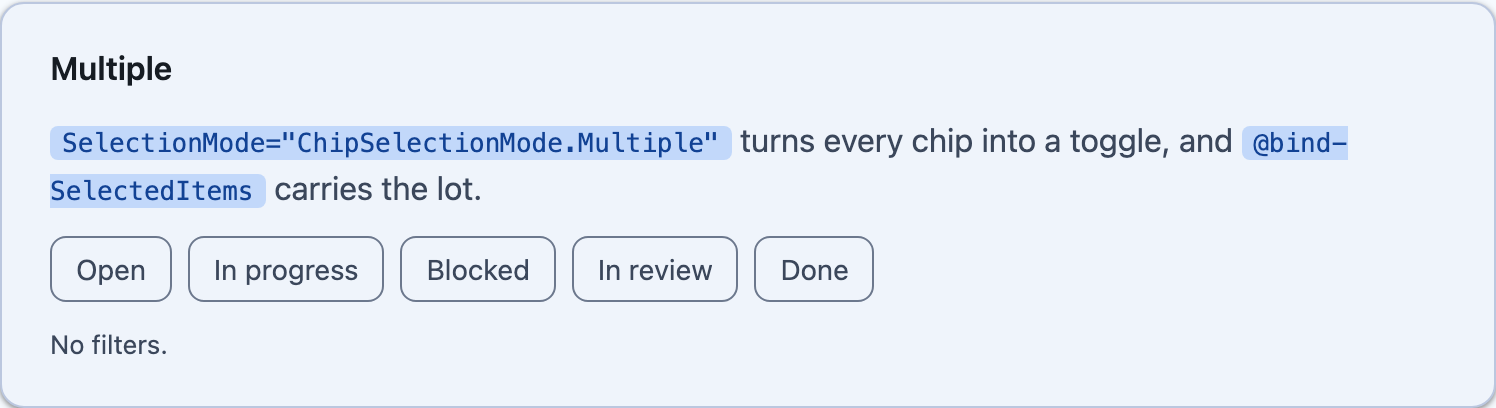 |
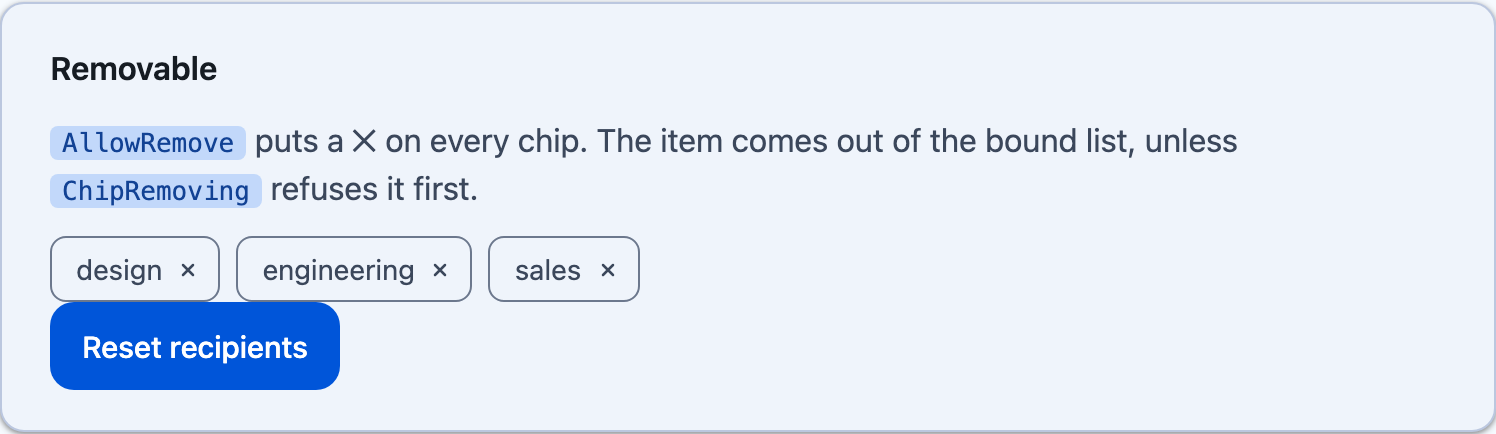 |
 |
Features
Section titled “Features”| Feature | Description |
|---|---|
| Bound, not written out | the chips come from a collection, so a list that arrives from a service becomes a picker with no markup per option. |
| The selection is the items | SelectedItem and SelectedItems hand back the objects a view model already has, rather than indexes it has to translate. |
| Single, multiple or none | a choice chip, a filter chip, or an action chip that carries no state at all. |
| It wraps | a dozen filters flow onto as many lines as they need, instead of becoming one unreadably long segmented control. |
| Optional removal | AllowRemove puts a ✕ on every chip, with a cancellable seam in front of it. |
| Templated labels | ItemTemplate/ChipContent replaces what a chip says, never its state or its way out. |
Which control is this?
Section titled “Which control is this?”| Where the options come from | What the selection is | |
|---|---|---|
| ButtonGroup | written out in markup | an index |
| ChipGroup | a bound collection | the items themselves |
| TagEntry | the user types them | the strings they typed |
A button group’s SelectedIndex is the right shape for Day / Week / Month and the wrong one for a list that arrives from a service. Reach for a chip group whenever the options are data.
AI Skill
Section titled “AI Skill”Step 1 — Add the marketplace:
claude plugin marketplace add shinyorg/skillsStep 2 — Install the plugin:
claude plugin install shiny@shinyOne plugin installs all 48 Shiny skills. Your agent loads only the skill relevant to what you're building, so there's no cost to having them all available.
Step 1 — Add the marketplace:
copilot plugin marketplace add https://github.com/shinyorg/skillsStep 2 — Install the plugin:
copilot plugin install shiny@shinyOne plugin installs all 48 Shiny skills. Your agent loads only the skill relevant to what you're building, so there's no cost to having them all available.
Quick Start
Section titled “Quick Start”<shiny:ChipGroup ItemsSource="{Binding Categories}" SelectedItem="{Binding Category}" DisplayMemberPath="Name" /><ChipGroup ItemsSource="@categories" @bind-SelectedItem="category" DisplaySelector="@(c => c.Name)" />Selection
Section titled “Selection”SelectionMode defaults to Single — the opposite of ButtonGroup, whose default is None. Selection is what a chip group is for; a button group is a row of actions that only becomes a picker when asked.
<!-- choice chips --><shiny:ChipGroup ItemsSource="{Binding Ranges}" SelectedItem="{Binding Range}" />
<!-- filter chips --><shiny:ChipGroup ItemsSource="{Binding Filters}"                 SelectionMode="Multiple"                 SelectedItems="{Binding SelectedFilters}"                 MaxSelectionCount="3" />
<!-- action chips: no state at all, every tap is reported --><shiny:ChipGroup ItemsSource="{Binding Actions}" SelectionMode="None" ChipTappedCommand="{Binding RunCommand}" /><ChipGroup ItemsSource="@ranges" @bind-SelectedItem="range" />
<ChipGroup ItemsSource="@filters" SelectionMode="ChipSelectionMode.Multiple" @bind-SelectedItems="selectedFilters" MaxSelectionCount="3" />
<ChipGroup ItemsSource="@actions" SelectionMode="ChipSelectionMode.None" ChipTapped="@((string item) => Run(item))" />Re-tapping the selected chip in Single does nothing unless AllowDeselect is on — a picker that can be emptied by tapping its own answer again is a picker with no answer. In Multiple a second tap always toggles.
At MaxSelectionCount a tap on an unselected chip does nothing. The oldest selection is not dropped: silently unpicking something the user chose is worse than refusing the new one.
SelectedItem and SelectedItems are both kept accurate whatever the mode, so a view model can read either. On MAUI the bound SelectedItems list is written into rather than replaced, so an ObservableCollection keeps its identity and whatever is watching it goes on working; a read-only or fixed-size list (an array) is left alone rather than throwing. Anything selected that the source no longer offers is dropped — a selection with no chip to show for it is one the user cannot see and cannot undo.
On Blazor, SelectedItem cannot express “nothing selected” for a value type, because default(TItem) is a perfectly good item. Bind SelectedItems, or make the type argument nullable (ChipGroup<int?>).
What a chip shows
Section titled “What a chip shows”Unset, a chip shows the item’s ToString().
<shiny:ChipGroup ItemsSource="{Binding Teams}" DisplayMemberPath="Name" /><shiny:ChipGroup ItemsSource="{Binding Teams}" ItemDisplayBinding="{Binding Members, StringFormat='{0} people'}" /><ChipGroup ItemsSource="@teams" DisplaySelector="@(t => t.Name)" />ItemDisplayBinding is a binding rather than a property name looked up by reflection: the path is compiled, so it survives trimming, and a converter or a StringFormat comes along for free. It wins over DisplayMemberPath when both are set.
ItemTemplate (MAUI) and ChipContent (Blazor) replace a chip’s label. The selection check and the remove affordance are never part of the template: every chip keeps the same state and the same way out, however it is drawn.
<shiny:ChipGroup ItemsSource="{Binding Teams}" SelectionMode="Multiple"> <shiny:ChipGroup.ItemTemplate> <DataTemplate x:DataType="local:Team"> <HorizontalStackLayout Spacing="6"> <Label Text="{Binding Name}" FontSize="14" VerticalTextAlignment="Center" /> <shiny:PillView Text="{Binding Members}" Type="Info" FontSize="10" /> </HorizontalStackLayout> </DataTemplate> </shiny:ChipGroup.ItemTemplate></shiny:ChipGroup>Removing
Section titled “Removing”AllowRemove puts a ✕ on every chip, and is off by default — most chip groups are a fixed set of filters, and a ✕ on every one of them invites the user to destroy the picker.
The item is taken out of the source when the source is a list that can be written to. When it is not — a LINQ projection, an array — the event is the only signal and the view model owns the removal, which is also how a chip that needs a server round-trip first is handled.
<shiny:ChipGroup ItemsSource="{Binding Recipients}" AllowRemove="True" ChipRemoving="OnChipRemoving" />void OnChipRemoving(object sender, ChipRemovingEventArgs e) => e.Cancel = !CanRemove(e.Item);<ChipGroup ItemsSource="@recipients" AllowRemove ChipRemoving="@(r => recipients.Count > 1)" />Layout
Section titled “Layout”Chips wrap by default. Wrap="False" keeps them on one line — on Blazor the row then scrolls sideways on its own; on MAUI put the group in a horizontal ScrollView, or the overflow is simply off the edge.
<ScrollView Orientation="Horizontal" HorizontalScrollBarVisibility="Never"> <shiny:ChipGroup ItemsSource="{Binding Languages}" SelectionMode="Multiple" Wrap="False" /></ScrollView>Chrome
Section titled “Chrome”An unselected chip is transparent with an outline, so the page behind shows through and a group over a card does not paint its own slab. A selected chip is a filled surface — the theme’s secondary container — and draws no outline, because a hairline of the unselected colour around the fill reads as a chip that is both states at once.
Set ChipBackgroundColor or SelectedChipBackgroundColor and the chip’s ink is computed from it by WCAG luminance — the same rule PillView uses — so a brand colour stays readable.
ShowSelectionCheck is on by default: fill alone carries selection only for someone who can compare a chip with the ones beside it.
IsReadOnly/ReadOnly keeps the chips crisp and the selection visible but blocks changing it, and takes the remove affordance away. Disabling the group also dims it. Read-only is “these are the values”, disabled is “not right now”.
Properties
Section titled “Properties”| Property | Type | Default | Description |
|---|---|---|---|
ItemsSource |
IEnumerable / IEnumerable<TItem> |
null |
What the chips stand for |
SelectionMode |
ChipSelectionMode |
Single |
None, Single or Multiple |
SelectedItem |
object / TItem? |
null |
The selected item (two-way) |
SelectedItems |
IList / IReadOnlyList<TItem> |
empty | Everything selected (two-way) |
AllowDeselect |
bool |
false |
A second tap clears a single-selection group |
MaxSelectionCount |
int |
0 |
Cap in multiple mode, or 0 for no limit |
ShowSelectionCheck |
bool |
true |
A selected chip draws a leading check |
AllowRemove |
bool |
false |
Every chip carries a ✕ |
IsReadOnly / ReadOnly |
bool |
false |
Chips stay crisp, selection and removal are blocked |
Wrap |
bool |
true |
Chips flow onto as many lines as they need |
ItemTemplate / ChipContent |
DataTemplate / RenderFragment<TItem> |
null |
Replaces a chip’s label |
ChipBackgroundColor |
Color / string |
transparent | An unselected chip’s fill |
ChipTextColor |
Color / string |
theme | An unselected chip’s ink |
SelectedChipBackgroundColor |
Color / string |
theme | A selected chip’s fill |
SelectedChipTextColor |
Color / string |
theme | A selected chip’s ink |
ChipBorderColor |
Color / string |
theme | An unselected chip’s outline |
ChipCornerRadius / CornerRadius |
double |
theme | Chip corner radius |
MAUI only — ItemDisplayBinding, DisplayMemberPath, HorizontalSpacing, VerticalSpacing, DisabledOpacity.
Blazor only — DisplaySelector, Disabled, CssClass.
Events, commands and methods
Section titled “Events, commands and methods”| MAUI | Blazor | |
|---|---|---|
| Selection moved | SelectionChanged, SelectionChangedCommand |
SelectionChanged |
| A chip was tapped | ChipTapped, ChipTappedCommand |
ChipTapped |
| Before removal | ChipRemoving (cancellable) |
ChipRemoving (Func<TItem, bool>) |
| After removal | ChipRemoved, ChipRemovedCommand |
ChipRemoved |
| Drive it from code | Select, Deselect, ClearSelection, IsSelected |
SelectAsync, DeselectAsync, ClearSelectionAsync, TapAsync, RemoveAsync |
ChipTapped fires for every tap, including one that changes nothing — a re-tap of the selected chip with AllowDeselect off, or any tap at all in None. That is the point of it: a chip that acts rather than selects has no selection change to listen for.