


Background Playback & Picture-in-Picture
Two separate features, because the platforms treat them separately: audio can keep running when your app is not on screen, but video stops rendering unless the user is in Picture-in-Picture. That is a platform rule, not a limitation of this control.
Background audio
Section titled “Background audio”<media:MediaElement x:Name="Player" Source="{Binding EpisodeUrl}" EnableBackgroundPlayback="True" AutoHideTransportBar="False" ShowFullScreenButton="False" />Player.Metadata = new MediaMetadata{ Title = "Episode 42 — The One About Handlers", Artist = "The Show", Album = "Season 3", ArtworkUri = "https://example.com/art.jpg"};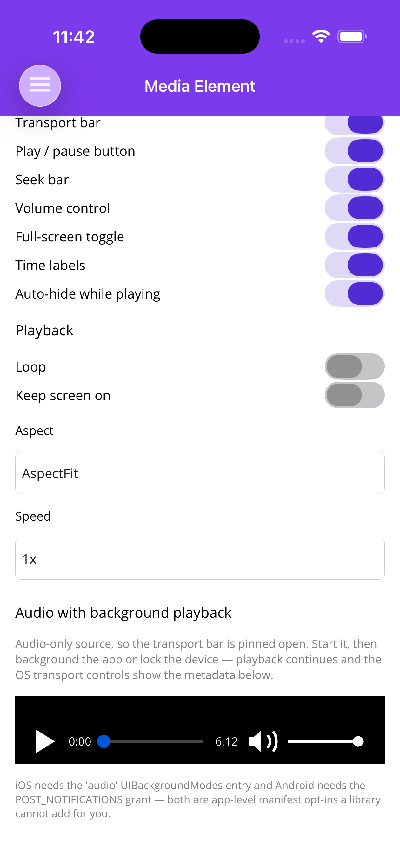
Audio keeps playing with the app backgrounded or the device locked, and Metadata drives whatever transport UI the OS puts in front of the user:
| Platform | Surface |
|---|---|
| iOS / Mac Catalyst | Lock screen and Control Center via MPNowPlayingInfoCenter, with buttons routed back through MPRemoteCommandCenter |
| Android | The media notification, from a Media3 MediaSession hosted by a mediaPlayback foreground service |
| Windows | The SMTC flyout |
| macOS AppKit | The Now Playing widget |
| Blazor | navigator.mediaSession |
| Linux GTK4 | None yet — no MPRIS integration, so EnableBackgroundPlayback is a no-op |
Assign a new MediaMetadata instance to update it; the control watches the property, not the object’s fields.
What the control does for you
Section titled “What the control does for you”- Sets the AVAudioSession category to
Playbackand activates it on Apple platforms. - Detaches the
AVPlayerLayerfrom the player when iOS backgrounds the app, and reattaches on return. Without that, iOS suspends video decode and takes the audio down with it. - Sets ExoPlayer’s wake mode to
WakeModeNetworkon Android, so the CPU and wifi don’t sleep with the screen — the “it works until I put the phone down” bug. - Starts and stops the foreground service with the toggle, and releases the
MediaSessionwhen background playback is switched off.
Picture-in-Picture
Section titled “Picture-in-Picture”if (!await Player.TryEnterPictureInPictureAsync()) await this.DisplayAlertAsync("Picture in Picture", "Not available on this device", "OK");TryEnterPictureInPictureAsync returns false — it never throws — where the platform, OS version, or the app’s manifest doesn’t allow it. PictureInPictureCommand.CanExecute is false there too, so a bound button disables itself, and ShowPictureInPictureButton hides the built-in one.
| Platform | Backing |
|---|---|
| iOS / Mac Catalyst | AVPictureInPictureController over the player layer |
| Android 8+ | Activity.EnterPictureInPictureMode |
| Blazor | video.requestPictureInPicture() |
| Windows, macOS AppKit, Linux | Not available |
Android needs two things from your activity
Section titled “Android needs two things from your activity”[Activity( Theme = "@style/Maui.SplashTheme", MainLauncher = true, LaunchMode = LaunchMode.SingleTop, SupportsPictureInPicture = true, ConfigurationChanges = ConfigChanges.ScreenSize | ConfigChanges.Orientation | ConfigChanges.UiMode | ConfigChanges.ScreenLayout | ConfigChanges.SmallestScreenSize | ConfigChanges.Density)]public class MainActivity : MauiAppCompatActivity{ public override void OnPictureInPictureModeChanged(bool isInPictureInPictureMode, Configuration? newConfig) { base.OnPictureInPictureModeChanged(isInPictureInPictureMode, newConfig); AndroidMediaIntegration.NotifyPictureInPictureModeChanged(isInPictureInPictureMode); }}SupportsPictureInPicture = true is mandatory — EnterPictureInPictureMode throws without it, and only the app can declare it.
Forwarding OnPictureInPictureModeChanged is optional but wanted: Android reports PiP transitions only to the activity, so without it PiP still works, but IsPictureInPictureActive and the PictureInPictureChanged event go stale when the user collapses the floating window.
There is no “leave PiP” call on Android — the user taps the expand affordance, or the app brings its own activity to the front. ExitPictureInPictureAsync() is a no-op there and works on iOS and Blazor.
Aspect ratio
Section titled “Aspect ratio”Android rejects a PiP aspect ratio outside 1:2.39 … 2.39:1 with an exception rather than a return value, so the ratio taken from the video track is clamped into that range before the request.
Checking first
Section titled “Checking first”Rather than branching on platform, read Capabilities:
if (Player.Capabilities.HasFlag(MediaPlaybackCapabilities.BackgroundAudio))    ShowBackgroundToggle();
if (Player.Capabilities.HasFlag(MediaPlaybackCapabilities.PictureInPicture))    ShowPipButton();
The built-in transport bar already does this for its own buttons.