


History
Appears when the table has a {table}_history sidecar, written by
MapTemporal<T>. No mapping needs to be registered in the tool — the sidecar’s
existence is the whole trigger.
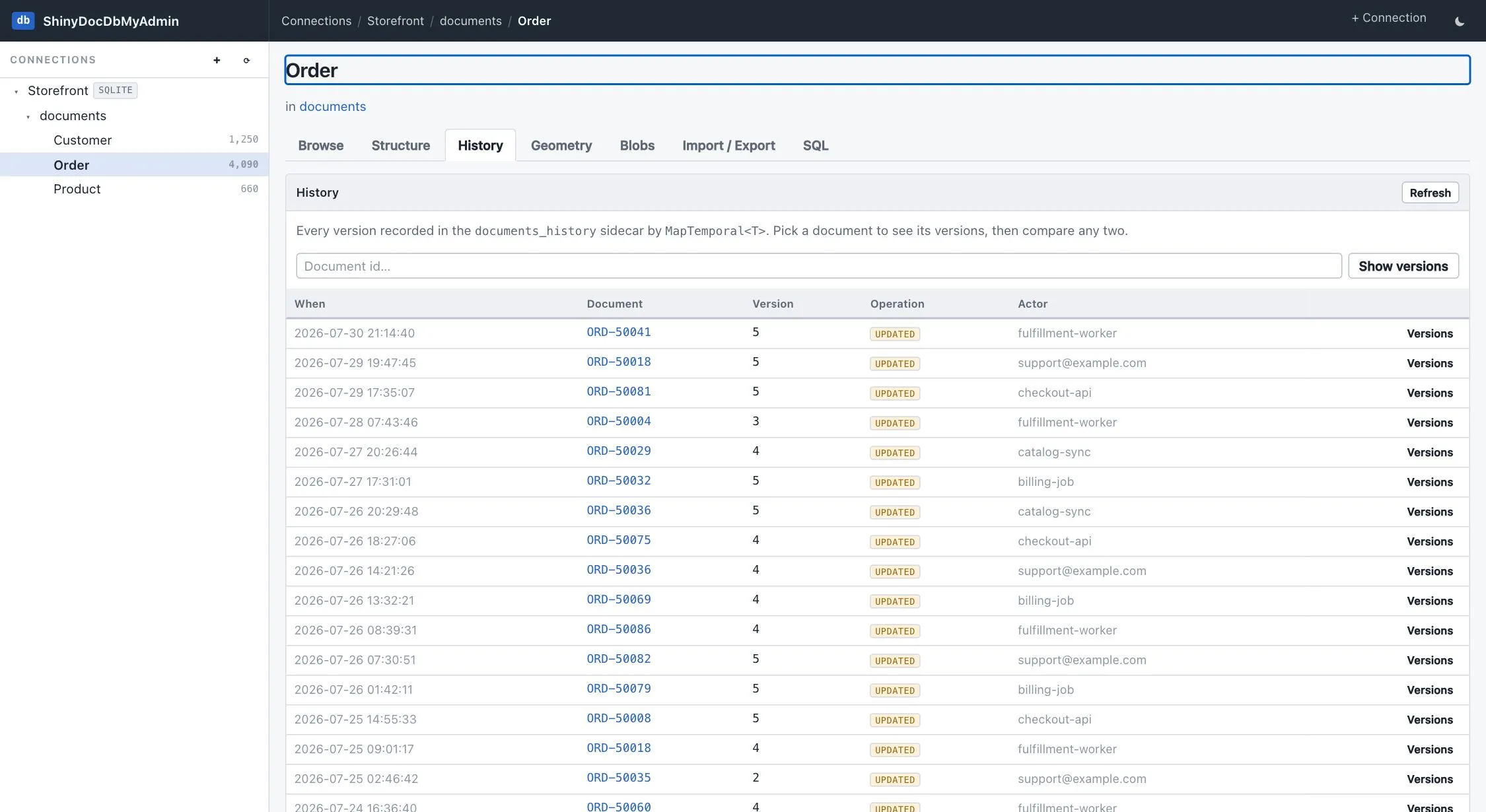
Recent changes
Section titled “Recent changes”It opens on an audit log across the type — what changed, when, and by which actor.
One document’s timeline
Section titled “One document’s timeline”Narrow to one document — which is what the History link on a browse row does — and you get its versions, each with its operation, the interval it was current, and how long it stood.
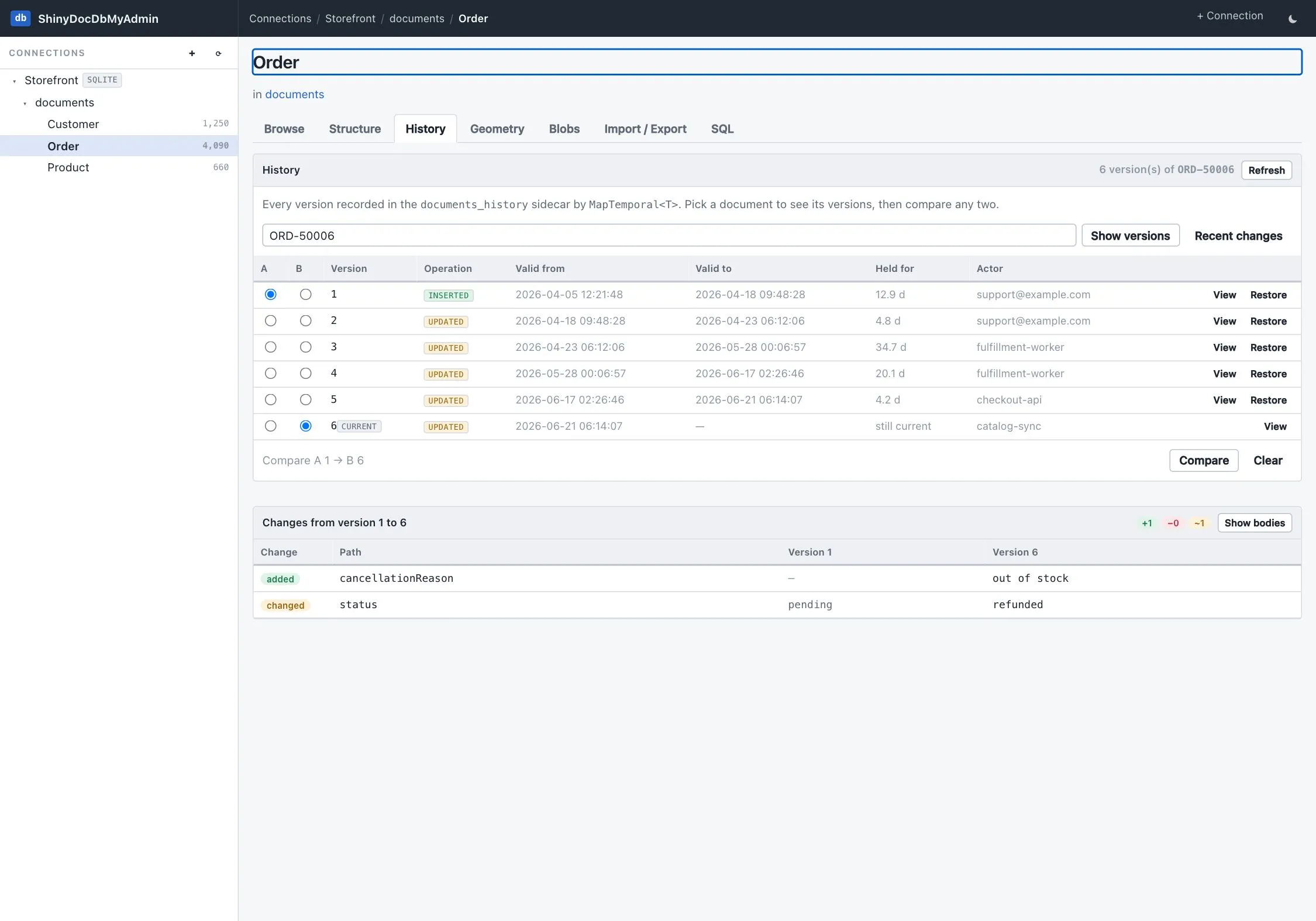
Pick any two with the A / B radios and compare them. The diff is field-by-field by dotted path
(customer.tier, items[2].price), classified as added, removed or changed, with both values side by
side. Show bodies switches to the two whole documents instead, for when the change is structural
enough that a path list stops helping.
Restore
Section titled “Restore”Any prior version can be restored behind a two-click confirm, which writes it back as the current document. That write is itself a tracked version, so restoring is recorded rather than rewriting the past.
Why writes here are tracked
Section titled “Why writes here are tracked”The admin layer writes SQL directly — it sits below IDocumentStore because it has no CLR type to bind to
— so none of the library’s temporal tracking runs on its own. Without doing it deliberately, an edit made
in this tool would change the row while the history sidecar went on insisting the old body was current.
So every write to a temporal-mapped type records a version here, using the provider’s own history SQL and
stamped with the actor shiny-docdb-myadmin. A quietly wrong audit trail is worse than no History tab at
all. Clear is the one exception, matching the library: a bulk delete is not tracked.
Documents written by Generate are the other exception, and for the same reason the library has it — bulk writes go through the schema-free lane, which maintains no sidecars. The tool says so on the page.