


Browse & edit
Browse
Section titled “Browse”A paged, sortable grid whose columns are inferred by sampling documents — nested paths like
shipTo.city become first-class columns.
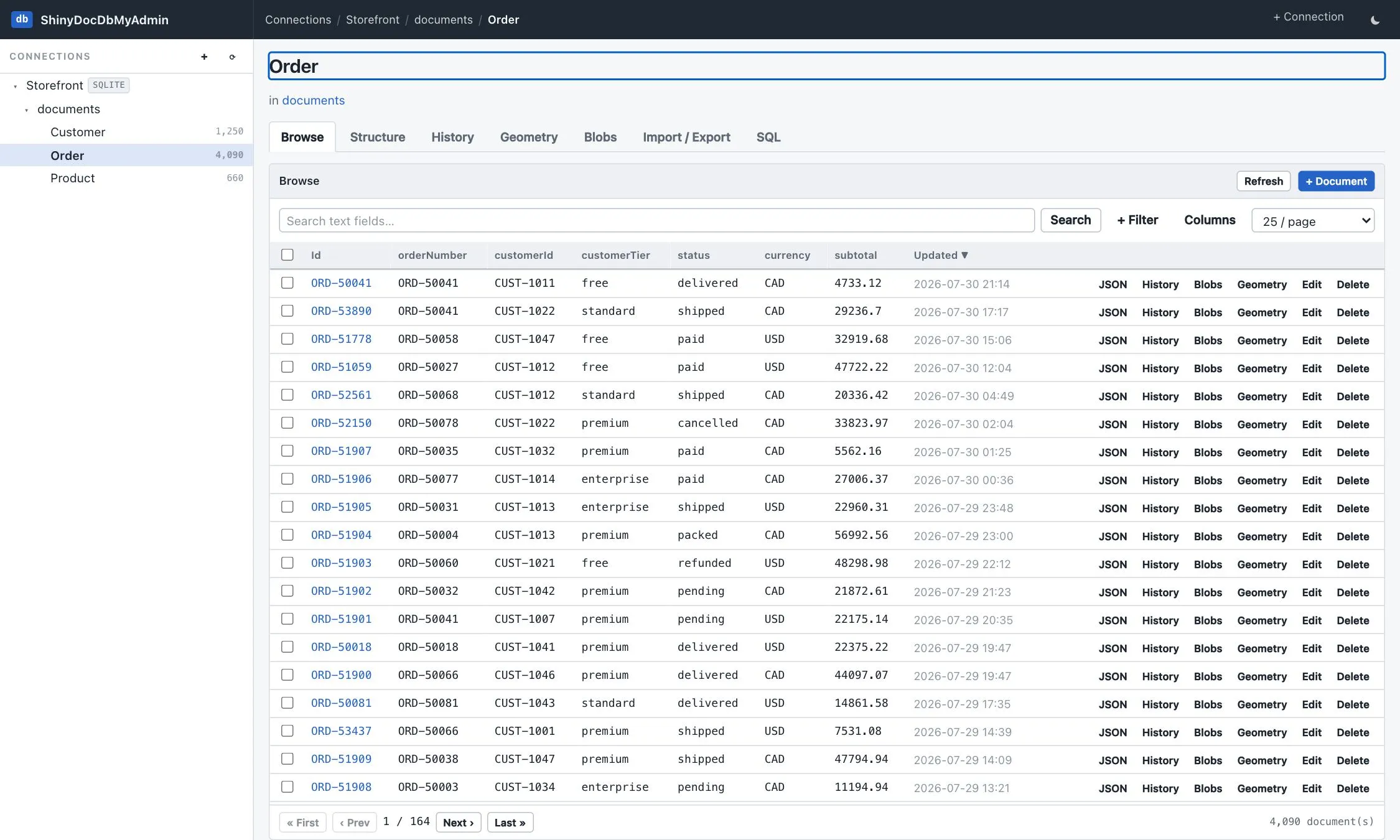
Numeric filters and sorts compare numerically, so 9 < 10 rather than "9" > "10".
Filtering
Section titled “Filtering”Search matches across the string fields found by sampling — the quick way in when you know a value but not which field holds it.
+ Filter builds conditions on any envelope column or JSON path: =, ≠, contains, starts with, ends
with, comparisons, and null checks. Several conditions combine with AND.
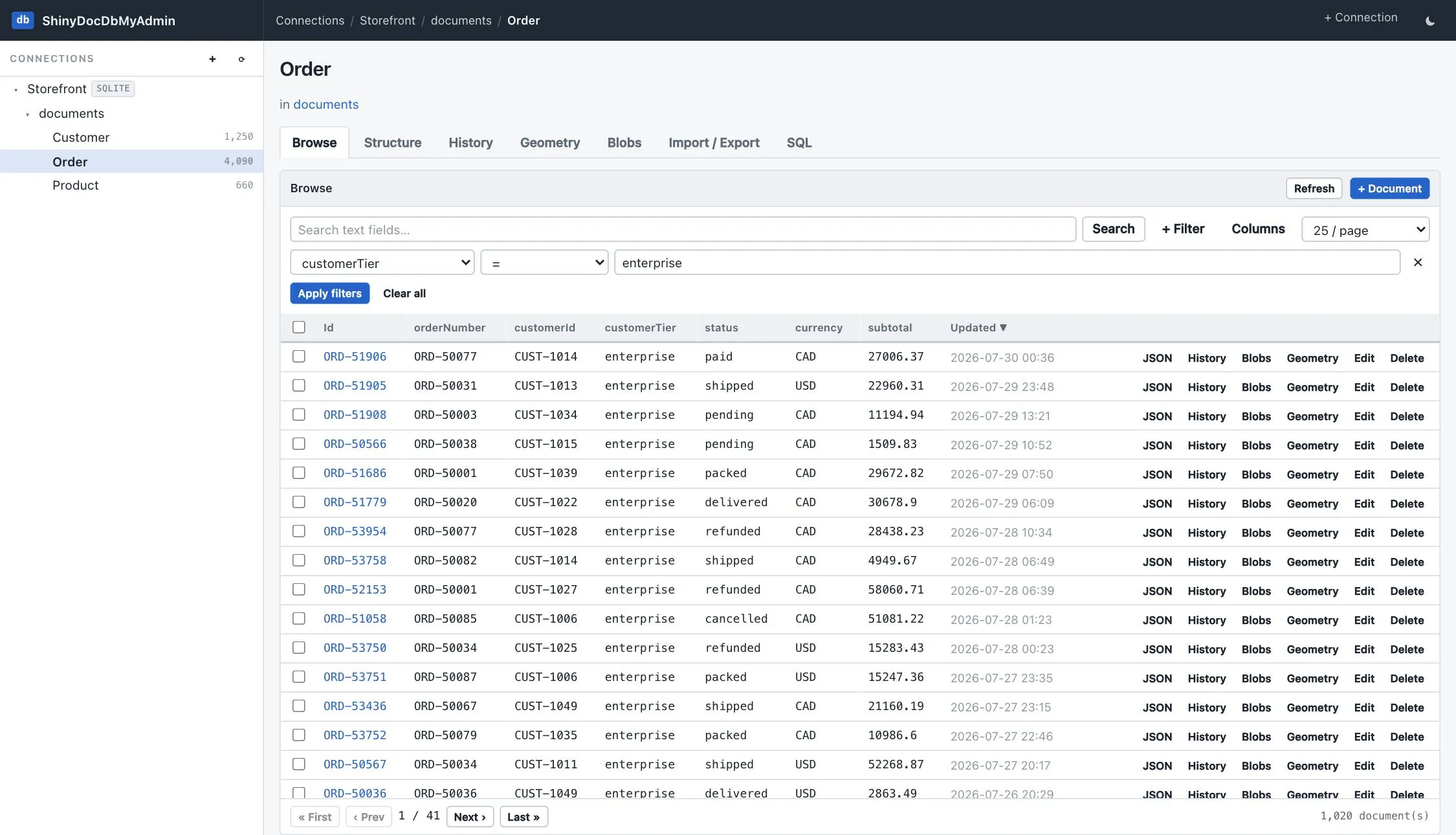
Columns picks which of the sampled paths to show, for a type whose documents are wider than a screen.
For anything the filter row can’t express — an OR, a function, a projection — use the query console, which speaks DocumentDb’s own string grammar over the same connection.
The JSON view
Section titled “The JSON view”Any row expands into a read-only, syntax-highlighted view of its whole body, with objects and arrays
collapsible (native <details> elements, so it works with scripting off) and a toggle to the raw
pretty-printed text.
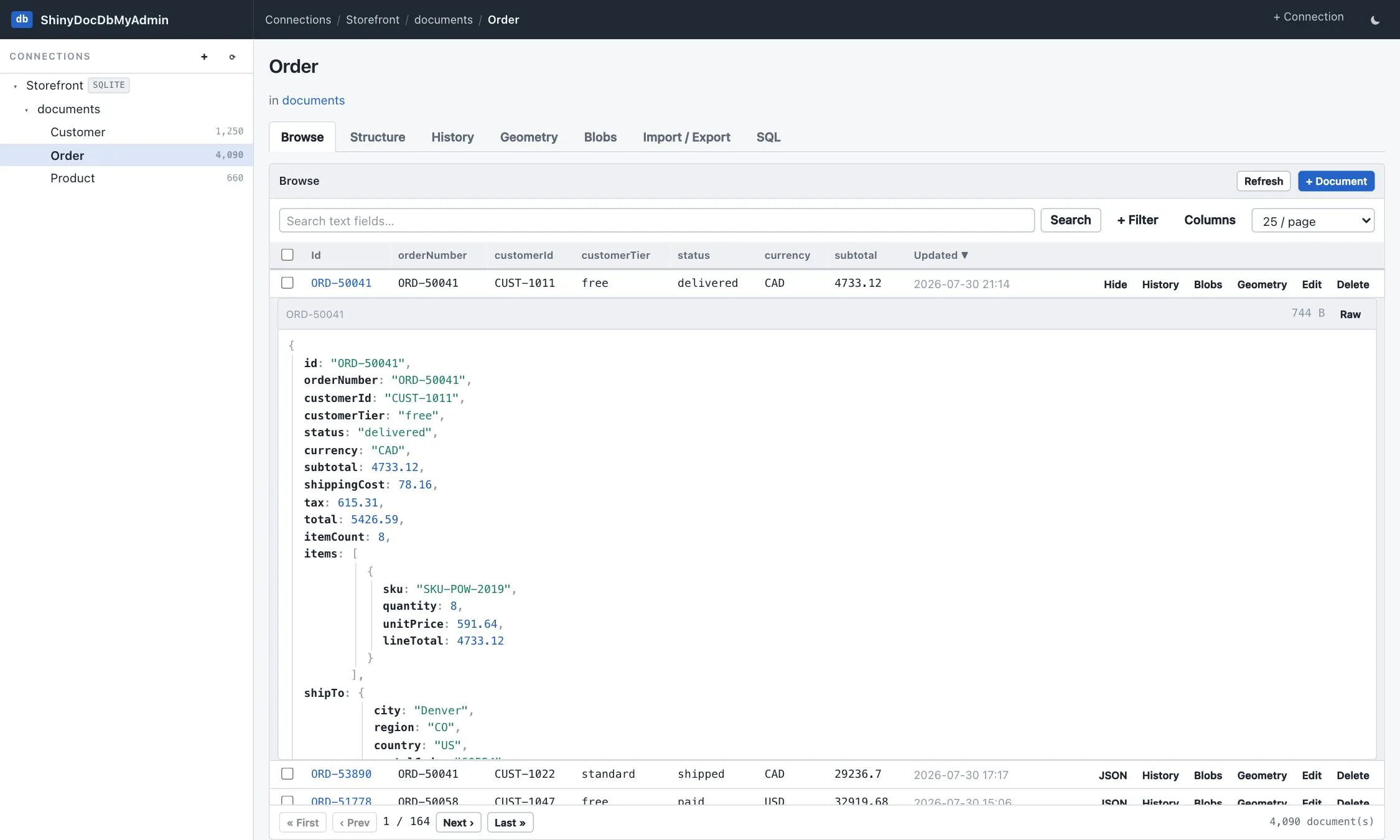
Every value is HTML-escaped on the way out: document content belongs to whoever wrote it, and this markup is rendered raw.
Long numeric arrays — embeddings — render as float[1536] [0.021, -0.114, …] in both the grid and the
formatted view rather than component by component. Nothing is hidden: the raw toggle still shows the whole
body. It is the difference between a summary and tens of kilobytes of markup per row.
Row links into the sidecars
Section titled “Row links into the sidecars”Every sidecar is keyed by document id, so each row carries a History, Blobs and Geometry link beside its JSON and Edit buttons. They open the same tab the header would, already narrowed to that one document — and each of those tabs keeps its own control to widen back out to the whole type.
A link only appears when the thing behind it exists: History when the table has a {table}_history
sidecar, Blobs when it has {table}_blobs, Geometry when the type stores GeoJSON. A plain type
gets a plain row rather than three dead ends.
The trip back works too: the document id in the History, Blobs and Geometry listings is a link, and clicking it opens the live document body in a read-only overlay. A sidecar row is about a document it does not show, and an id on its own rarely says which one. If nothing comes back — a removed document still carrying history, a payload that outlived its owner — the overlay says so instead of failing.
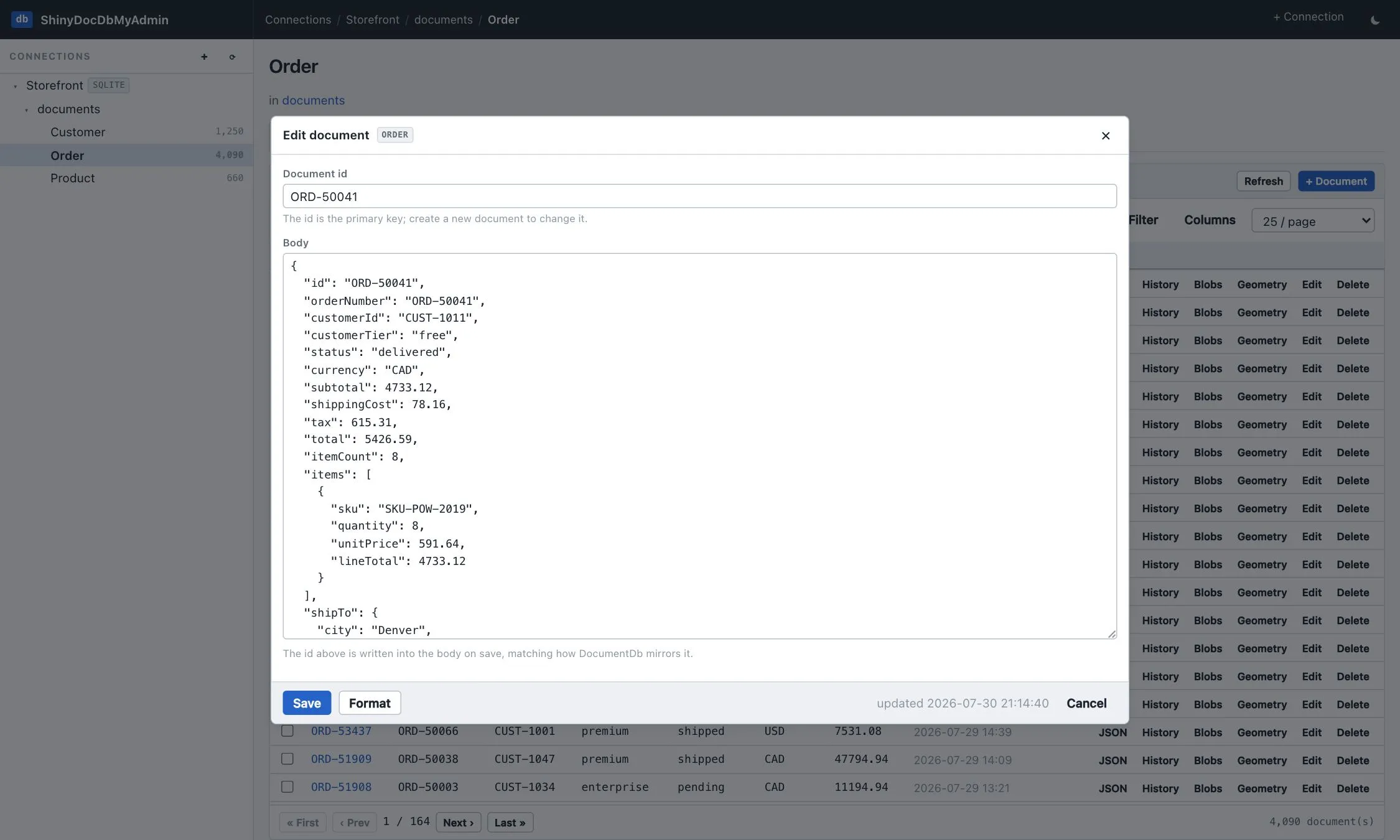
A JSON editor with format and validation. Insert, edit, duplicate-by-id, single and bulk delete.
Writes carry the sidecars with them, because nothing in the database does it for you:
- deleting a document clears its blob rows and its spatial index row,
- a temporal type records the version, stamped with the actor
shiny-docdb-myadmin, - a vector-mapped type has its embedding re-indexed — or, where the tool cannot write the sidecar, says so instead of leaving a search index quietly disagreeing with the documents,
- full-text indexes need nothing, because the database maintains them.
None of these sidecars has a foreign key back to the document, so a row left behind is not an error the database would raise — it is a bounding box that resolves to nothing, an embedding the nearest-neighbour search still returns, and a payload no reader can reach.
Delete
Section titled “Delete”Deleting a document asks first, and the confirmation names what goes with it — its payloads, its
embedding, its spatial index row — because none of that comes back. A temporal type is the one case where
something is added rather than lost: the delete appends a Removed version, so the document stays
readable as of an earlier time. A bulk delete of selected rows arms on the first click and runs on the
second.
Clear empties a whole type. It takes every sidecar row with it, and it is the one exception to
history, matching the library: a bulk delete is not tracked.
Create
Section titled “Create”The + Document button writes the first document of a type — which is how a type comes into existence
in a schema-free store. Creating the documents table itself is on the database
overview, using the provider’s own DDL, so a database whose store has never run isn’t
a dead end.