


.NET MAUI on the Web - and Most of Shiny Controls Just Works

Platform.Maui.Web is a .NET MAUI backend for the browser. Your MAUI app runs on WebAssembly and renders real DOM
elements: <button>, <input>, <dialog>, SVG for shapes and borders, a 2D canvas for GraphicsView. There is no
Blazor, no Razor components and no canvas-drawn UI. MAUI’s own cross-platform layout engine positions everything, so
Grid, FlexLayout, AbsoluteLayout and your custom layouts behave the way they do on every other platform.


It lives in shinyorg/mauiplatforms next to the Apple TV backend, and it follows the structure and lessons of the backends in dotnet/maui-labs (Linux GTK4, macOS AppKit). It’s experimental: the current release is 0.4.0, and it stays below 1.0 while the API settles.
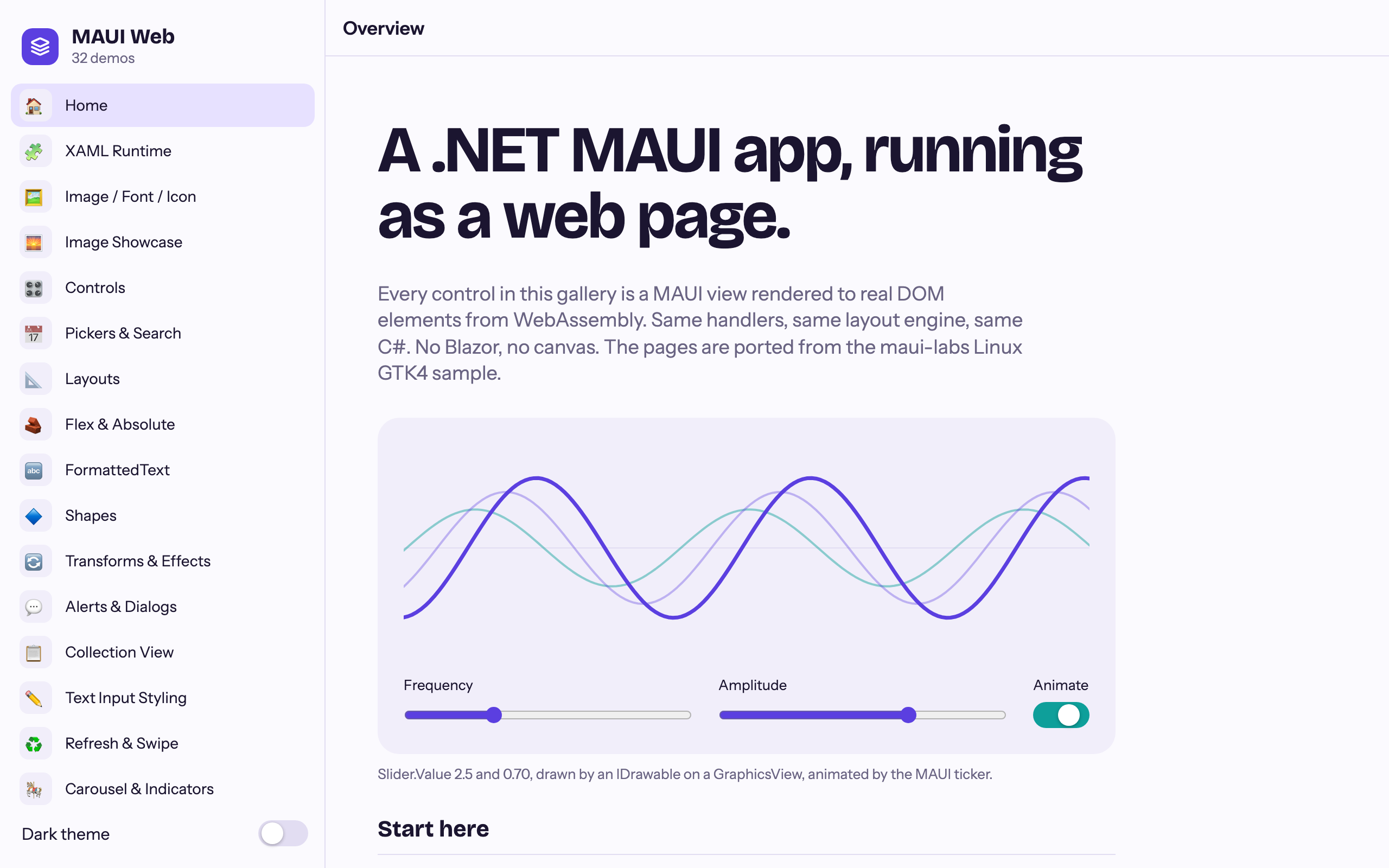
The real test of a new MAUI backend isn’t its own sample, though. It’s somebody else’s app. So we took the biggest MAUI app we have, the Shiny Controls gallery, and pointed it at the browser.
Most of Shiny Controls just works
Section titled “Most of Shiny Controls just works”The gallery has a Linux GTK4 head that compiles the shared pages on plain net10.0. The web head is the same idea: a
Microsoft.NET.Sdk.WebAssembly project that links the gallery’s XAML and C# and swaps UseMauiAppLinuxGtk4<App>() for
UseMauiAppWeb<App>(). No page was changed for the browser.
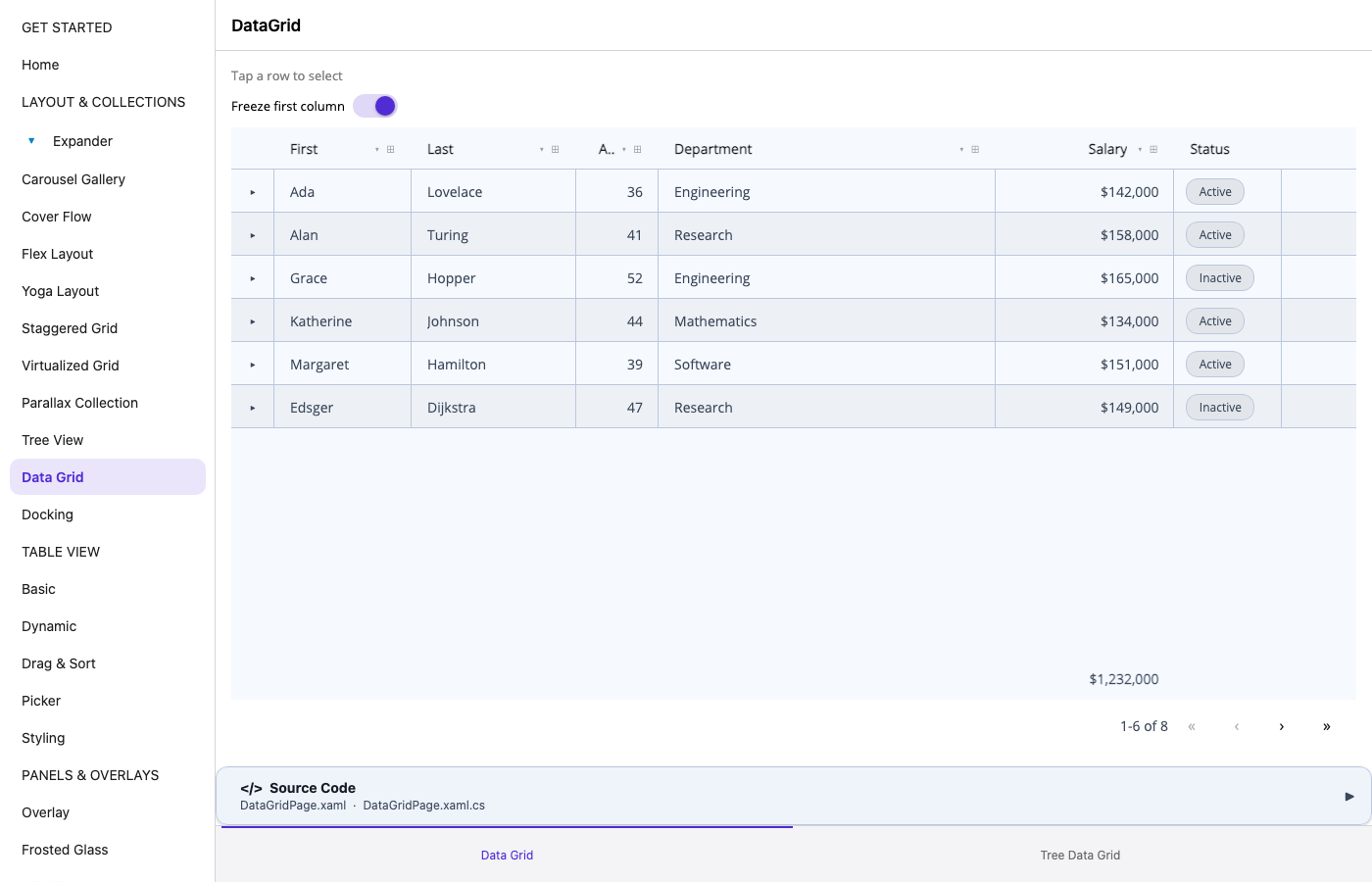
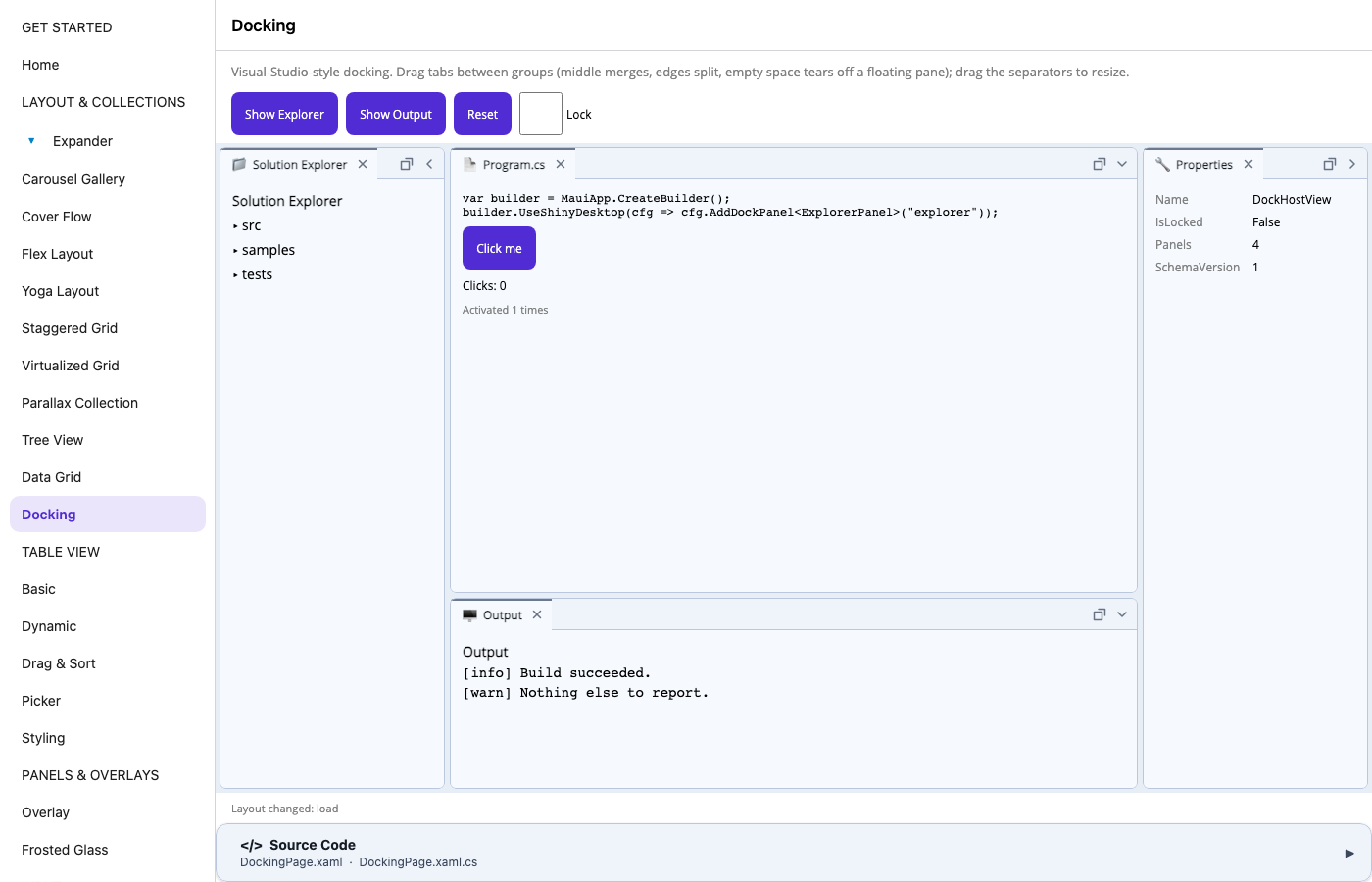
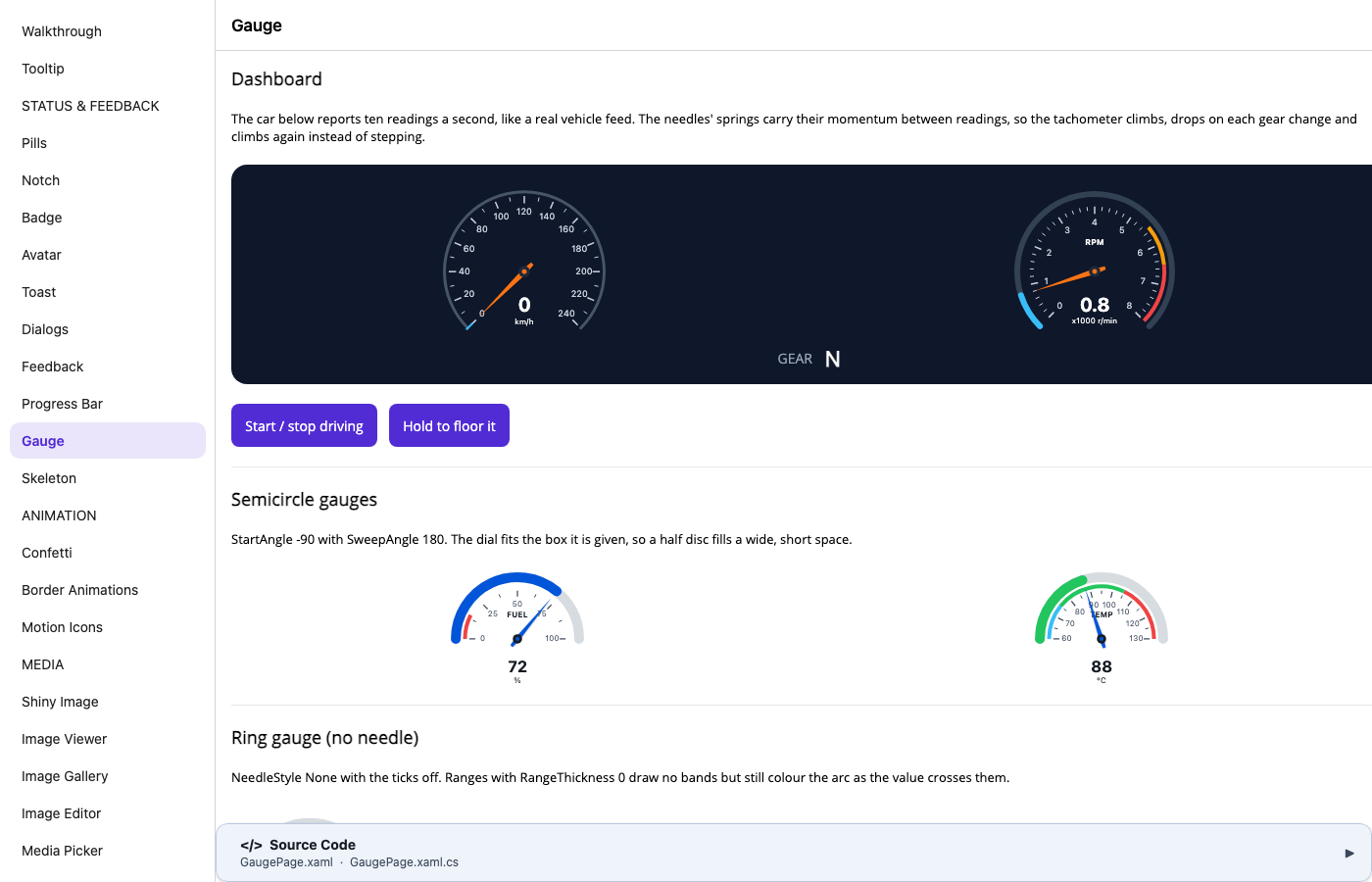
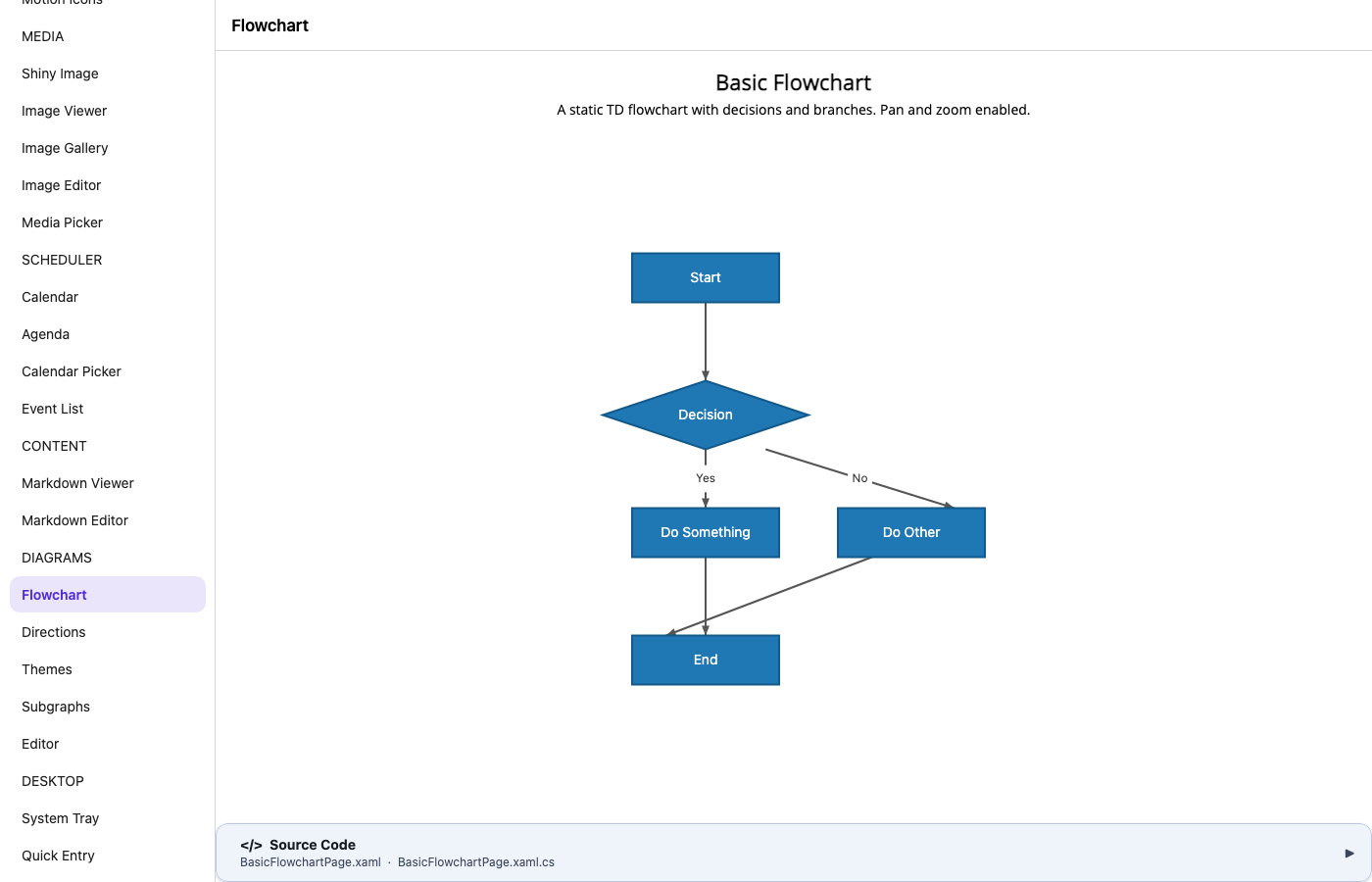
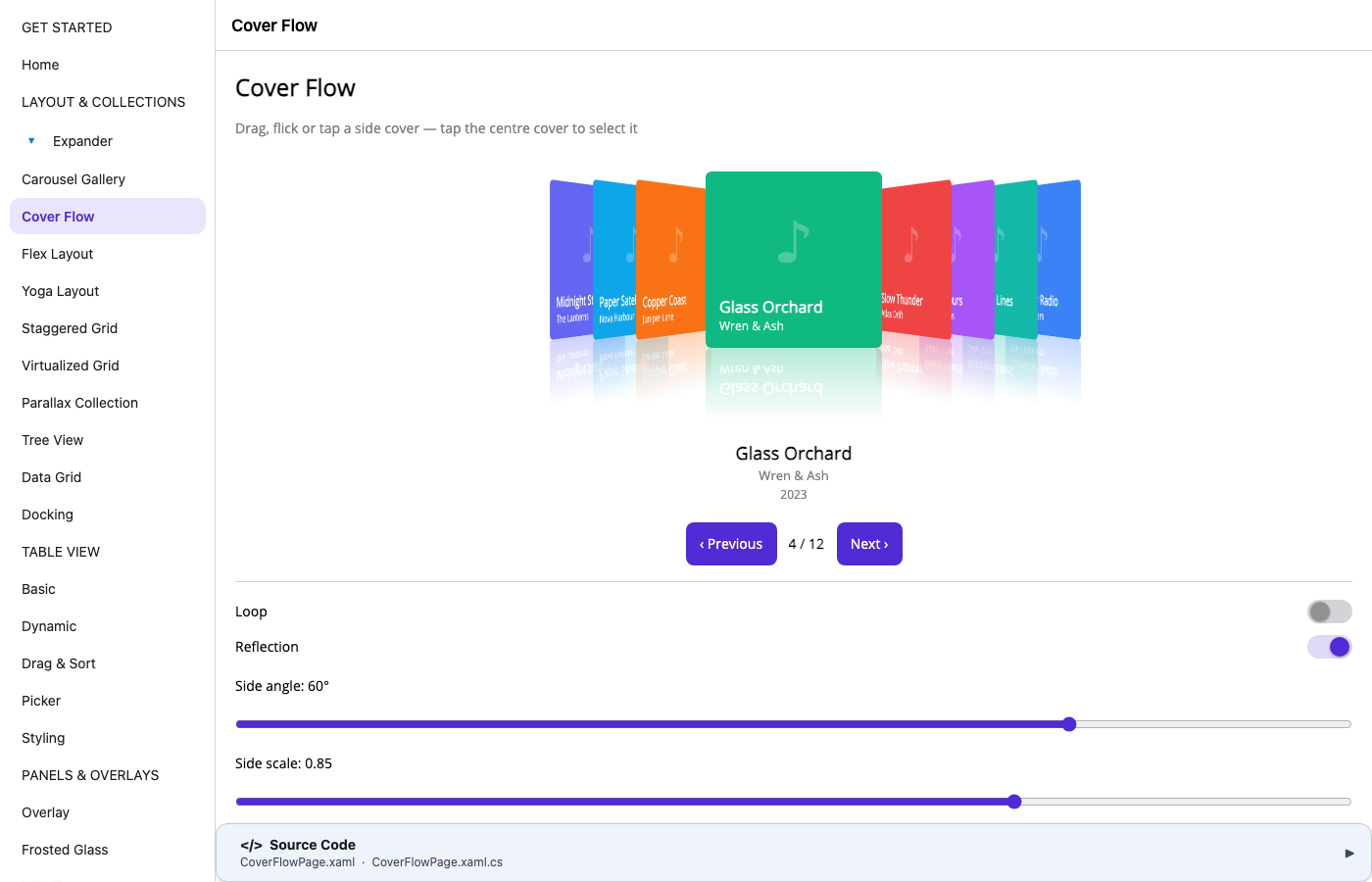
The result: 68 demo pages, published as a trimmed Release build, and every one of them opens without an exception. We drove each page in Chromium with Playwright and checked the console as well as the screen.
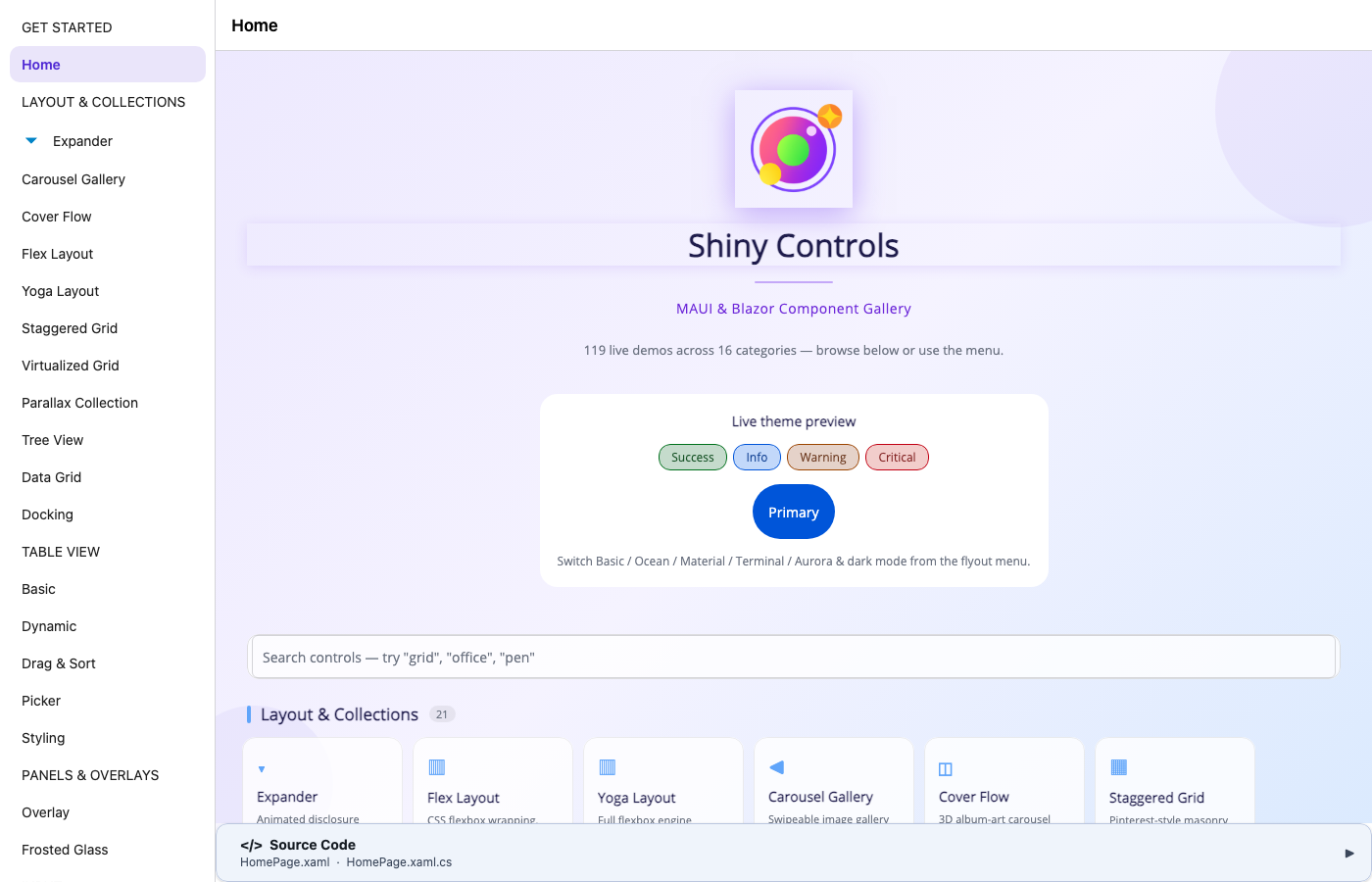
What renders and responds:
| Area | Controls |
|---|---|
| Data & layout | DataGrid and TreeDataGrid, TreeView, TableView (all 14 cell types, dynamic sections, drag-to-sort), Expander, Docking, CoverFlow, Parallax CollectionView, ShinyFlexLayout, YogaLayout |
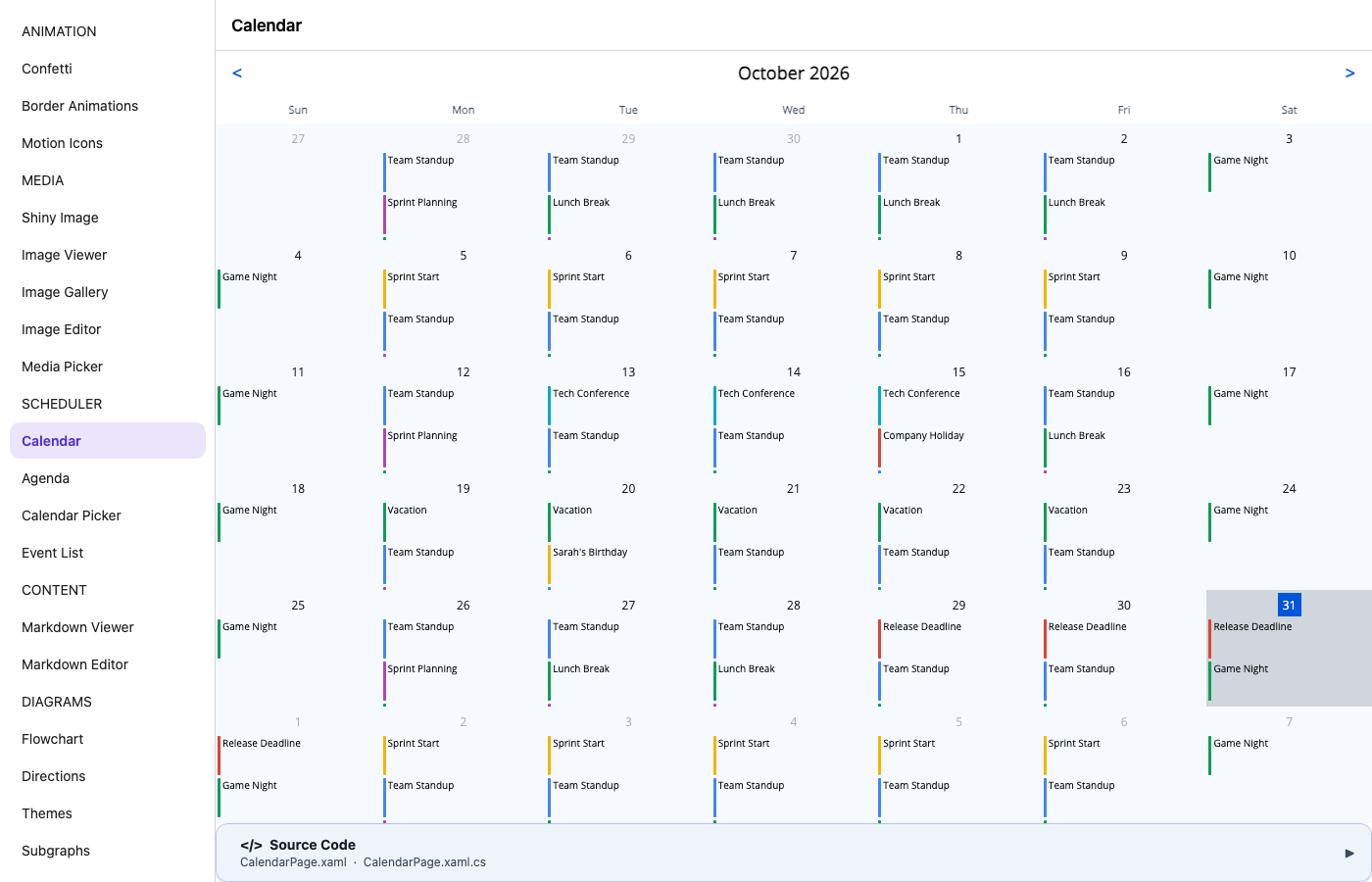
| Scheduler | Calendar, Agenda, Calendar Picker, Event List |
| Input | Text entry (M3 floating labels), AutoComplete, TagEntry and ChipGroup, Color Picker, Country & Address, Duration Picker, Font Picker, Slider, Range Slider, Range Pickers, Security Pin, Password Strength, Signature Pad, On-Screen Keyboard, Keyboard Shortcuts |
| Actions & navigation | ShinyButton, ButtonGroup, FAB and FabMenu, StateView, Wizard, Walkthrough, Tooltip |
| Status & feedback | Pills, Badge, Avatar, Notch, Toast, Dialogs, Feedback, Progress Bar, Gauge, Skeleton |
| Animation | Confetti, Border Animations, Motion Icons |
| Content | Markdown Viewer and Editor, Mermaid diagrams (flowcharts, directions, themes, subgraphs, the interactive editor) |
| Overlays & media | Overlay, Frosted Glass, Image Viewer, Image Gallery, Media Picker |
 |
 |
 |
 |
 |
 |
Why does so much of it work? Most Shiny Controls are composed from MAUI primitives: Grid, Border, Label,
GraphicsView, shapes, gestures and animations. The web backend implements those primitives with real DOM elements,
so a control built on them comes along for free. Desktop-only features degrade the way they do on any platform without
them: the System Tray page, for example, says tray icons aren’t available on this platform.
Still pending
Section titled “Still pending”Controls that bring their own native view need a browser handler before they can run, and some of those don’t have one yet:
- MediaElement. Shiny’s MediaElement has native handlers (Media3/ExoPlayer, AVPlayer, GStreamer on Linux), but none
for the browser yet. An HTML
<video>element is the obvious fit. - SkiaSharp views.
SKCanvasViewhas no web handler, so everything that paints with Skia waits on it: the Office editors (spreadsheet, documents, slides, notebooks) and FloorPlan. - CarouselGallery, StaggeredGrid and VirtualizedGrid. Their handlers wrap
RecyclerView,UICollectionViewandScrollViewer, with nothing for the browser yet, so the web head leaves them out of its menu. - Images inside GraphicsView. The browser decodes and draws them, but MAUI’s
net10.0PlatformImagecan’t, so it reports the wrong size. The ImageEditor canvas shows up black for this reason. - Remote ShinyImage downloads. On the MAUI host, ShinyImage downloads through
HttpClient, which in the browser isfetchand subject to CORS. Servers that don’t send CORS headers fail, and the progress ring doesn’t finish yet. - Not tried yet. The web head leaves out the same pages as the Linux head: Camera and Barcodes, Chat and the
speech add-ins, FloatingPanel, Keyframe, Gamepad and the Diagram add-on. Some of these have browser APIs to build on
(
getUserMedia,BarcodeDetector, the Gamepad API), and Shiny’s Blazor controls already use them.
For the backend itself, the web guide lists the rest. The two you’re most likely to hit are that CollectionView isn’t virtualized yet and that pinch gestures and drag & drop aren’t implemented.
Try it
Section titled “Try it”You need the .NET 10 SDK and nothing else (no workload). Create a Microsoft.NET.Sdk.WebAssembly project:
<Project Sdk="Microsoft.NET.Sdk.WebAssembly"> <PropertyGroup> <TargetFramework>net10.0</TargetFramework> <OutputType>Exe</OutputType> <ImplicitUsings>enable</ImplicitUsings> <Nullable>enable</Nullable> <AllowUnsafeBlocks>true</AllowUnsafeBlocks> <ApplicationTitle>My App</ApplicationTitle> <ApplicationId>com.example.myapp</ApplicationId> </PropertyGroup> <ItemGroup> <PackageReference Include="Platform.Maui.Web" Version="0.4.0" /> <PackageReference Include="Platform.Maui.Web.Essentials" Version="0.4.0" /> <PackageReference Include="Shiny.Maui.Controls" Version="*-*" /> </ItemGroup></Project>Then register the backend instead of UseMauiApp<App>(), and add Shiny Controls exactly as you would on a phone:
public class MyWebApp : WebMauiApplication{    protected override MauiApp CreateMauiApp() => MauiProgram.CreateMauiApp();}
public static class Program{    public static Task Main() => new MyWebApp().RunAsync();}
public static class MauiProgram{    public static MauiApp CreateMauiApp()    {        var builder = MauiApp.CreateBuilder();        builder            .UseMauiAppWeb<App>()       // instead of UseMauiApp<App>()            .UseWebEssentials()            .UseShinyControls()            .ConfigureFonts(f => f.AddFont("OpenSans-Regular.ttf", "OpenSansRegular"));        return builder.Build();    }}
Add a wwwroot/index.html that loads a main.js (dotnet.create() then runMain()), and run dotnet run, or
dotnet publish -c Release for static files you can host anywhere. The
setup guide has every file.
Adding a web head to an existing app
Section titled “Adding a web head to an existing app”XAML needs nothing web-specific. Keep your app project as it is and add a web project beside it that links the shared
XAML and C#, leaving the Platforms folder and the app’s MauiProgram.cs behind. That’s how the Shiny Controls web head
is built, and the web guide has a
complete project file.
Some things we learned doing it:
OnPlatformmatchesWeb, and#if ANDROID/#if IOSblocks compile with neither defined (WEBandBROWSERare).- Trimming is on in Release. Prefer compiled bindings (
x:DataType), and useIQueryAttributablerather than[QueryProperty], which MAUI turns off in trimmed builds. - The browser serves images and raw assets from the same root. If a
MauiImageand aMauiAssetshare a file name, as the Shiny gallery’s two copies ofdotnet_bot.pngdid, the build stops with a static web asset conflict. Rename or exclude one of them. - Remote images and HTTP calls go through
fetch, so the server you call needs to send CORS headers.
What’s next
Section titled “What’s next”MediaElement on <video>, a SkiaSharp view, browser handlers for the three native collection controls, and
virtualization in CollectionView are the gaps that matter most to Shiny Controls. If there’s a control you need in the
browser, open an issue on shinyorg/mauiplatforms.